Chapter 1 About This Machine
23
1
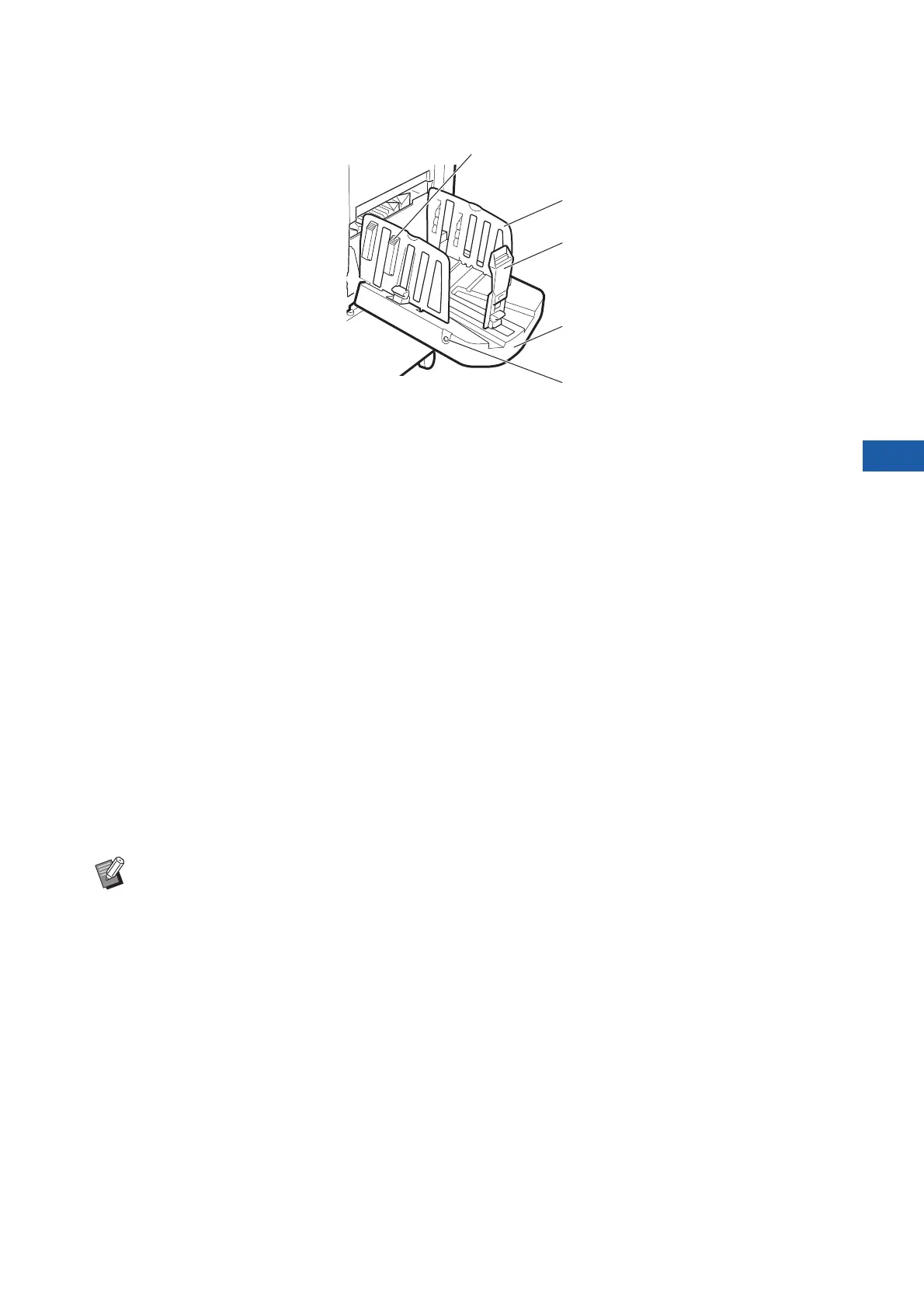
■ Auto-control stacking tray
1 Paper arranger knob (A 33)
Press this knob to open the paper arranger.
The paper arranger helps improve the arrangement
state of the printed paper.
2 Receiving-tray paper guides
Automatically moves to a position according to the
paper size when starting to make masters or to print.
You can adjust them in [Receive Tray] (A 83) under
[Special Paper Ctrl].
3 Paper stopper
Automatically moves to a position according to the
paper size when starting to make masters or to print.
You can adjust it in [Receive Tray] (A 83) under
[Special Paper Ctrl].
4 Paper receiving tray
The printed paper is output to this tray.
5 Paper guides positioning button
When it is pressed, it operates differently depending
on the status of this machine as follows.
• During standby (when there is paper on the auto-
control stacking tray)
The receiving-tray paper guides and paper stopper
(only the receiving-tray paper guides at the default
setting*) move to a position where paper can be
removed easily.
*: You can change the setting in [Stack Guide Ctrl]
(A 122) under [Admin.].
• During standby (when there is no paper on the
auto-control stacking tray)
The receiving-tray paper guides and paper stopper
move to a position where the auto-control stacking
tray can be stored.
• While printing
Each press of the button moves the receiving-tray
paper guides outward about 1 mm. Press the but-
ton when the output paper do not neatly pile up.
3
4
2
1
5
BFor details about other options (A 182), refer to their respective User’s Guide.



 To Next Page