Chapter 3 Functions for Master Making
76
Overlaying Original Data on a
Paper Original [Overlay]
■ Final images
• You cannot enlarge or reduce the saved data. The
saved data is overlaid using the same size as the
data was saved in.
• You cannot adjust the position to overlay the saved
data. The saved data is overlaid with the center of
the top direction (A 15) for the paper original
aligned.
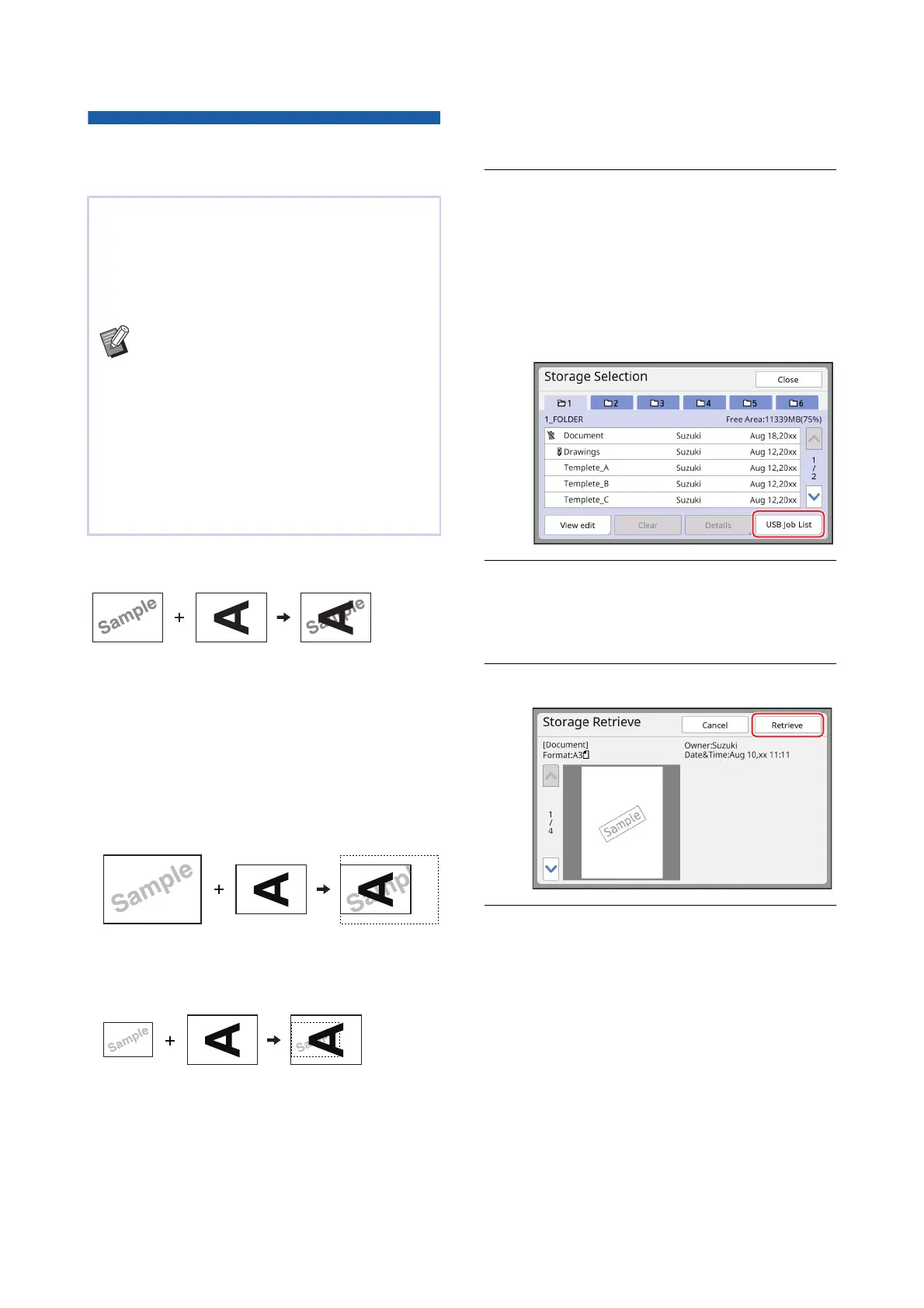
When the saved data is larger than the paper origi-
nal
When the saved data is smaller than the paper origi-
nal
1
Touch [Overlay] in the [Functions]
tab screen.
2
Touch an original data item that
you want to overlay.
• For the operation in the [Storage Selection]
screen, see the page below.
(A 74 “Managing the Saved Original Data
[Storage], [USB Job List]”)
• To overlay the saved data that is saved in a
USB flash drive, insert the USB flash drive,
and then touch [USB Job List].
3
Touch [Details].
The [Storage Retrieve] screen is displayed. If
you use a USB flash drive, the [USB Job List]
screen is displayed instead.
4
Touch [Retrieve].
5
Perform the operations required
for printing.
The rest of the procedure is the same as the
normal printing operation of paper originals.
(A 38 “Printing of Paper Originals”)
This function is dedicated for mono-color mode.
You can overlay the original data (saved data) that
is saved in [Storage] or [USB Job List] on a paper
original.
For example, you can overlay a stamp image of
“Sample” on a paper original.
BFor the saving method of the overlaying
original data in [Storage] or [USB Job List],
see the page below.
(A 43 “Saving Paper Original as Data”)
BYou cannot use this function with the fol-
lowing functions.
C[Ink Saving] (A 56)
C[Quick Master Making] (A 57)
C[Top Margin Adj.] (A 67)
C[Binding Margin Adj.] (A 68)
C[Output reversal] (A 70)
Saved data
Paper original
Final images
Saved data
Paper original
Final images
Saved data
Paper original
Final images



 To Next Page