Chapter 1 About This Machine
20
Name and Function of Each Part
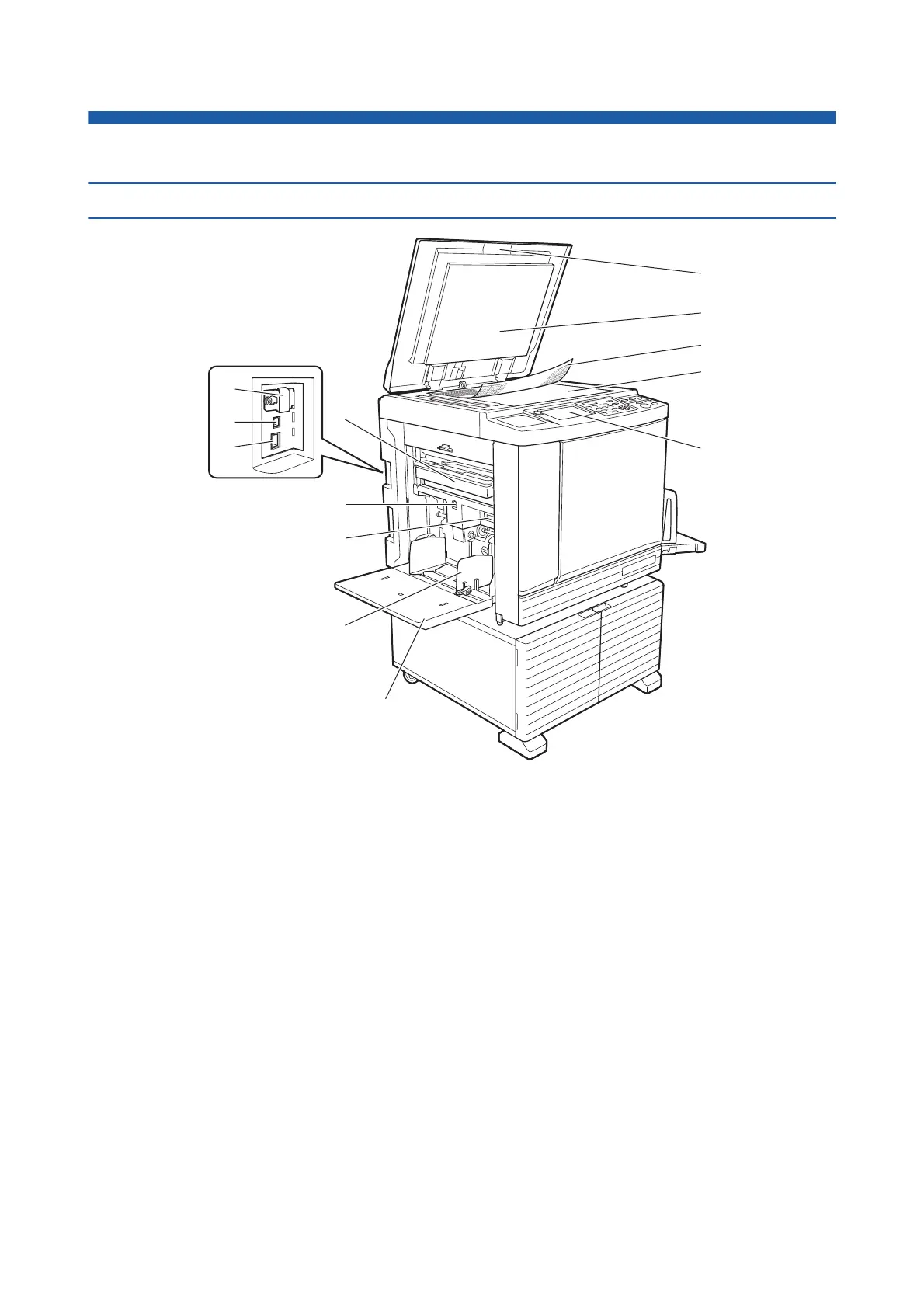
Paper feeding side
1 Master disposal box (A 149)
Collects masters that are disposed of.
2 Feed tray ascent / descent button (A 33)
Raises or lowers the paper feed tray when you
replace or add the paper.
3 Paper feed setting lever (A 32)
Adjusts the paper-feed pressure according to the
paper type.
4 Feed-tray paper guides (A 32)
Slide these guides to fit the paper width to prevent
misalignment of the paper.
5 Paper feed tray (A 32)
Place the paper on this tray.
6 Platen cover (A 37)
Open / close this cover when placing an original.
7 Platen cover pad (A 157)
8 Gauge cover (A 37)
Useful for adjusting the position of an original.
9 Glass platen (A 37)
Place the original facing down.
0 Control panel (A 24)
Perform the required operations.
a Memory card slot (A 43)
Insert a memory card to use the [Storage] function.
b USB connector (A 14)
Plug in a USB cable to connect this machine with a
computer.
c LAN connector (A 14)
Plug in an Ethernet cable to connect this machine to
the network.
a
b
c
0
6
7
8
9
1
3
2
4
5



 To Next Page