Chapter 3 Functions for Master Making
59
3
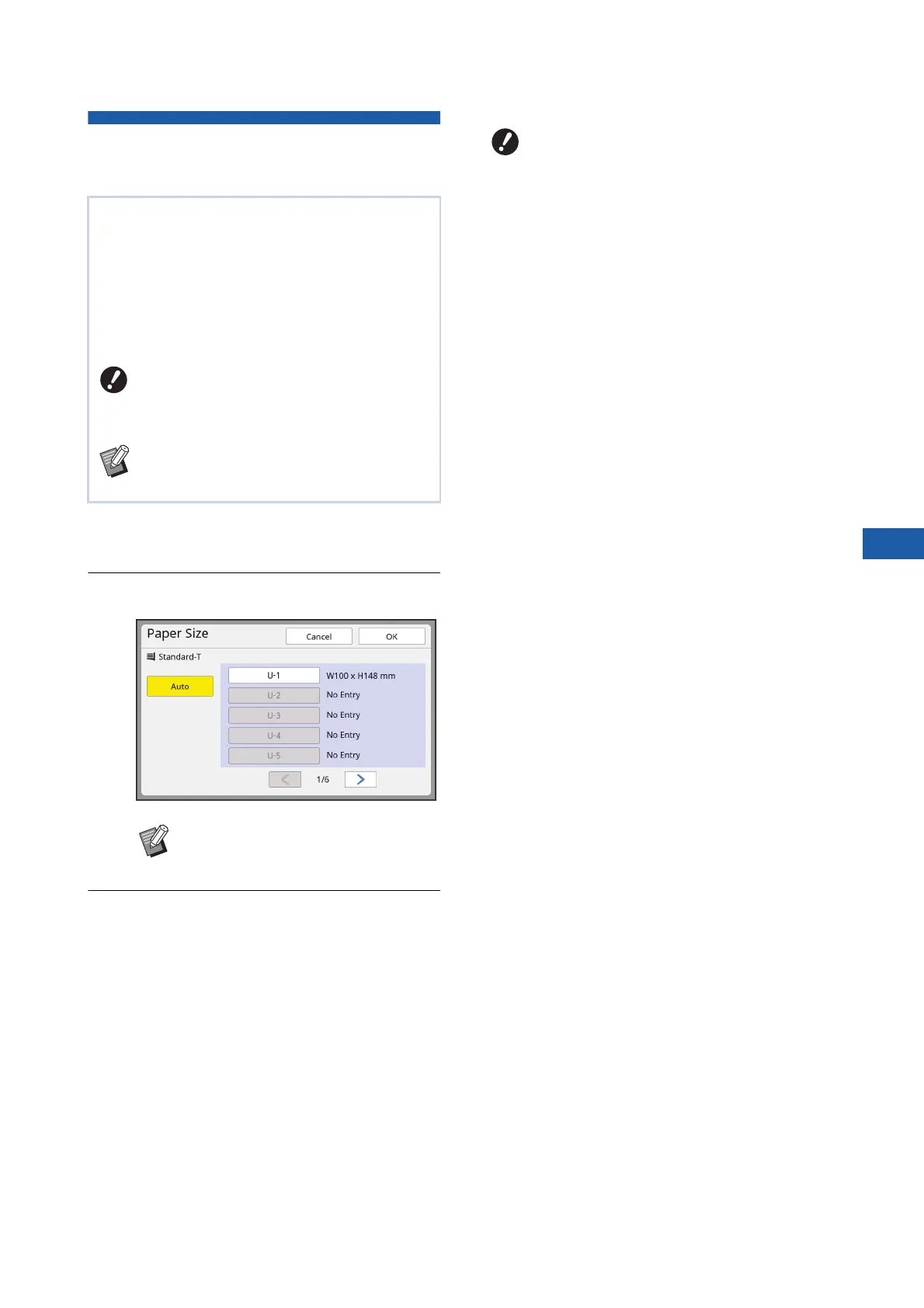
Using Custom Size Paper
[Paper Size]
1
Touch [Paper] in the [Basic] tab
screen.
2
Touch a target paper button.
3
Touch [OK].
■ When using extended paper (banner,
etc.)
Paper that has an [H] (horizontal) length of 436 to 555
mm (17 5/32 to 21 27/32 inches) is called “extended
paper”.
When you select an extended paper in the [Paper
Size] screen, this machine runs in extended paper
mode.
• In extended paper mode, the timing and speed of
printing are different from the normal printing pro-
cess.
• In extended paper mode, [<Ext.Paper>] is indicated
in the message area.
When standard size paper (A 15) is set on the
paper feed tray, this machine automatically detects
the paper size and makes a master in an appropri-
ate range for master making (A 17).
However, when custom size paper is set, the paper
size is not detected automatically.
You need to select an appropriate paper size for
[Paper Size] before master making.
BIf you use custom size paper while
[Auto] is selected for [Paper Size], the
printed image may be missing or the
print drum (cylinder) may be stained.
BThe paper size to be used must have been
registered in [Custom Paper Entry]
(A 126) under [Admin.].
BWhen using standard size paper,
select [Auto].
BTo use extended paper, the optional
Wide Stacking Tray is required. For the
procedures to set the paper feed tray
and the paper receiving tray, consult
your dealer or authorized service repre-
sentative.
BSome types of paper cannot be fed into
this machine, and some parts of the
printed paper may be stained depend-
ing on the position of the printed image.
For more information, consult your
dealer or authorized service representa-
tive.



 To Next Page