Chapter 4 Functions for Printing
85
4
3
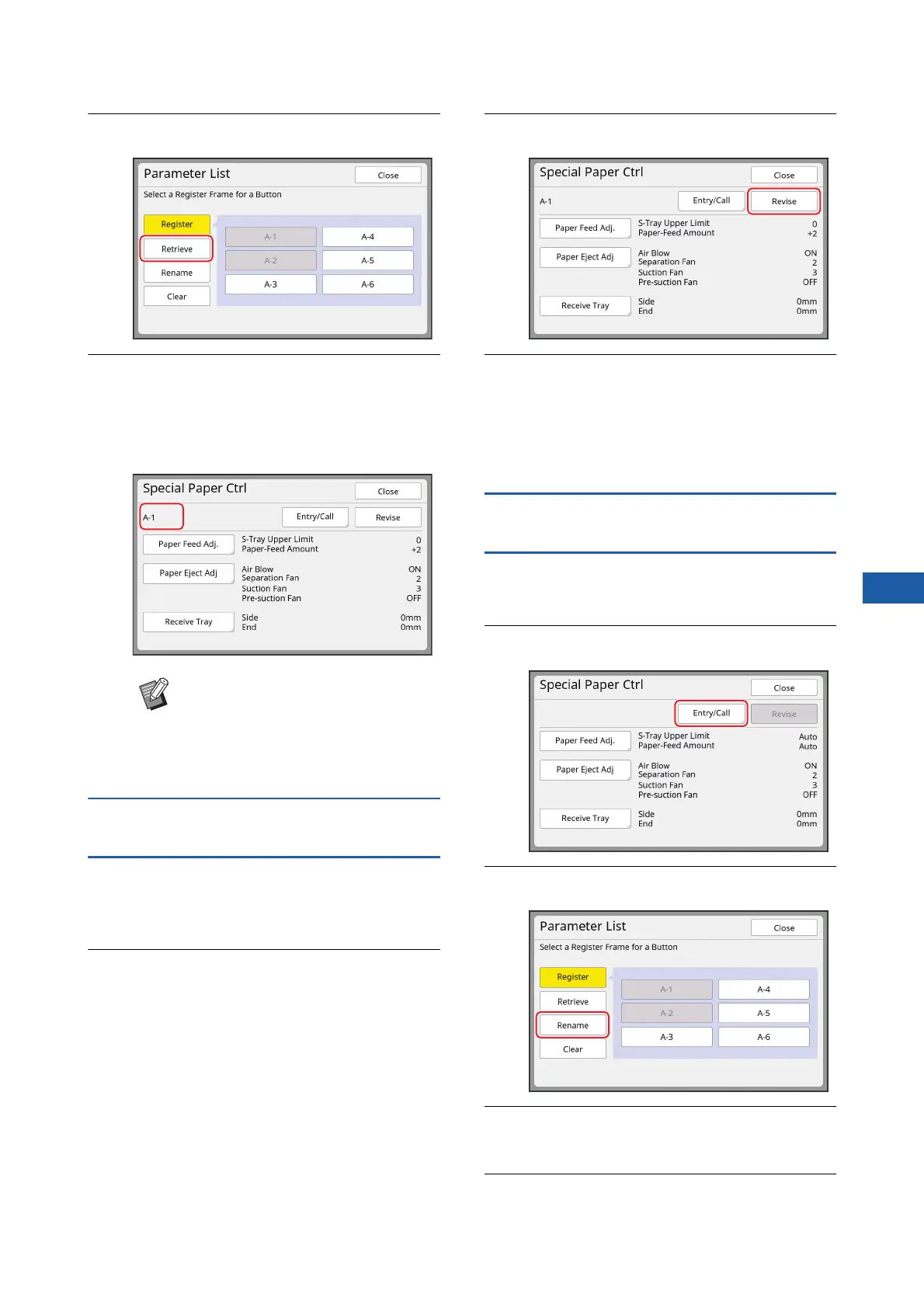
Touch [Retrieve].
4
Touch the button for the settings
that you want to retrieve.
The [Special Paper Ctrl] screen is displayed.
Check that the name of the retrieved adjust-
ment values is displayed.
Changing the adjustment value set-
tings
1
Retrieve adjustment values.
Perform steps 1 to 4 in “Retrieving the adjust-
ment values”.
2
Change the settings for [Paper
Feed Adj.], [Paper Eject Adj] and
[Receive Tray].
For the procedure to perform settings, see
A 82.
3
Touch [Revise].
4
Touch [OK] in the confirmation
screen.
The changed adjustment values are overwrit-
ten, and the [Special Paper Ctrl] screen is dis-
played.
Changing the name of adjustment
values
1
Touch [Special Paper Ctrl] in the
[Functions] tab screen.
2
Touch [Entry/Call].
3
Touch [Rename].
4
Touch the button whose name you
want to change.
5
Change the name.
(A 28 “[Rename] screen”)
BYou can change and overwrite the
settings of the adjustment values
that you retrieved.
(A 85 “Changing the adjustment
value settings”)



 To Next Page