Chapter 7 Setting the Operation Conditions
126
Registering the Custom Size
Paper [Custom Paper Entry]
■ Paper size that can be registered
100 mm × 148 mm (3 15/16 inches × 5 13/16 inches)
to 340 mm × 555 mm (13 3/8 inches × 21 27/32
inches)
• You can use papers up to a size of 320 mm ×
432 mm (12 19/32 inches × 17 inches) on the stan-
dard paper receiving tray. When the optional Wide
Stacking Tray is installed (A 182), you can use
papers up to a size of 340 mm × 555 mm
(13 3/8 inches × 21 27/32 inches).
Papers may not be arranged properly depending on
the paper type or paper size.
• For papers that are 436 mm (17 5/32 inches) or lon-
ger, this machine prints in extended paper mode
(A 59).
Registering the paper size
1
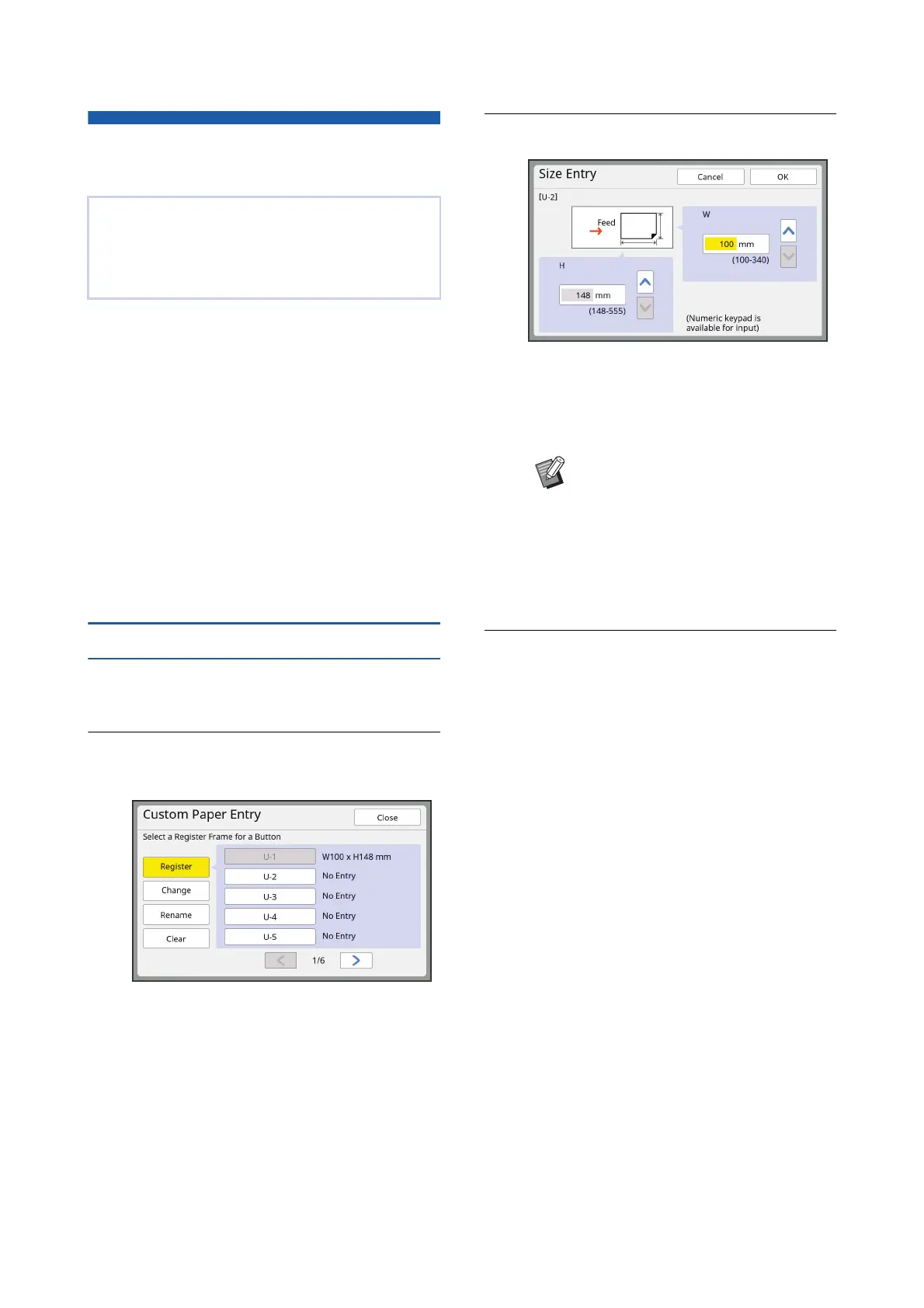
Touch [Custom Paper Entry] in the
[Admin.] screen.
2
Touch a button for which nothing
has been registered.
3
Specify the paper size.
You can specify the paper size using either of
the following methods.
• Entering a numeric value using the numeric
keys.
• Touching [G] or [F].
4
Touch [OK].
The [Custom Paper Entry] screen is displayed.
When using paper other than the standard size
paper (A 15), you need to register the paper size in
advance.
You can select the registered paper sizes in [Paper
Size] (A 59).
BWhen you set [H] to any value from
436 to 555 mm (17 5/32 to 21 27/32
inches), the paper is called
“extended paper”.
(A 59 “Using Custom Size Paper
[Paper Size]”)
BTo use extended paper, the optional
Wide Stacking Tray is required.



 To Next Page