Chapter 9 Replacing Consumables
152
Installing the print drum (cylinder)
1
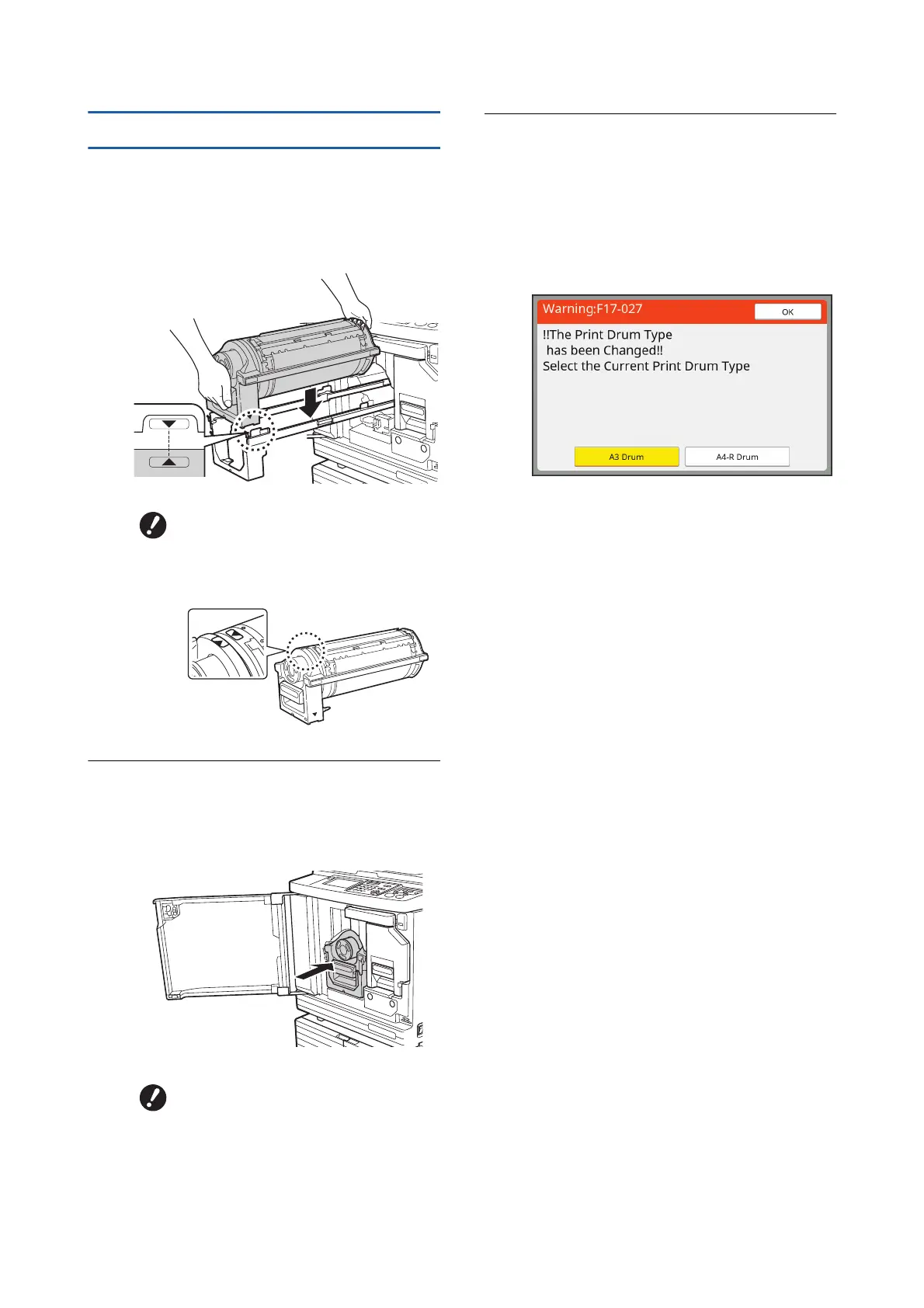
Place the print drum (cylinder) on
the rail.
Align the [V] mark on the print drum (cylinder)
with the [M] mark on the rail. Place the print
drum (cylinder) on the rail horizontally.
2
Return the print drum (cylinder) to
this machine.
Push in the print drum (cylinder) slowly as far
as it will go.
3
Close the front door.
■ When you have changed the type of
print drum (cylinder)
When you change the type of print drum (cylin-
der) between Ledger/A3 and A4/Letter, a con-
firmation screen is displayed. Confirm the type
of the print drum (cylinder) using the following
steps.
1 Touch the type of the print drum (cylinder)
that you have set.
2 Touch [OK].
BIf the print drum (cylinder) was
manually rotated, be sure to
return it so that the [V] and [M]
marks align after the procedure is
complete.
BWhen pushing in the print drum
(cylinder), do not grasp the print
drum (cylinder) handle.



 To Next Page