Chapter 5 Useful Functions
100
Registering Frequently Used
Functions for Each User
[My Direct Access]
1
Touch [My Direct Access] in the
[Functions] tab screen.
2
Touch the mode tab in which you
want to register a function.
3
Touch the function button that you
want to register.
You can also touch the button for which a func-
tion has already been registered to change to
another function.
4
Touch the function name to be reg-
istered.
• Touch [E] or [D] to change the display.
• If you do not want to register any function,
touch [No Entry].
• You cannot touch a function name that has
already been registered.
5
Touch [OK].
The [My Direct Access] screen is displayed.
When you want to register another function but-
ton, repeat steps 3 to 5.
6
Touch [OK].
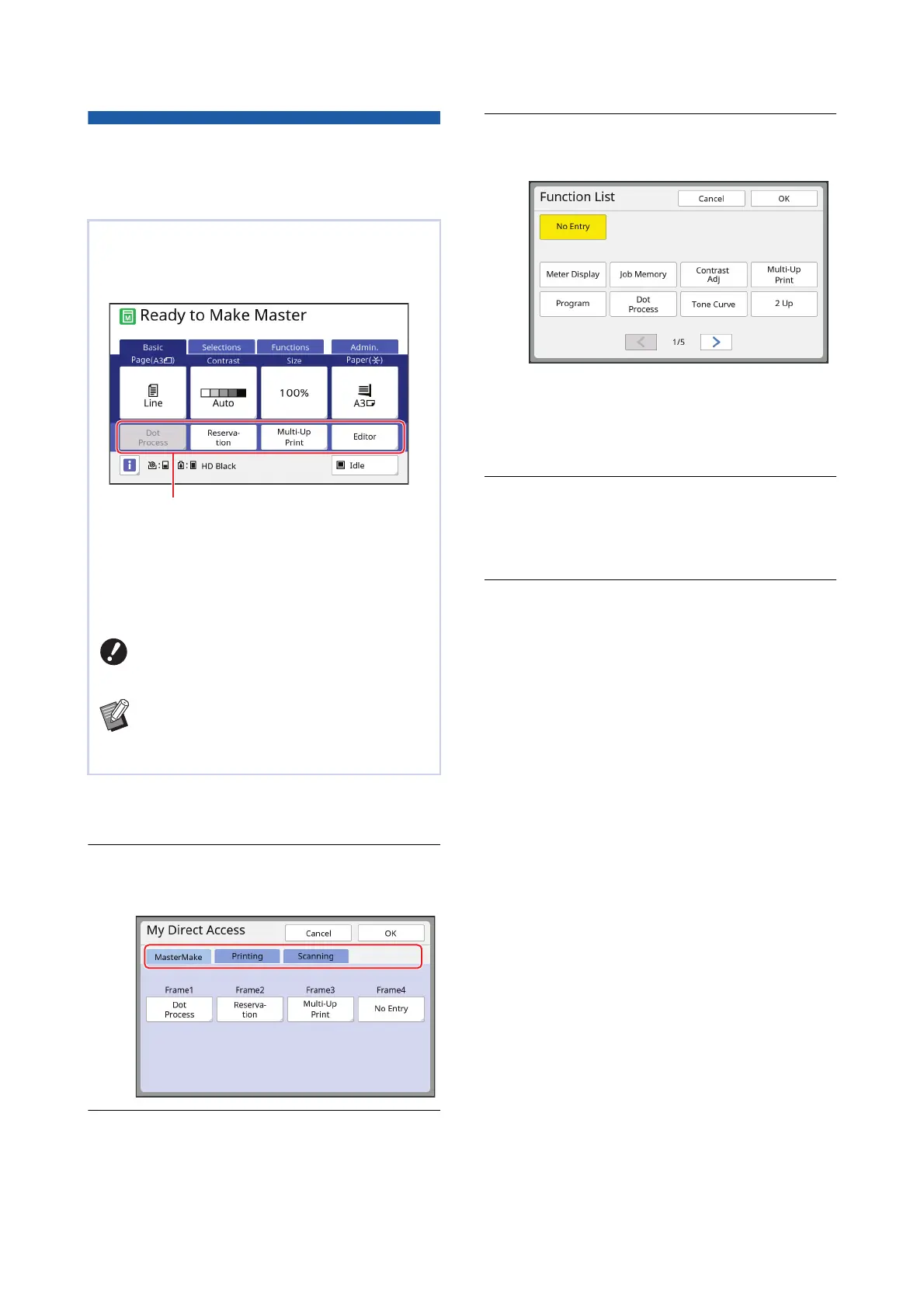
If you perform the authentication operation to use
this machine, you can change the functions to be
registered in the Direct Access Area in the [Basic]
tab screen as you want.
You can register a function to the Direct Access
Area in the following modes.
• Master making mode
• Printing process mode
• Scan mode
B[High/Full Management] must have
been set for [Management Level] in
[User Management] (A 129).
BBy using [DirectAccess Entry] (A 124)
under [Admin.], an administrator can
change the Direct Access Area for all
users at the same time.
Direct Access Area



 To Next Page