Chapter 4 Functions for Printing
82
Making a Master Again Automati-
cally [Auto Page Renewal]
1
Touch [Auto Page Renewal] in the
[Functions] tab screen.
Adjusting Paper Feeding and
Receiving Conditions
[Special Paper Ctrl]
Paper feeding adjustment for special
paper
You can adjust the paper feeding conditions depend-
ing on the characteristics of the paper.
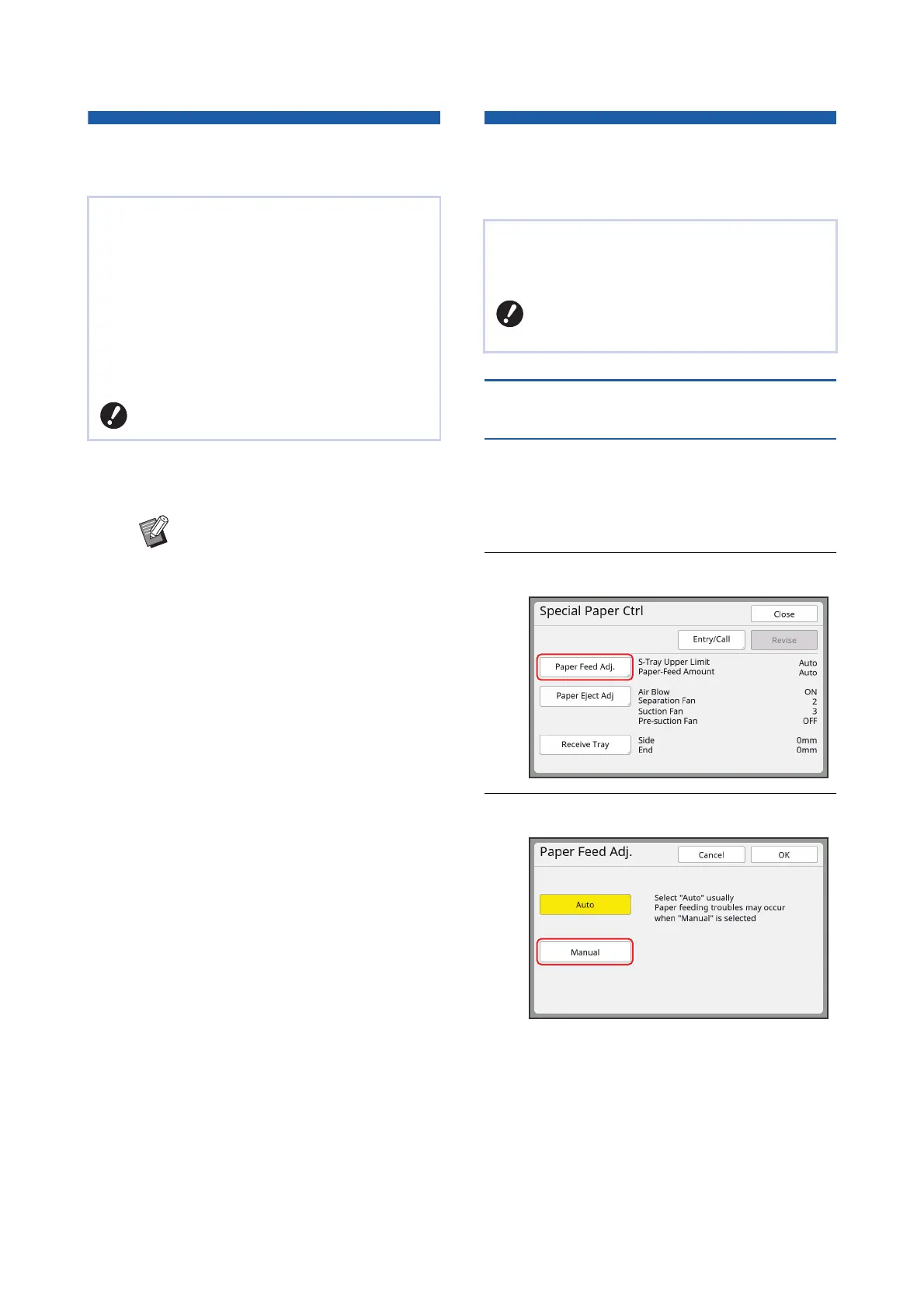
1
Touch [Special Paper Ctrl] in the
[Functions] tab screen.
2
Touch [Paper Feed Adj.].
3
Touch [Manual].
When printing a large amount of sheets, such as
thousands of sheets, the master may be deterio-
rated during the printing process.
If [Auto Page Renewal] is turned on, the master is
made again automatically each time a specified
number of sheets has been printed. Therefore, the
printing process can be continued.
As the master is replaced with a new one before it is
deteriorated, the print quality can be maintained at a
constant level.
BIt is necessary to select [ON] for [Auto
Page Renewal] (A 122) under [Admin.].
B[Auto Page Renewal] turns off in the
following cases.
CWhen [Program] is turned on.
CWhen the [RESET] key has been
pressed.
CWhen the master making basic
screen for the next original data is
displayed.
BThe [Rotate] setting that is specified
in the [Renew Page] screen (A 81)
is also applied to [Auto Page
Renewal].
You can adjust the paper feeding and paper receiv-
ing conditions when using special paper or when
unevenness and blurring occur in printed images.
BFor appropriate adjustment values,
consult your dealer or authorized ser-
vice representative.



 To Next Page