Chapter 1 About This Machine
28
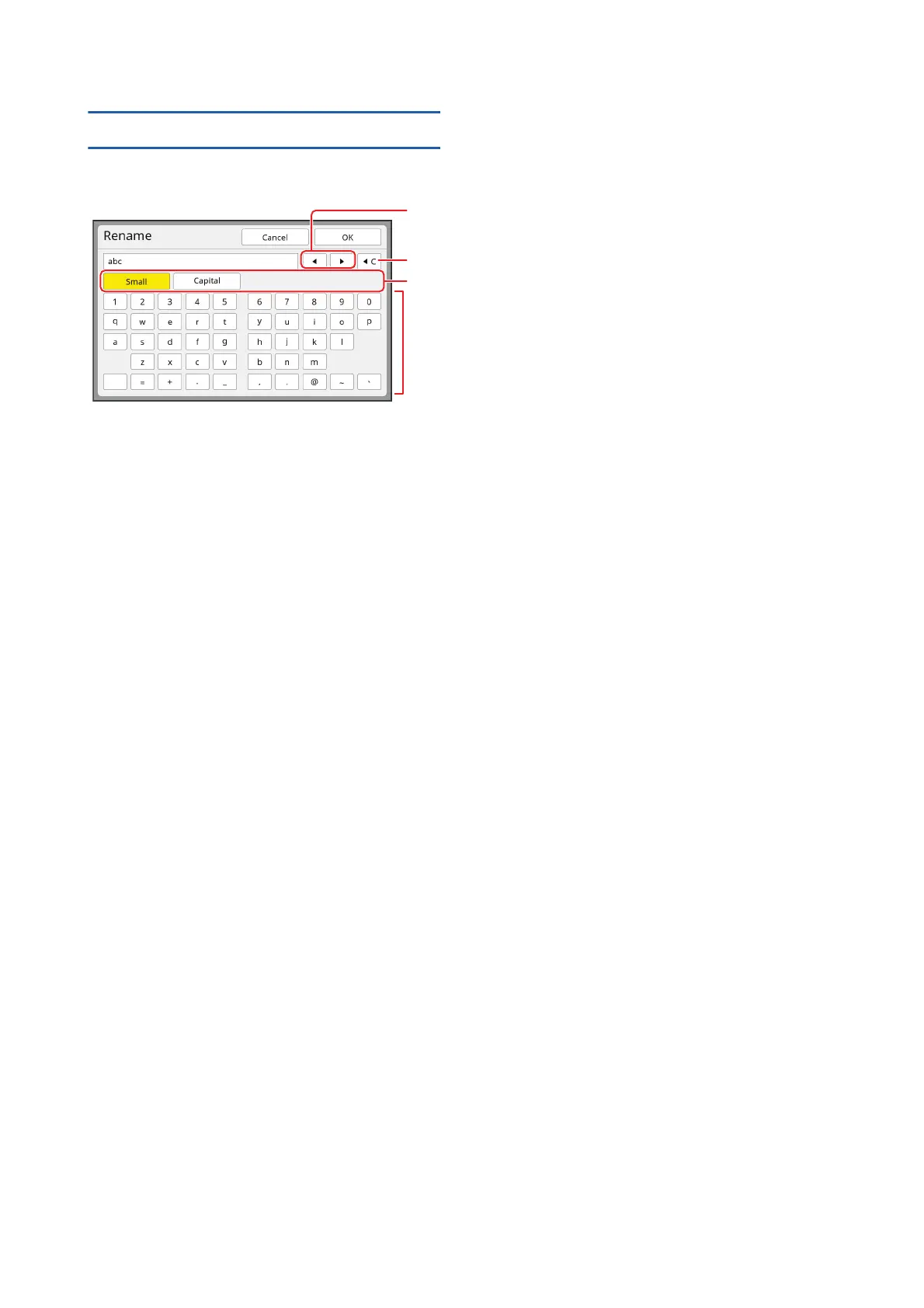
[Rename] screen
This screen is displayed when you need to enter char-
acters.
1 Cursor moving buttons
You can move the position to enter a character to
the left or right.
2 Erase one character button
Touch this button to erase characters one by one.
3 Change character type buttons
You can change the type of characters to enter.
4 Character buttons
Touch these buttons to enter characters.
1
2
3
4



 To Next Page