Chapter 3 Functions for Master Making
66
14
Press the [START] key.
Scanning of the original starts.
The rest of the procedure is the same as the
normal printing operation of paper originals.
(A 38 “Printing of Paper Originals”)
One-Touch Operation for 2-Up
Printing [2 Up]
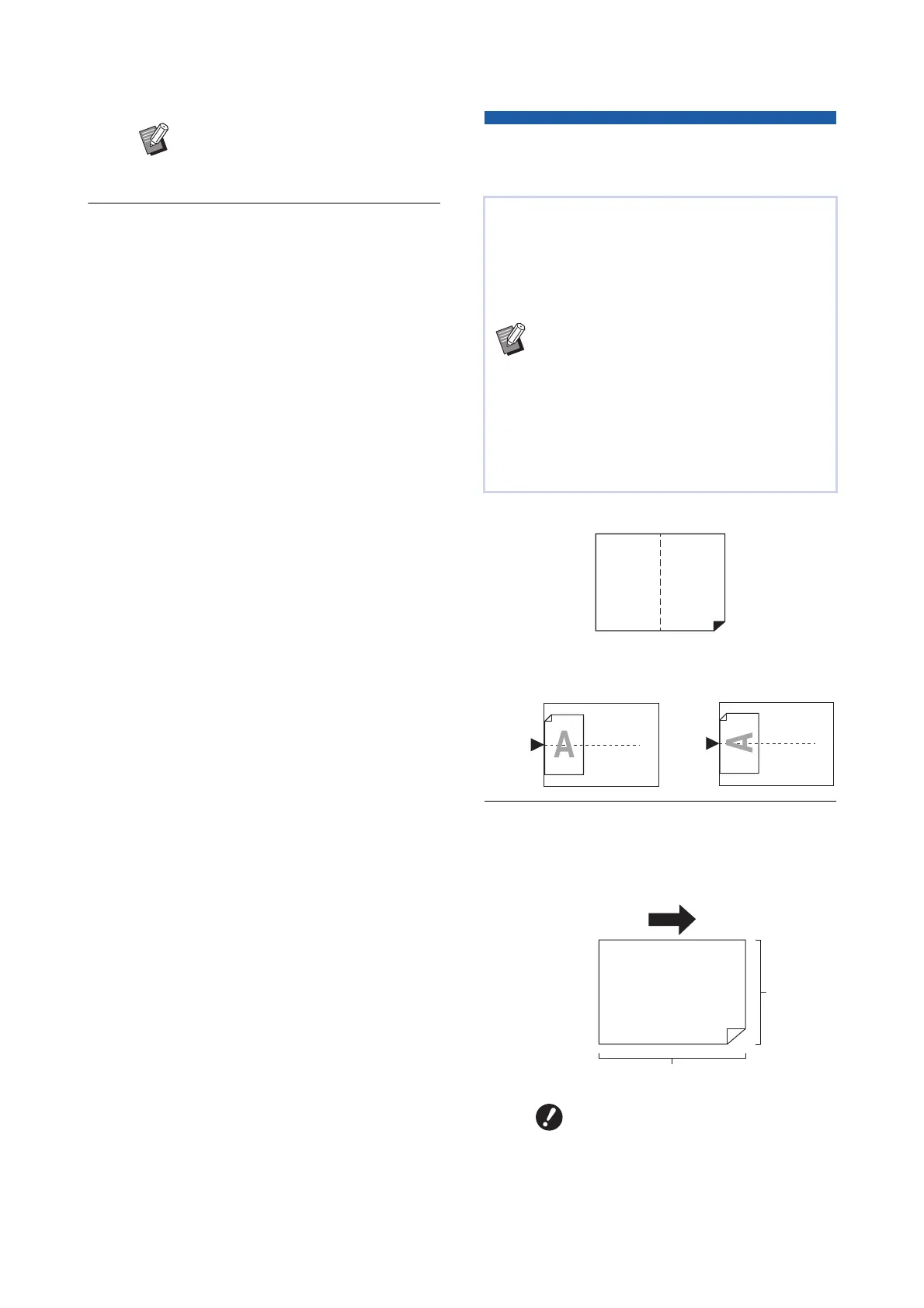
■ Final images
1
Placement of Originals
Place an original in the direction shown below.
2
Place the paper.
Place the paper in the direction of a short edge
paper feed.
BTo cancel [Multi-Up Print], perform
step 5 again and display the setting
screen. Touch [OFF] and then [OK].
The process for laying out multiple originals on a
single sheet of paper is referred to as [Multi-Up
Print].
The [2 Up] function enables 2-up printing (laying out
two copies of an original side by side) of [Multi-Up
Print] (A 62) to be performed with fewer steps.
BYou cannot use this function with the fol-
lowing functions.
C[Book Shadow] (A 55)
C[Layout] (A 60)
C[Top Margin Adj.] (A 67)
C[Binding Margin Adj.] (A 68)
C[Quick Master Making] (A 57)
BWhen [2 Up] is set, [Auto 90°Rotation]
(A 121) under [Admin.] cannot be used.
BUse a standard size of paper. You
cannot use custom size paper or
paper that are registered in
[Admin.].
11
Paper feeding direction
Short side
Long side



 To Next Page