Chapter 9 Replacing Consumables
144
Checking the Remaining Amount
of Consumables
■ [
I
] icon
The color of the [
I
] icon shows the status of this
machine.
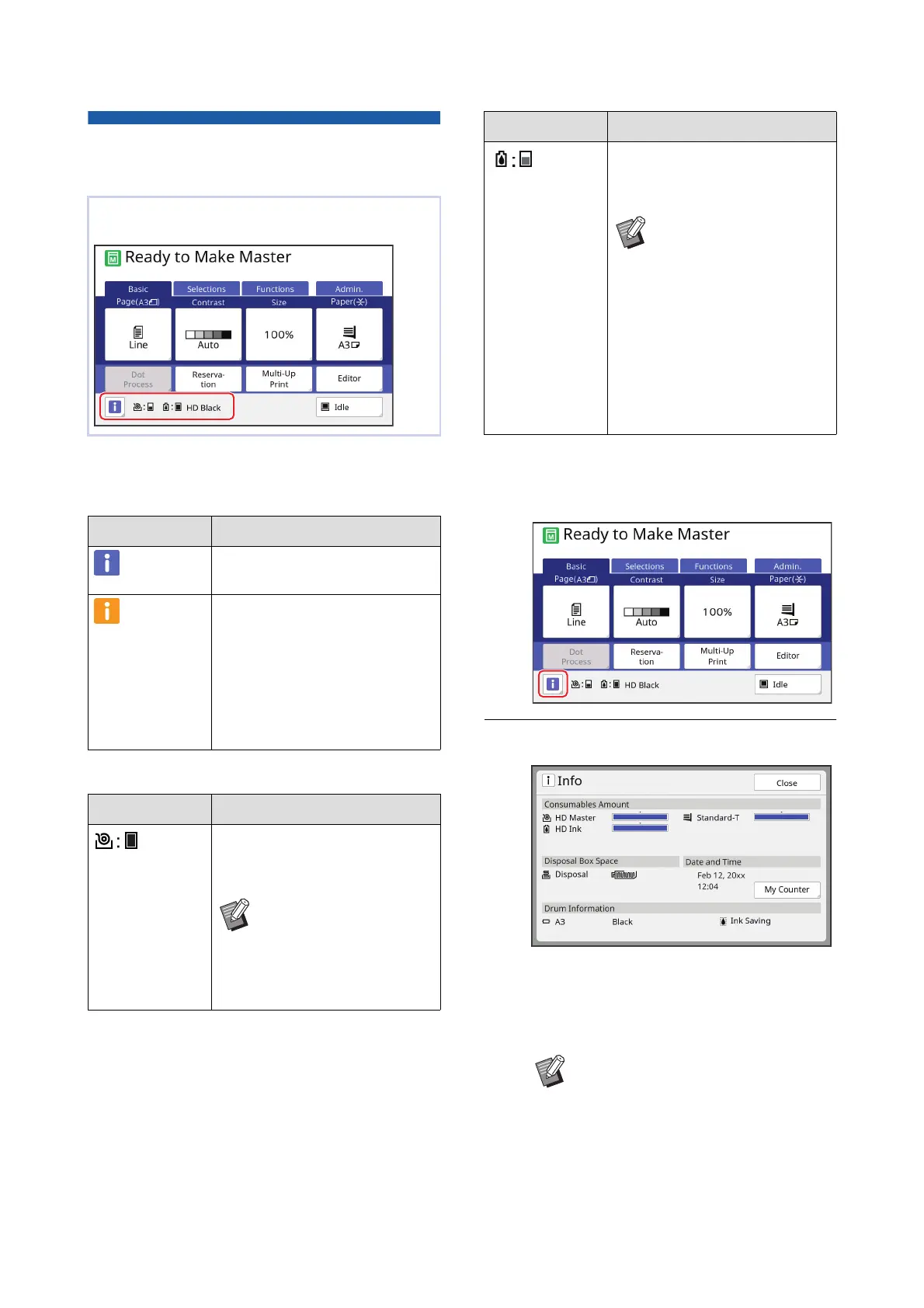
■ Display of information on consumables
You can check for more detailed information using the
following steps.
1
Touch [
I
] in the basic screen.
2
Check the displayed information.
■ [Consumables Amount]
Shows the remaining amounts of the master
roll, ink and paper using the remaining amount
indicators, respectively.
The information of the consumables is displayed in
the status area of the basic screen.
Display Description
(Blue) This machine is operating prop-
erly.
(Yellow) This machine is operating prop-
erly, but the function (remaining
amount display, etc.) that requires
the information from the consum-
ables cannot be activated.
(A 167 “When the [Consumables
Information Input Wizard] screen
is displayed”)
Display Description
Shows the remaining amount of
the master roll that is set in this
machine.
BIf this machine could not
acquire the information
from the master roll, the
remaining amount is not
displayed and the icon
blinks.
Shows the color name and
remaining amount of the ink that
is set in this machine.
BIf this machine could not
acquire the information
from the ink cartridge,
the remaining amount is
not displayed and the
icon blinks. The color is
indicated as [Black] or
[Color].
(A 167 “When the [Con-
sumables Information
Input Wizard] screen is
displayed”)
BIf this machine could not acquire the
information, the remaining amount
is not displayed.
Display Description



 To Next Page