Chapter 1 About This Machine
25
1
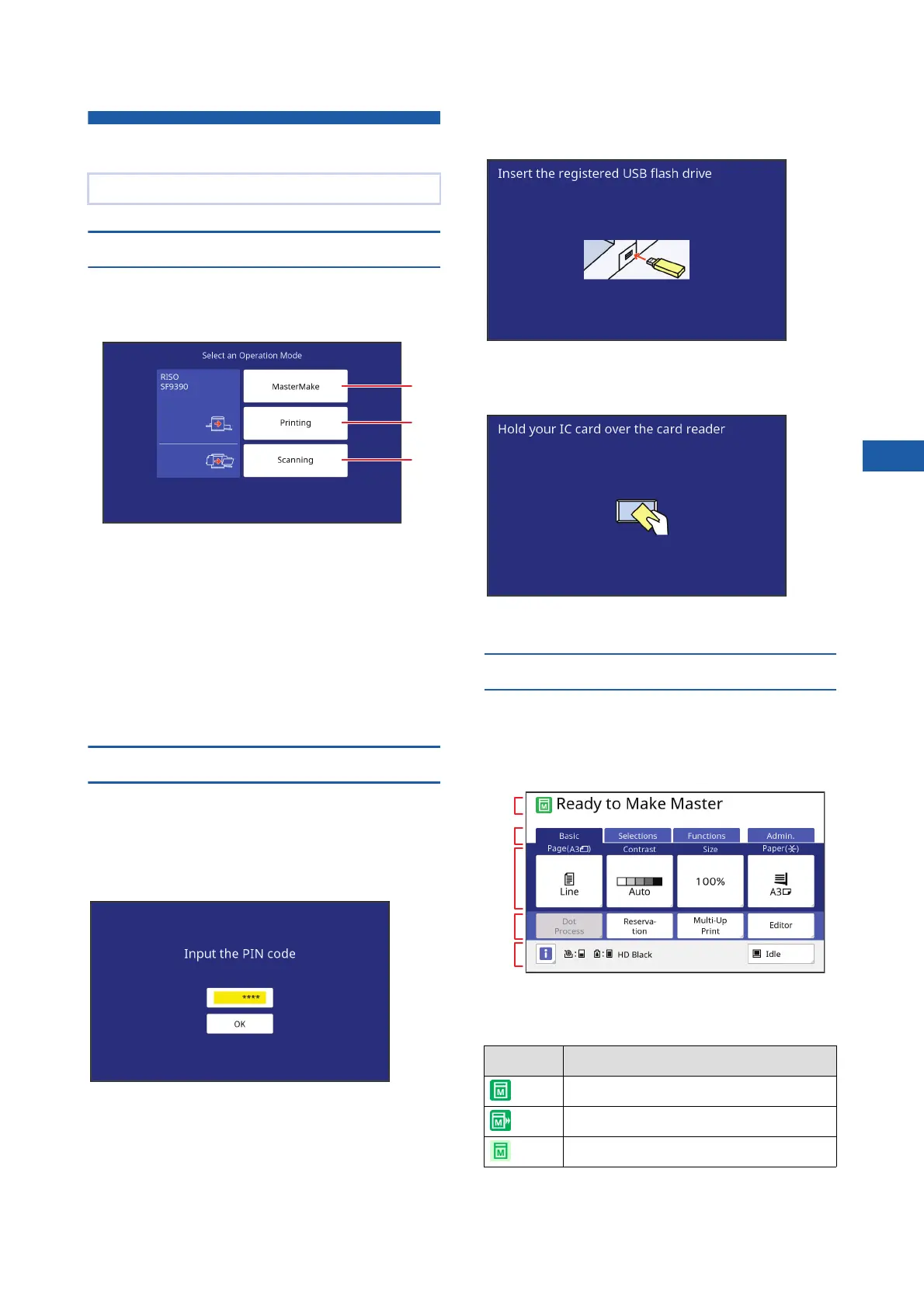
Touch Panel Displays
[HOME] screen
This screen is used to select an operation mode.
This screen is displayed when you press the [HOME]
key.
1 [MasterMake]
Touch this button to move to the master making
basic screen.
2 [Printing]
Touch this button to move to the print basic
screen.
3 [Scanning]
Touch this button to move to the scan basic
screen.
(A 43 “Saving Paper Original as Data”)
Authentication screen
This screen is displayed when the authentication func-
tion (A 129) is enabled.
Operate according to the guidance.
■ When [PIN Code] is used for authentica-
tion
■ When [USB Flash Drive] is used for
authentication
■ When [IC Card] is used for authentica-
tion
Master making basic screen
This screen is used to set functions for master making.
Some display items are different between when a paper
original is used and when a data original is used.
■ For paper original
1 Message area
Shows the status of this machine and operation
instructions.
2 Tab buttons
You can change tab screens by touching each tab.
This section describes typical screen displays.
1
2
3
Display Description
Master making mode
[Quick Master Making] (A 57)
[Idling Action] (A 98)
1
2
3
4
5



 To Next Page