Chapter 3 Functions for Master Making
63
3
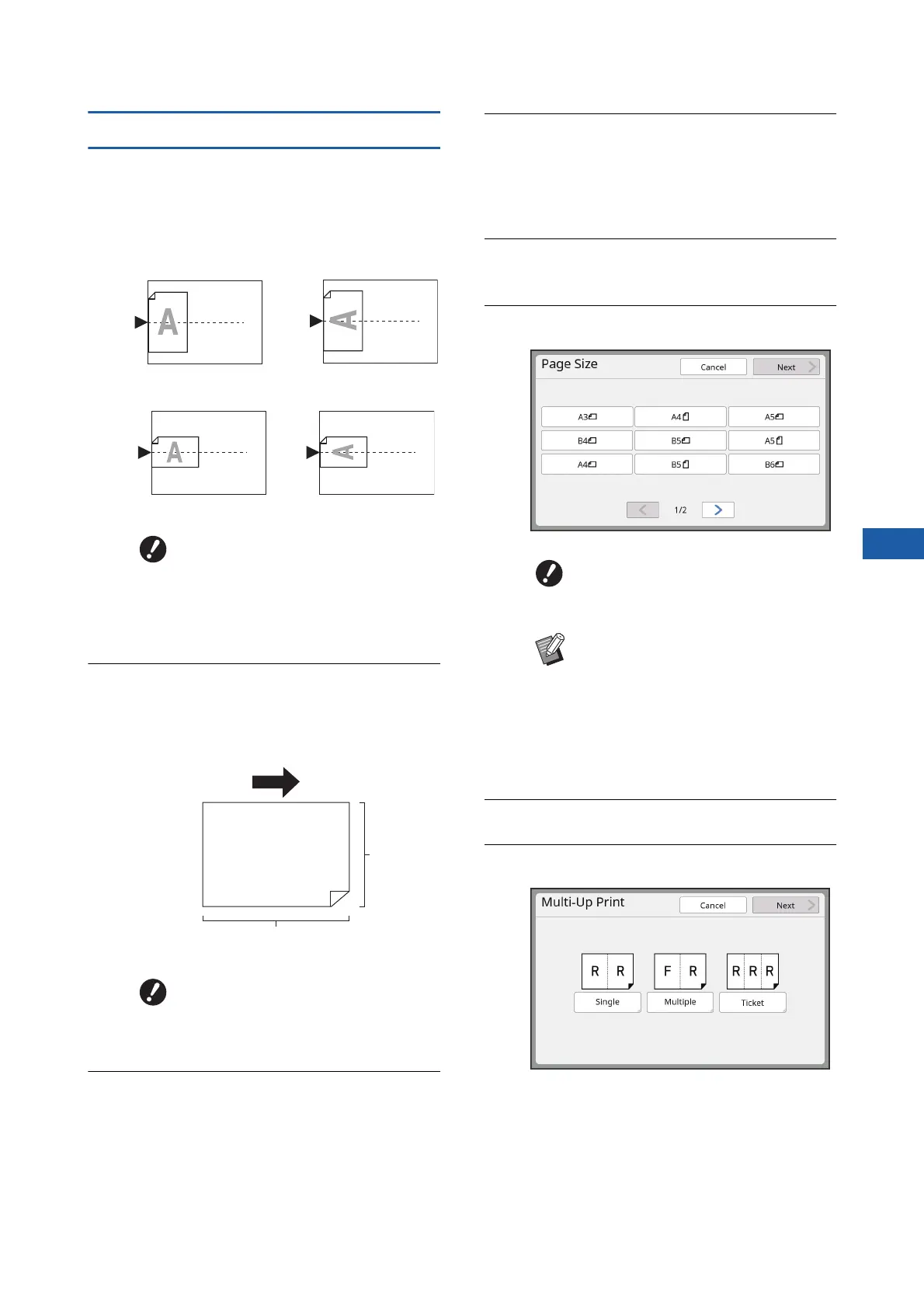
[Single-Original], [Multiple-Original]
1
Place an original.
The direction for placing the original varies
depending on the number of copies of original
to be laid out on a single sheet of paper.
2
Place the paper.
Place the paper in the direction of a short edge
paper feed.
3
Set the paper receiving tray.
(A 33 “Setting up the paper receiving tray”)
4
Check that the master making
basic screen is displayed.
If a screen other than the master making basic
screen is displayed, press the [MASTER MAK-
ING] key (A 24).
5
Touch [Multi-Up Print] in the
[Functions] tab screen.
6
Touch an original size.
7
Touch [Next].
8
Touch [Single] or [Multiple].
For 2-up and 8-up printing:
For 4-up and 16-up printing:
BThe glass platen cannot be used
with the optional auto document
feeder. If you place the first origi-
nal on the glass platen, place the
rest of the originals on the glass
platen too.
BUse a standard size of paper. You
cannot use custom size paper or
paper sizes that are registered in
[Admin.].
Paper feeding direction
Short side
Long side
BFor 4-up and 16-up printing,
touch an original size button that
shows a i symbol.
BThe magnification rate is automati-
cally calculated using the selected
original size and the size of the
paper that is placed. If the magnifi-
cation rate is out of the range
between 50 and 200%, the combi-
nation of the original and paper
sizes cannot be used.



 To Next Page