Chapter 5 Useful Functions
101
5
Displaying the Accumulated
Counts [Meter Display]
1
Touch [Meter Display] in the [Func-
tions] tab screen.
2
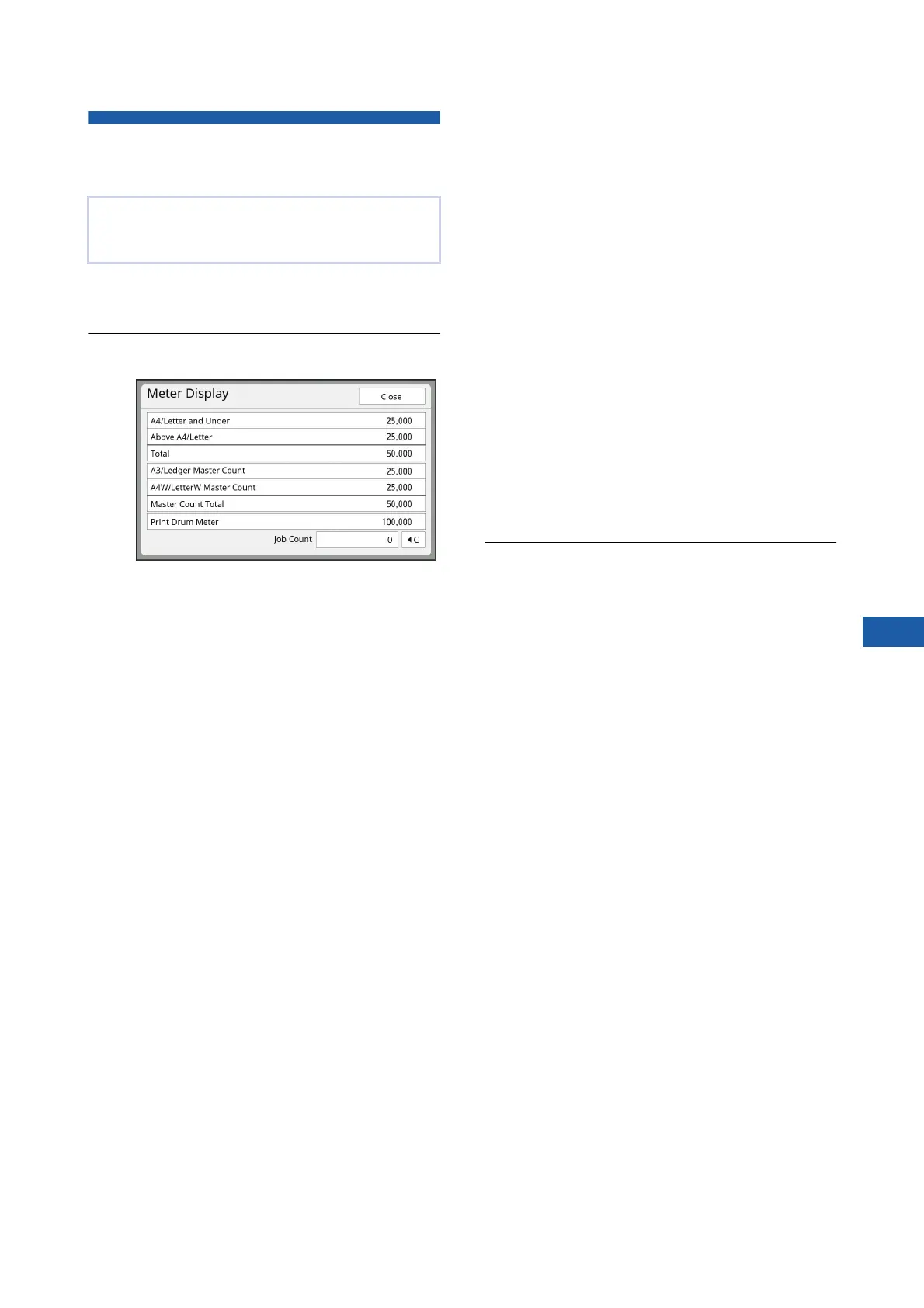
Check the contents in the display.
■ [A4/Letter and Under],
[Above A4/Letter]
Shows the accumulated number of copies that
have been printed on this machine for each
size.
The value does not include proof copies that
were output during master making.
■ [Total] (total counter)
Shows the accumulated number of copies that
have been printed on this machine.
The value does not include proof copies that
were output during master making.
■ [A3/Ledger Master Count],
[A4W/LetterW Master Count]
Shows the accumulated count of master mak-
ing processes that have been performed on
this machine for each master size.
The value includes the count of [Idling Action]
(A 98) and [Confidential] (A 99) that have
been performed.
■ [Master Count Total]
Shows the accumulated count of master mak-
ing processes that have been performed on
this machine.
The value includes the count of [Idling Action]
and [Confidential] that have been performed.
■ [Print Drum Meter]
Shows the accumulated number of copies that
have been printed using the current print drum
(cylinder).
The value includes the count of proof copies
that were output during master making.
To check the accumulated number of copies
that have been printed using another print drum
(cylinder), change the print drum (cylinder) and
then display the [Meter Display] screen again.
■ [Job Count]
Counts and shows the number of copies that
have been printed.
The value does not include proof copies that
were output during master making.
Touching [T] resets the count to [0].
For example, this counter is useful when you
want to check the number of copies that are
printed per day. In this case, reset the counter
to [0] at the start of operation for the day and
then check the counter at the end of the opera-
tion.
3
Touch [Close].
You can check the accumulated results for the
count of master making processes and the number
of printed sheets.



 To Next Page