5. FASTENING SETTING mode (Type S)
5-50
5.6 BACKUP
The DISPLAY PANEL has a function to back up fastening settings. A battery is not required because FLASH
memory is used as the backup memory.
The fastening settings can be saved in the USB flash drive. They can be transferred between the backup
memory and the USB flash drive (Support from DPDH-ROM Ver1.3).
●BACK UP MENU
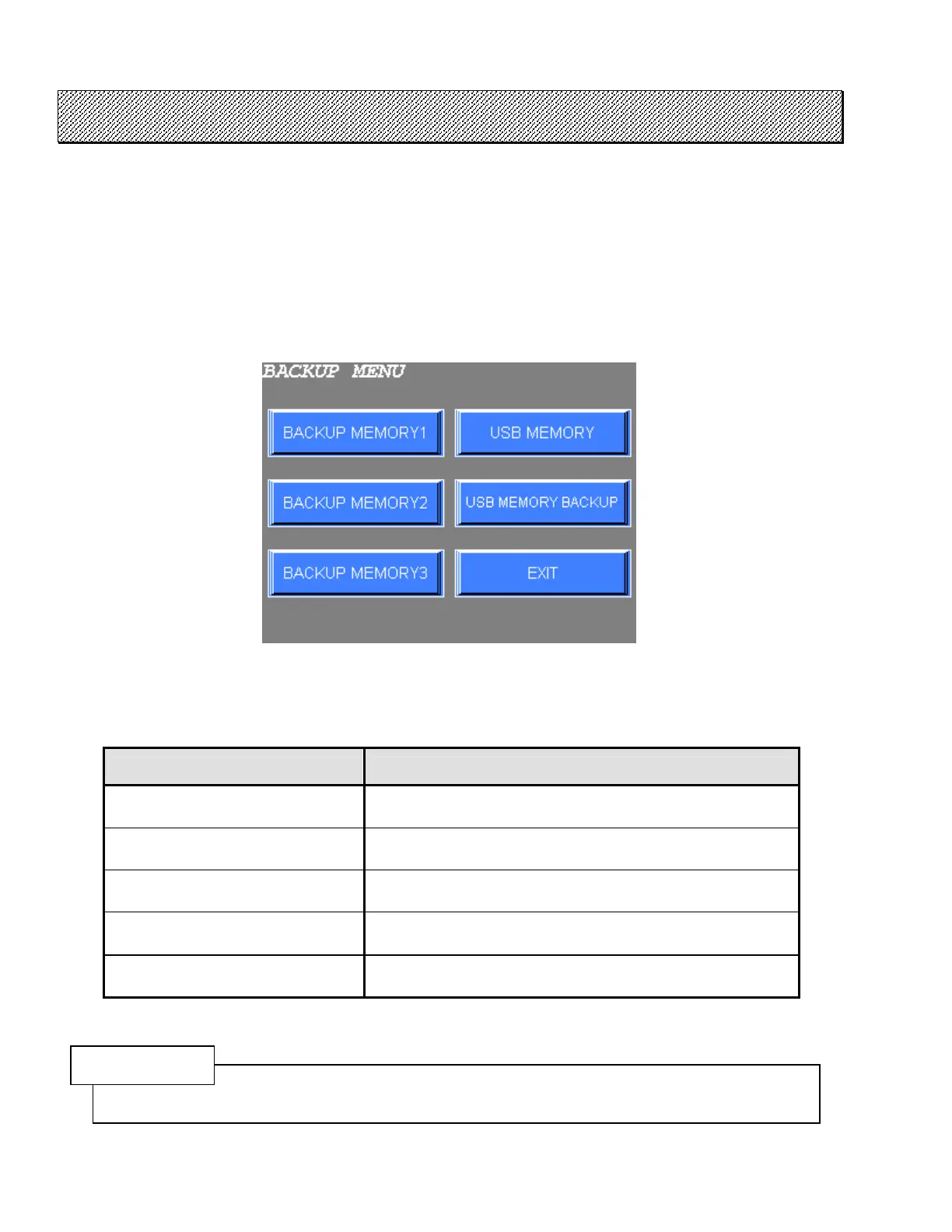
1) Select the BACKUP from the FASTENING SETTING menu. The following screen will be displayed.
Figure 5.6-1 BACKUP menu
2) Choose the desired option from the menu.
3) Press EXIT to return to the FASTENING SETTING menu.
BACKUP menu CONTENTS
BACK UP MEMORY1 BACK UP MEMORY1 menu is displayed.
BACK UP MEMORY2 BACK UP MEMORY2 menu is displayed.
BACK UP MEMORY3 BACK UP MEMORY3 menu is displayed.
USB MEMORY USB MEMORY menu is displayed.
USB MEMORY BACKUP USB MEMORY BACKUP menu is displayed.
Table 5.6-1 BACKUP menu and its contents
CAUTION
A function of USB MEMORY and USB MEMORY BACKUP RESET is available from the firmware version
1.3 of the DPDH-ROM.



 To Next Page