8. MAINTENANCE mode
8-10
8.5 I/O CHECK
This mode allows the user to confirm the input and output signals of the I/O interfaces of the DRIVER and
MULTI-CONTROLLER.
●I/O CHECK menu
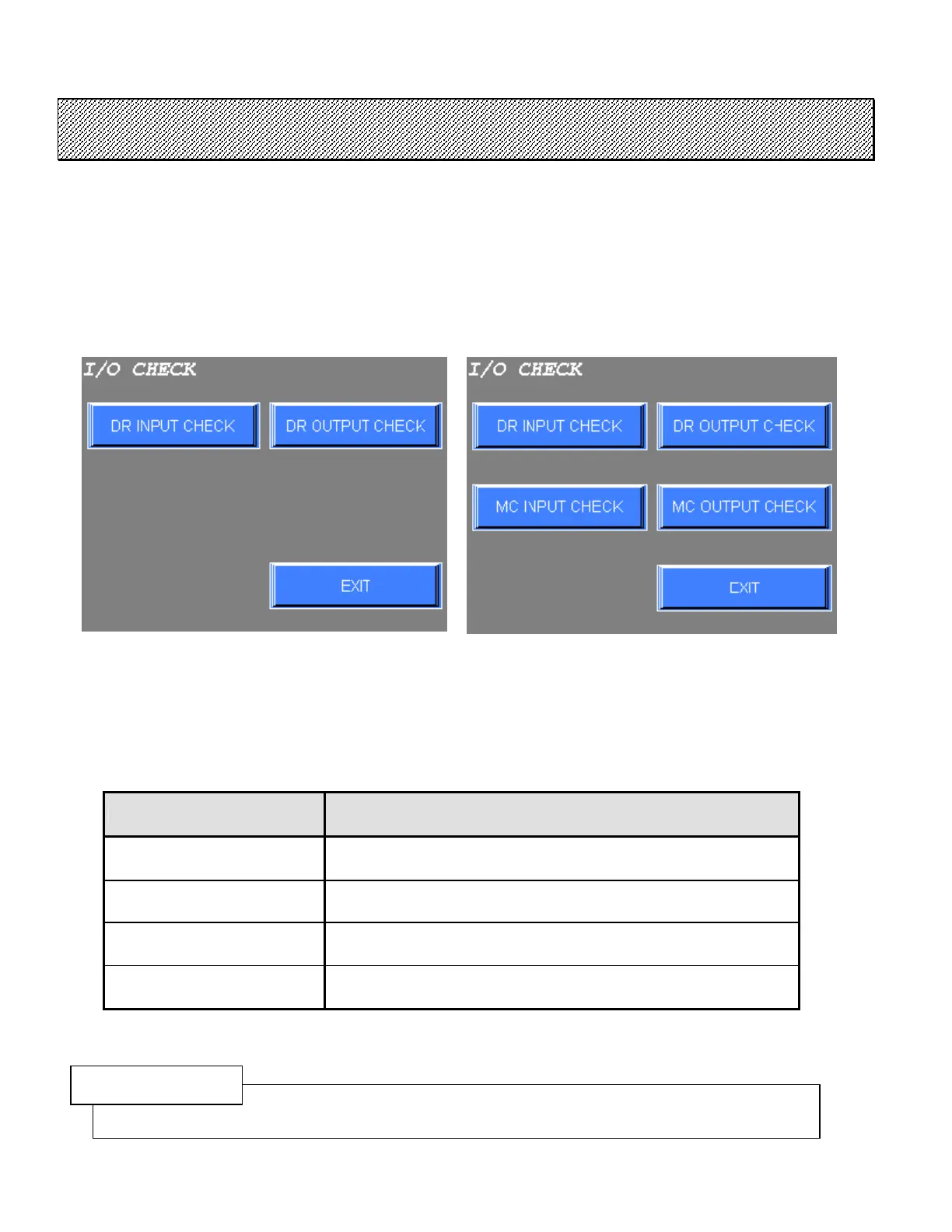
1) Select the I/O CHECK from the MAINTENANCE mode menu. The following screen will be displayed.
Type S Type M
Figure 8.5-1 I/O CHECK menu
2) Select the desired option from this screen.
Press EXIT to return to the MAINTENANCE mode menu.
I/O CHECK menu CONTENTS
DR INPUT CHECK
This mode allows the user to confirm the input signals of the
DRIVER.
DR OUTPUT CHECK
This mode allows the user to confirm the output signals of the
DRIVER.
MC INPUT CHECK
(Type M only)
This mode allows the user to confirm the input signals of the
MULTI-CONTROLLER.
MC OUTPUT CHECK
(Type M only)
This mode allows the user to confirm the output signals of the
MULTI-CONTROLLER.
Table 8.5-1 I/O CHECK mode menu and their contents
CAUTION
This function is invalid in case of using the Option Board with the MULTI-CONTROLLER.



 To Next Page