8. MAINTENANCE mode
8-22
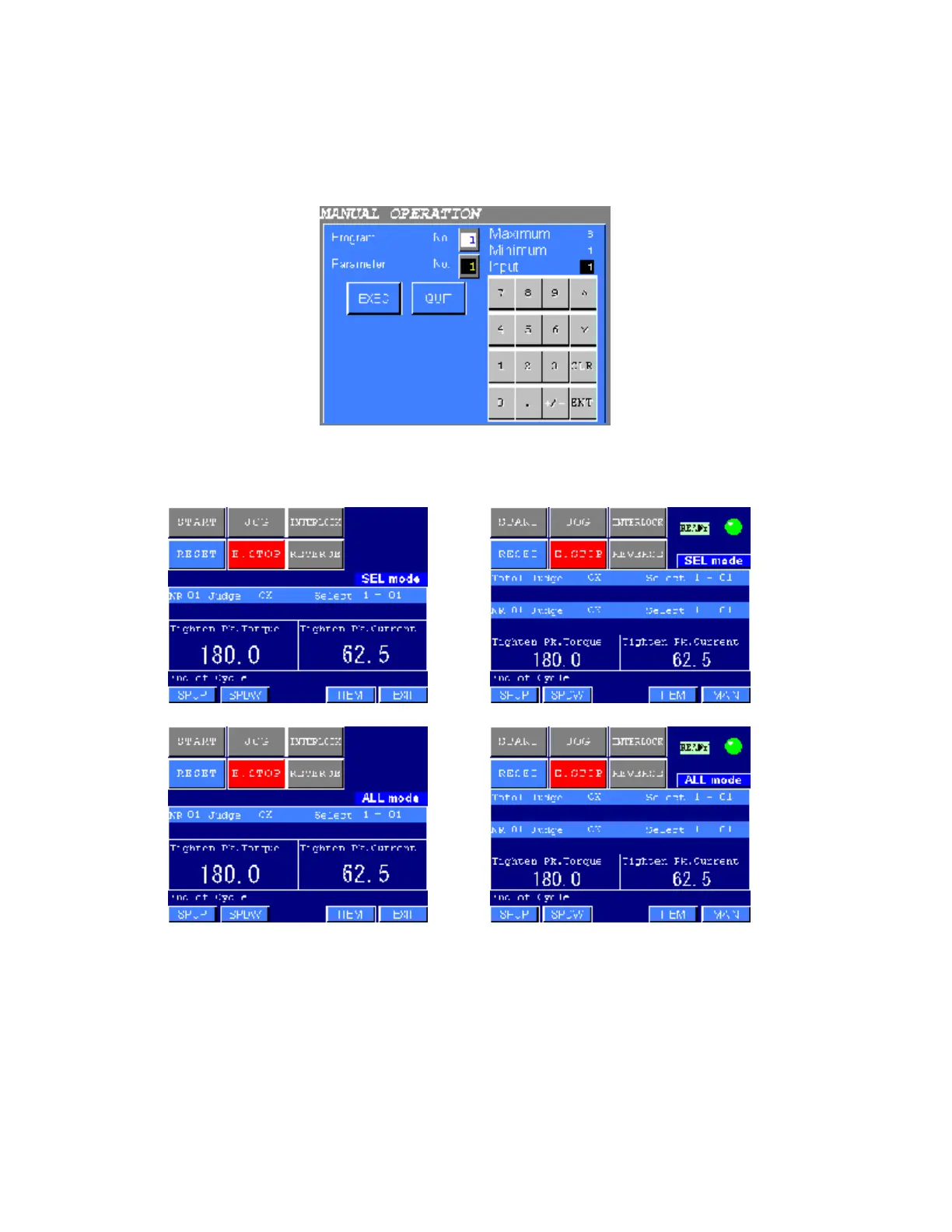
●MANUAL OPERATION
1) The following screen will be displayed when the SELECTED SPINDLE or the ALL SPINDLE is
selected from the MANUAL OPERATION mode menu.
Figure 8.9-2 MANUAL OPERATION: Program/Parameter No. input
2) Input the desired program and parameter No. for the manual operation, then press EXEC key. The
following screen will be displayed.
TYPE S TYPE M
TYPE S TYPE M
Figure 8.9-3 MANUAL OPERATION
3) Press the input keys to operate the NUTRUNNER (refer to Table 8.9-1). When fastening is completed,
the judgment of the selected NUTRUNNER as well as the data of the selected item are displayed.
4) Press SPUP or SPDW to display other NUTRUNNER. Press ITEM to select the display item from the
DISPLAY ITEM SETTING (refer to Chapter 7 of DATA DISPLAY mode).
Press EXIT to return to the MANUAL OPERATION mode menu.



 To Next Page