DISPLAY PANEL MANUAL
9-3
9.1.1 TORQUE CURVE display
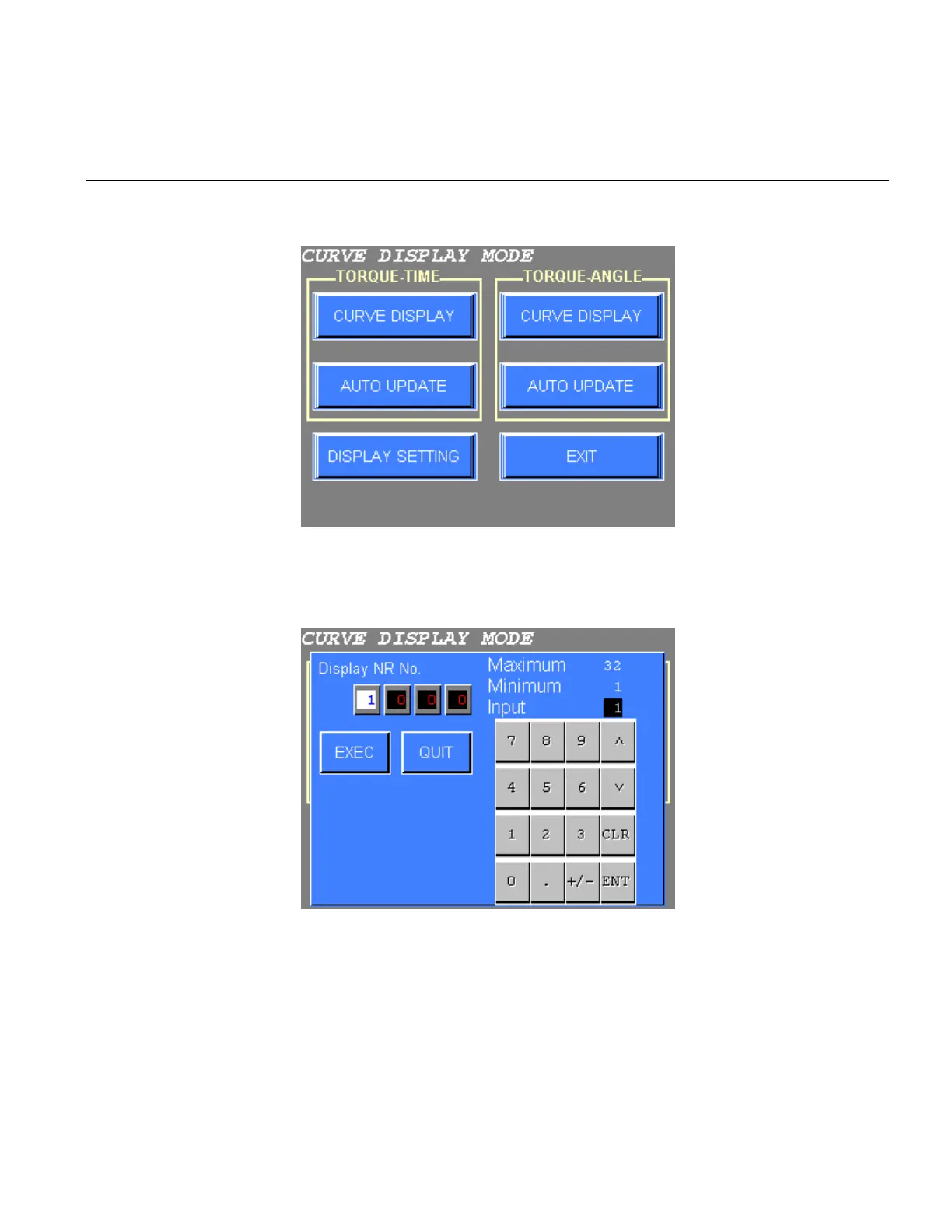
1) The following screen will be displayed when the TORQUE CURVE is selected from the MAIN MENU.
Figure 9.1-1 TORQUE CURVE display mode setting
2) Press CURVE DISPLAY or AUTO UPDATE. The following screen will be displayed.
Figure 9.1-2 TORQUE CURVE display - NR No. input
3) Input the desired NUTRUNNER No. and press EXEC key. Up to four curves can be displayed
simultaneously. Input “0” for all Display NR areas where a torque curve display is not desired.
“0” cannot be entered in the first Display NR area.
Press EXEC to display the selected torque curve. The curve will be displayed as illustrated next page.
Press QUIT to return to the CURVE DISPLAY mode menu.



 To Next Page