DISPLAY PANEL MANUAL
8-9
8.4 SYSTEM STATUS
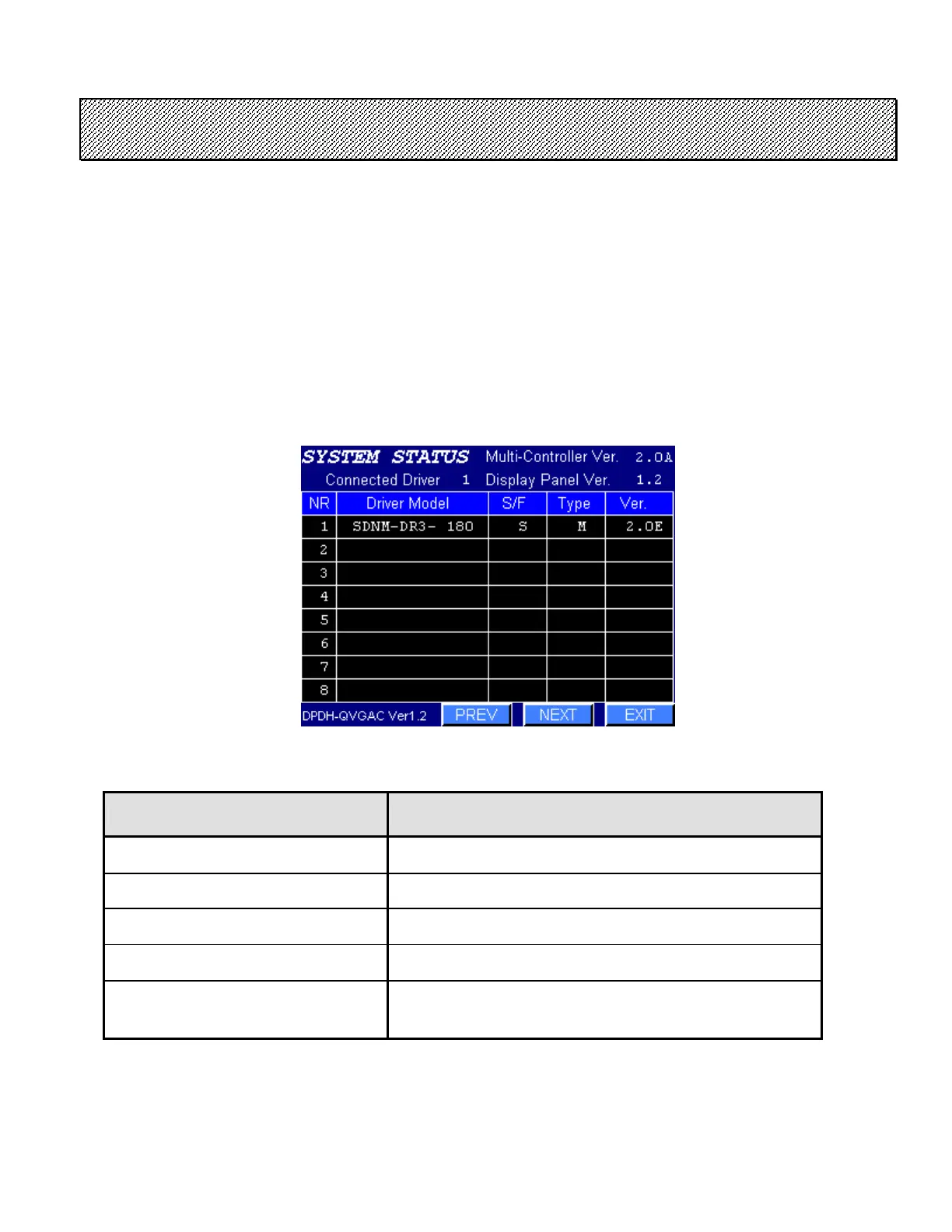
The SYSTEM STATUS data such as the type and number of the connected NUTRUNNER, the ROM version,
the type of SPINDLE ASSEMBLY, etc. are displayed.
●SYSTEM STATUS display
The NUTRUNNER for which a connection cannot be confirmed is indicated by blank.
Press NEXT or PREV to display the following or previous numbers (No.01 - 08,09 - 16,17 - 24,25 -
32).
Press EXIT to return to the MAINTENANCE MENU.
Figure 8.4-1 SYSTEM STATUS
ITEM CONTENTS
Multi-Controller ROM version
Connected Driver Amount of Driver
Display Panel ROM version
NR information Driver model, Spindle type, Type M or S, ROM version
DPDH-QVGAC (6 inch color)
DPDH-QVGAM (6 inch monochrome)
DPDH-SVGAC (12 inch color)
Screen data version
Table 8.4-1 SYSTEM STATUS display contents



 To Next Page