DISPLAY PANEL MANUAL
4-7
●Mode selection
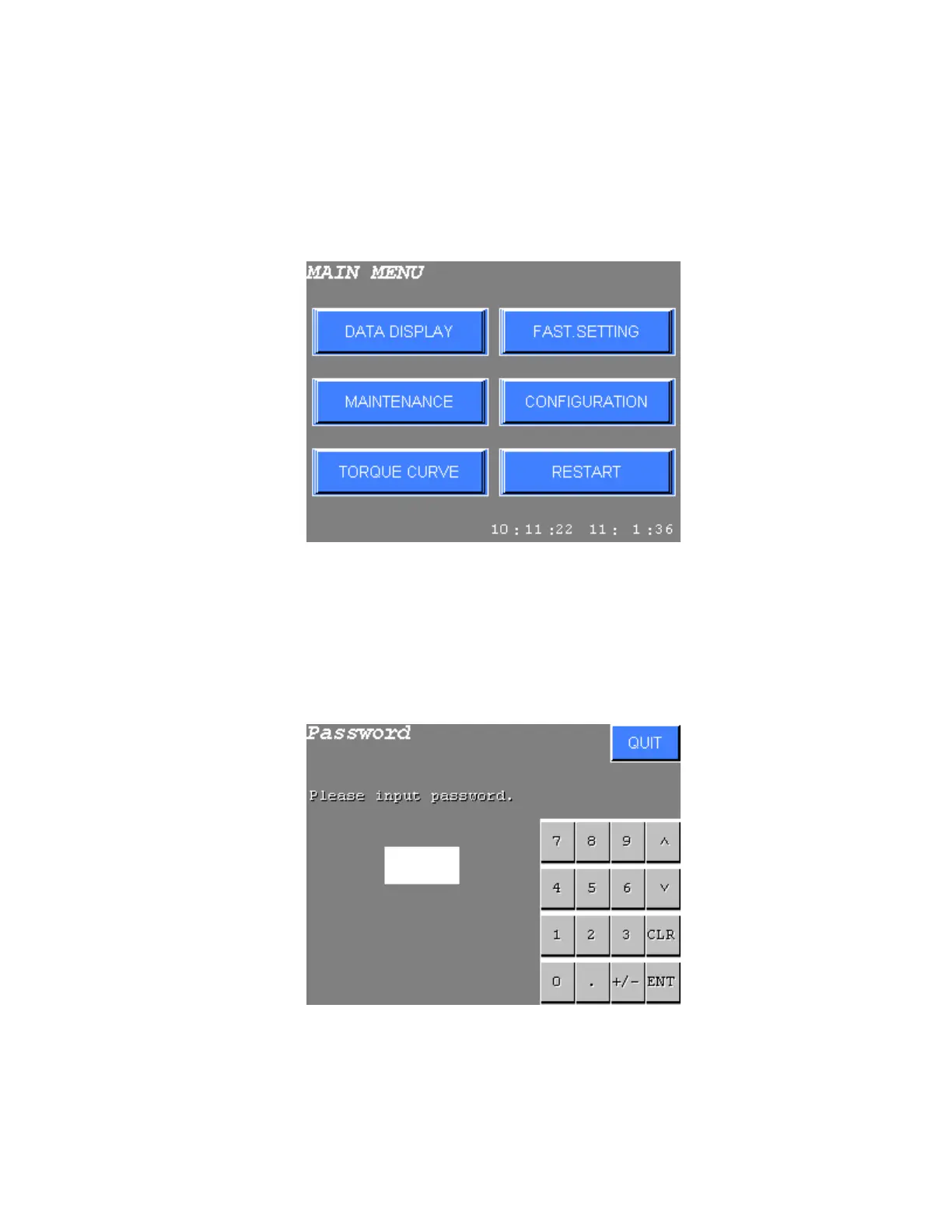
When the power is turned on, the MAIN MENU is displayed after connecting condition is confirmed. However, if
the DATA DISPLAY mode was selected before the power was last turned off, then the DISPLAY PANEL will
automatically enter DATA DISPLAY mode.
Select the desired mode using touch keys from the MAIN MENU.
Figure 4.4-1 MAIN MENU
When the communication condition with the DRIVER and MULTI CONTROLLER is not proper due to incorrect
baud rate setting etc., an error message will be displayed.
The password entry is required to select the FASTENING SETTING mode or the CONFIGURATION mode, if
the PASSWORD SW was set to ON.
Refer to Chapter 10 for details about the password.
Figure 4.4-2 Password entry



 To Next Page