DISPLAY PANEL MANUAL
5-19
5.3.1 CODE PROGRAM
● Setting of the CODE PROGRAM
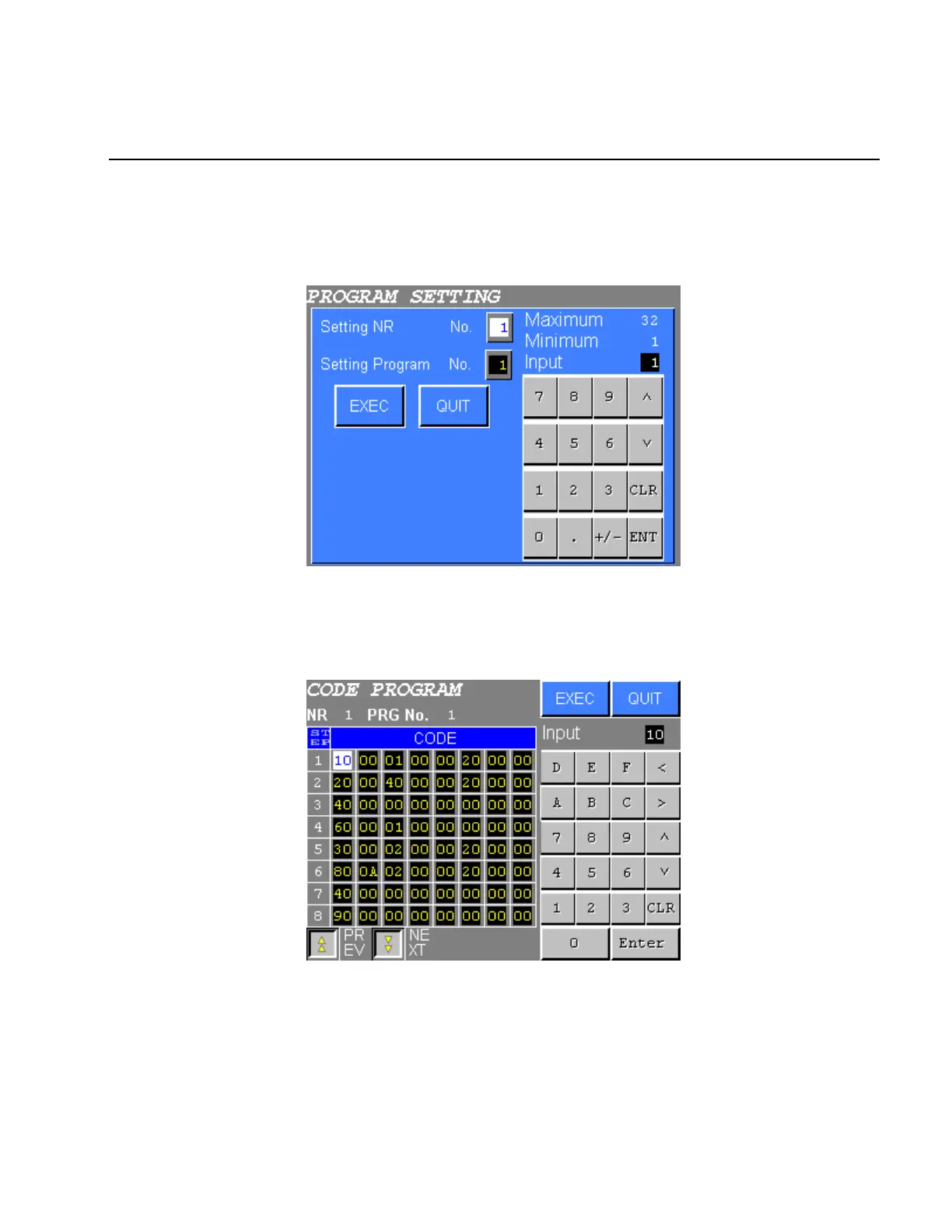
1) Select the CODE PROGRAM from the PROGRAM SETTING menu. The following screen will be
displayed.
Figure 5.3-2 NR. No. and PROGRAM No. input
2) Input the NUTRUNNER No. and PROGRAM No., then press EXEC. The following screen (SDN-DP06)
will be displayed. When SDN-DP12 is used, settings of 16 steps are displayed.
Figure 5.3-3 CODE PROGRAM SETTING
3) Move the cursor to the desired item using “∧∨<>” touch key. Then input the number using numeric
input keys.
Press EXEC to write new settings to the NUTRUNNER.
Press QUIT to cancel all new settings.



 To Next Page