7. DATA DISPLAY mode
7-6
7.4 MULTIPLE DISPLAY mode
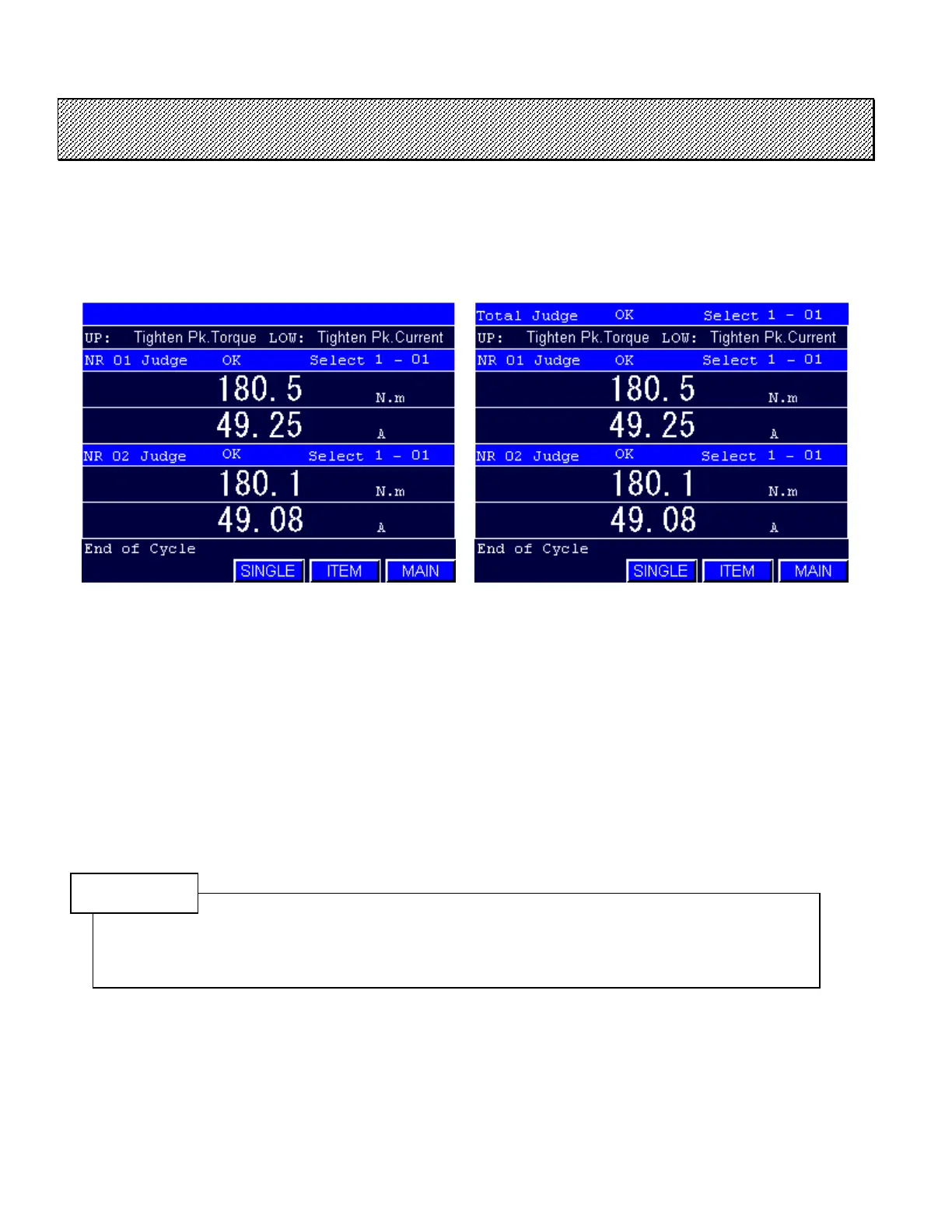
●MULTIPLE DISPLAY MODE
1) Select the MULTIPLE DISPLAY mode from the DATA DISPLAY mode. The screen corresponding to
the connected spindles will be displayed.
Type S Type M
Figure 7.4-1 MULTIPLE DISPLAY MODE (2 spindles mode)
2) The data will be displayed at the end of fastening cycle.
3) The SINGLE DISPLAY MODE will be displayed when SINGLE key is pressed.
Press ITEM to change the display items. The DISPLAY ITEM SETTING SCREEN will be displayed
(refer to section 7.5).
Press EXIT to return to the MAIN MENU.
NOTE
The fastening data of all connected spindles are displayed in the MULTIPLE DISPLAY mode.
There are 5 different display screens. The screen corresponds to a maximal Spindle No. in the
communication network. The 32 spindles display mode will be selected if a spindle No.17 is
detected, even if there are only 8 connected spindles.



 To Next Page