DISPLAY PANEL MANUAL
6-17
6.7 BYPASS SETTING
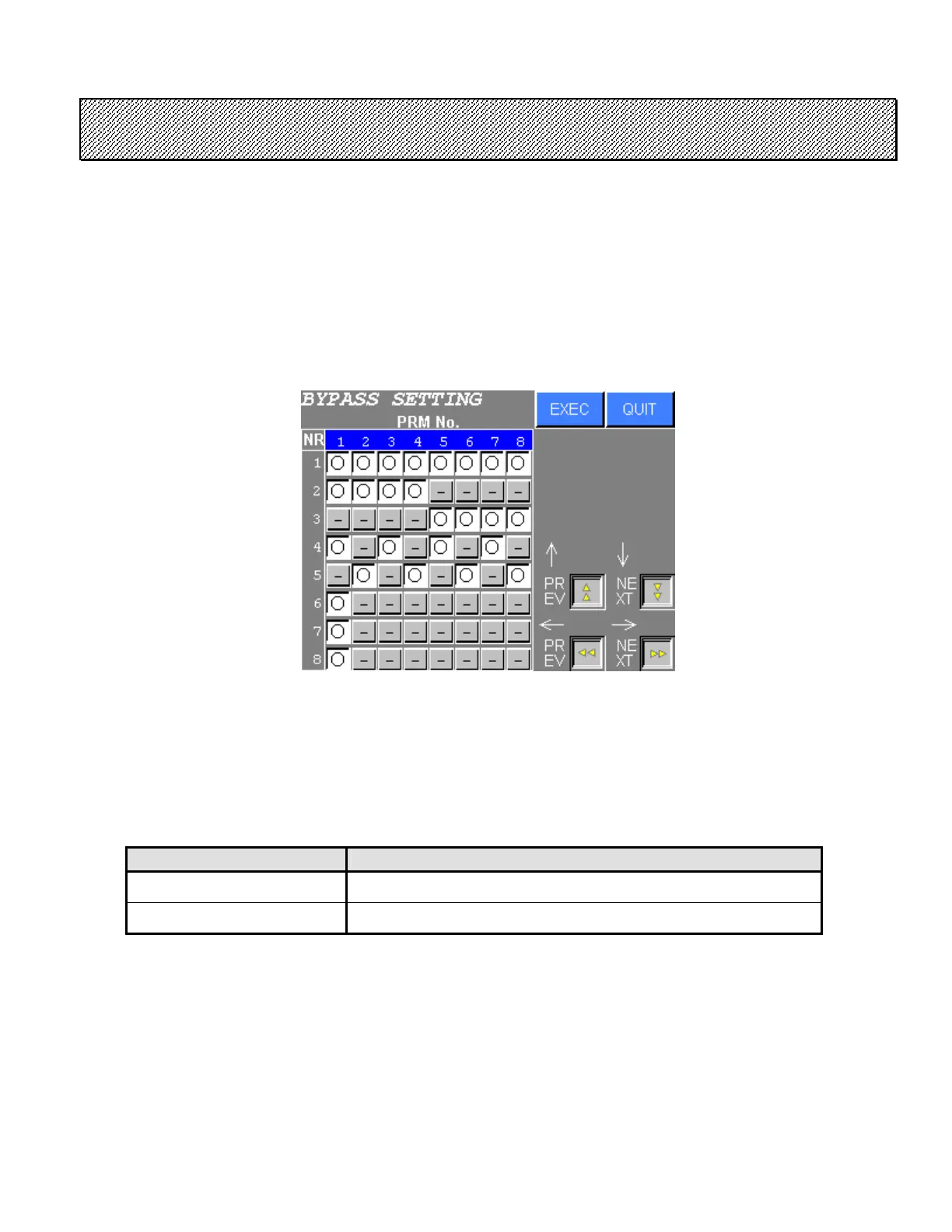
The spindles to be operated are set per each PARAMETER No.
● BYPASS SETTING
1) Select the BYPASS SETTING from the FASTENING SETTING menu. The following screen will be
displayed (SDN-DP06). When SDN-DP12 is used, settings of 16 NR and 16 parameters are
displayed.
Figure 6.7-1 BYPASS SETTING
2) Press touch switch of the desired setting.
Press EXEC to write the settings to the NUTRUNNER.
Press QUIT to cancel all edits and return to the FASTENING SETTING menu.
SYMBOL CONTENTS
○ ENABLE (Fastening and reverse operation is activated)
− DISABLE (Fastening and reverse operation is deactivated)
Table 6.7-1 BYPASS SETTING



 To Next Page