8. MAINTENANCE mode
8-4
8.2 T/T CHECK
The status of the Torque Transducer (T/T) of the NUTRUNNER is displayed.
8.2.1 T/T CURRENT DATA
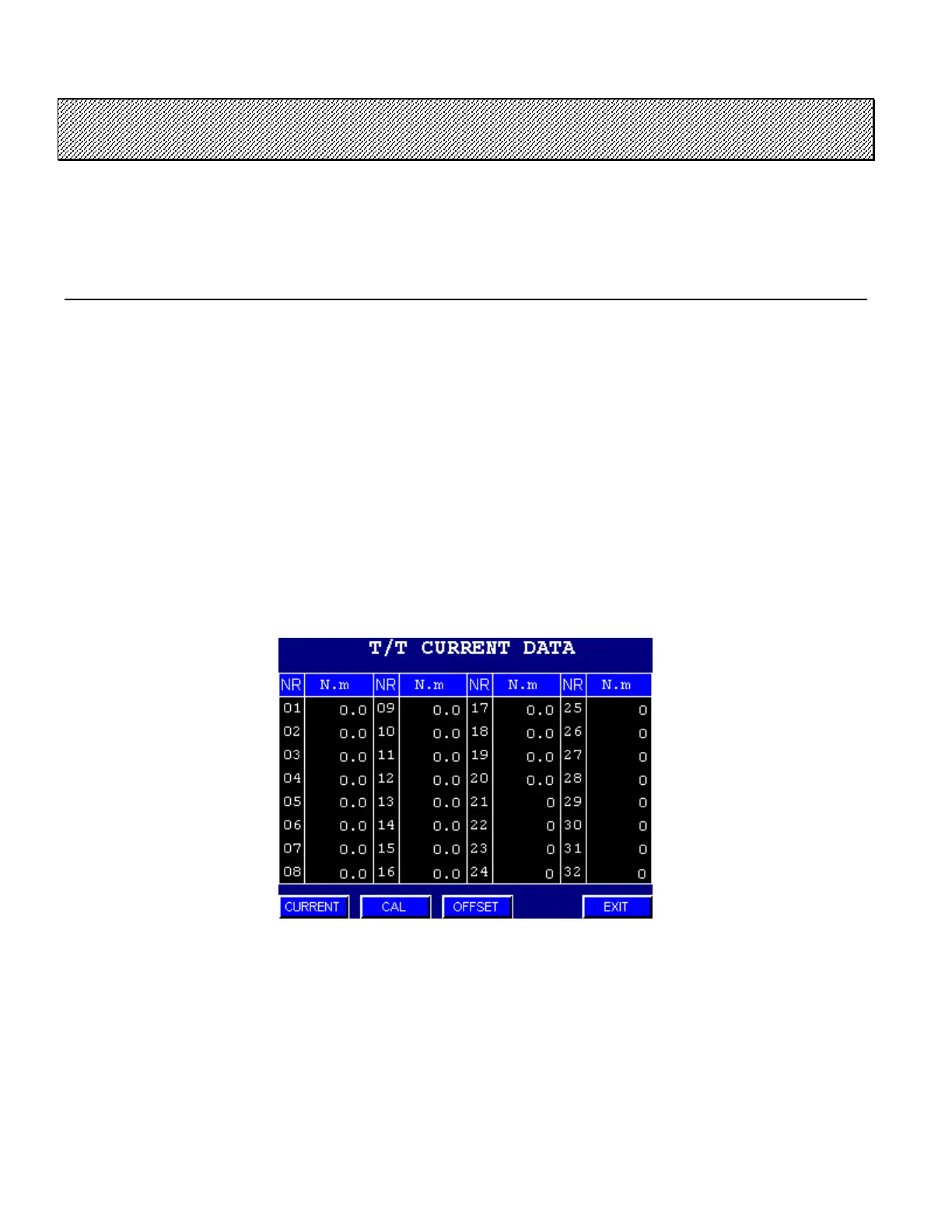
The torque value detected by the Torque Transducer (T/T) of the NUTRUNNER is displayed in real time. You
are recommended to use it to check whether the torque transducer functions properly.
●T/T CURRENT DATA display
The torque value of the connected NUTRUNNER is displayed. The NUTRUNNER for which a
connection cannot be confirmed is indicated by 「0 (Grey color)」. Numbers from 01 to 32 indicate the
NUTRUNNER No.
Press CAL to change the T/T CALIBRATION DATA display mode.
Press OFFSET to change the T/T OFFSET DATA display mode.
Press EXIT to return to the MAINTENANCE MENU.
Figure 8.2-1 T/T CURRENT DATA



 To Next Page