DISPLAYPANELMANUAL
3-11
3.2.6 Connecting the DC power cable
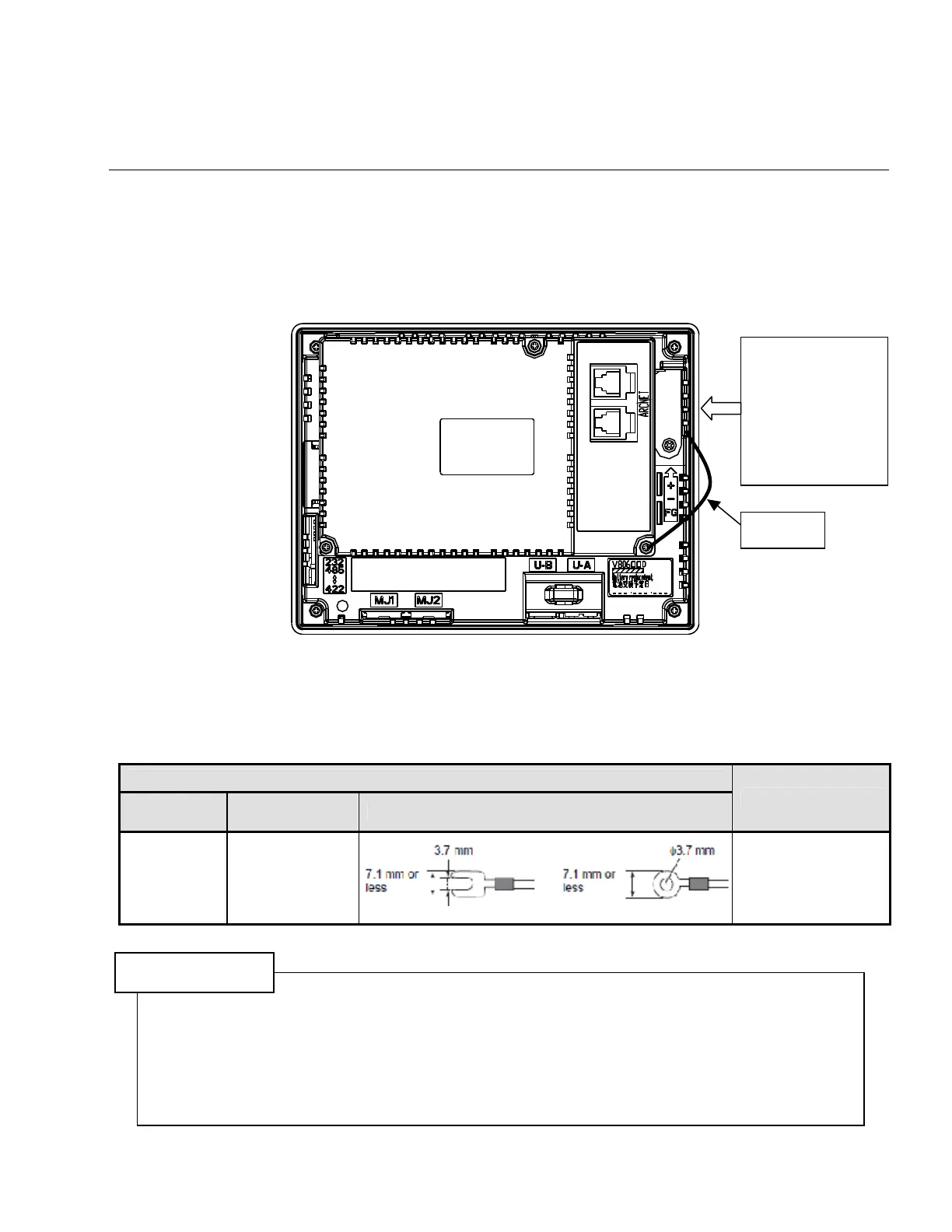
Connect a power supply cable as shown below.
・Ground FG surely.
・Do not remove a FG wire connected at shipment. It is unnecessary for SDN-DP12.
Figure 3.2-5 DC power connection
For specifications of the power supply cable and the tightening torque of the screws on the power supply
terminal block, refer to the following table.
Terminal Screw
Screw Size
Tightening
Torque
Crimp-style Terminal
Power Cable
M3.5 1.2N.m
AWG16
|
AWG14
CAUTION
1) The power source must be within the allowable voltage fluctuation.
2) Use a power source with low noise between the cables or between the ground and the cable.
3) Use as thick a power supply cable as possible to minimize drop in voltage.
4) Keep power supply cables away from high-voltage, large-current carrying cables.
5) Connecting the FG ground line to other device ground line or to the post of building may cause
damage
6) The FG terminal shall be used only for grounding with 14 gauge or thicker wire.
DC24V
24V DC
+ Power
− Supply
FG Grounding
FG wire



 To Next Page