DISPLAY PANEL MANUAL
4-5
4.3.2 Setting of Communication Configuration
●Setting of communication configuration
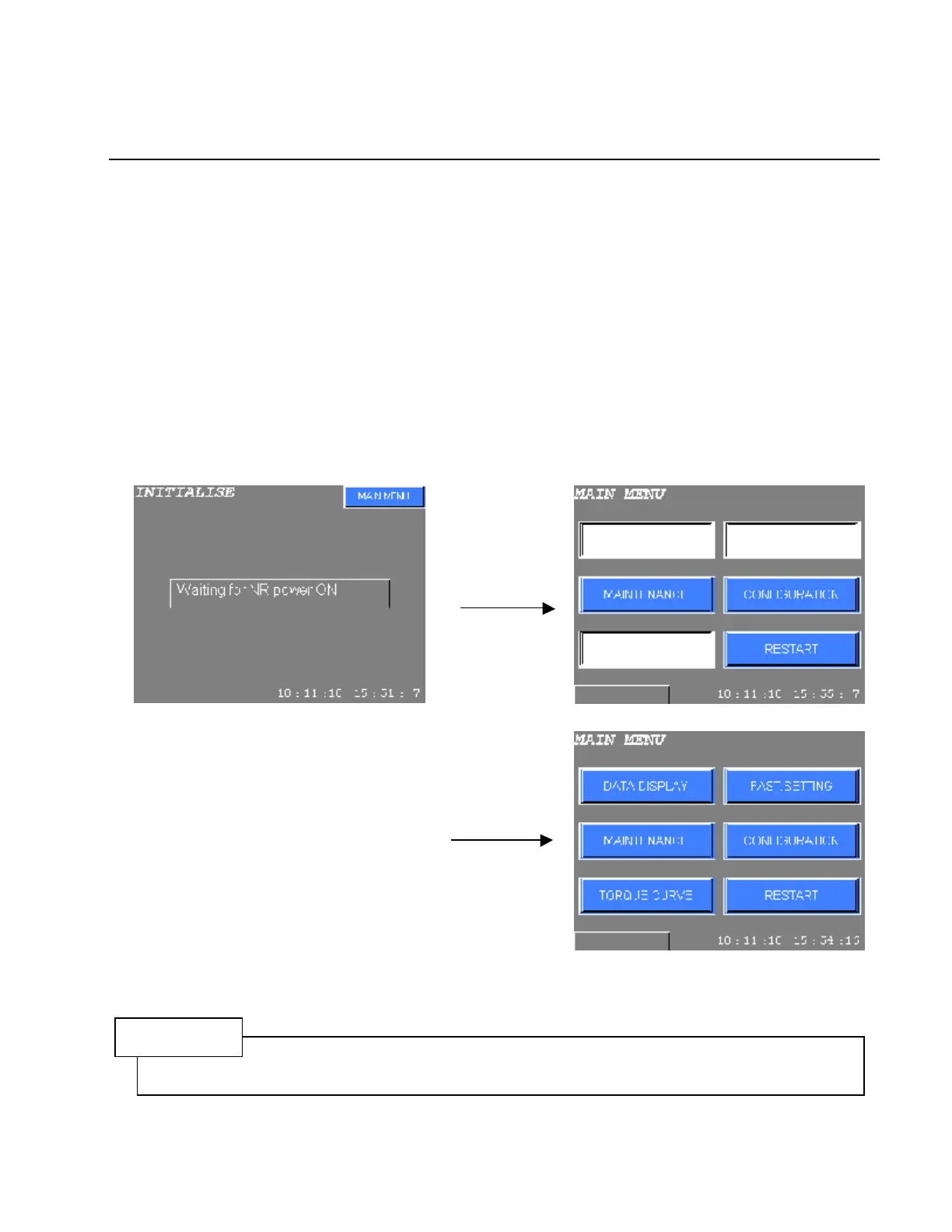
Message of “Waiting for NR Power On “ or other error messages will be displayed when the communication
baud rate and unit type (S or M) of the DISPLAY PANEL and the connected unit do not conform.
Set the unit type and communication baud rate in COM.CONFIGURATION of CONFUGRATION mode.
“Waiting for NR Power On “ will be displayed when other devices except the DISPLAY PANEL are not
connected to the power source.
In this case, change to MAIN MENU by pressing MAIN MENU switch of right upper side of screen. Some
functions on MENU are restricted. Usually, wait until indicating MAIN MENU or DATA DISPLAY mode.
Press CONFIGURAION to set communication configuration. Refer to Chapter 10 CONFIGURATION about
CONFIGURATION setting and communication configuration setting.
Start up by
MAIN MENU SW
Some functions
are restricted
Normally
Figure 4.3-1 Communication configuration setting procedure
NOTE
Communication baud rate between the Multi Controller, the Drivers and the Display Panel shall be same
otherwise communication will not succeed.



 To Next Page