DISPLAY PANEL MANUAL
16-3
16.2 Setting
V series editor is needed to communicate with PLC or other device. This setting is indicating on the MAIN
SCREEN of V8 system. Refer to the ‘Hardware Specifications V806’ ‘Hardware Specifications V8’ for the
MAIN SCREEN.
16.2.1 Device Connection Setting(V-SFT)
Device Connection Setting shall be set by the editor (V-SFT) to connect with PLC or other device except
for NUTRUNNER
Connecting port, communication setting, etc. are set in the Device Connection Setting.
PLC1 is reserved for the NUTRUNNER (ARCNET : SANYO MACHINE WORKS). Do not change this
setting.
●Device Connection Setting
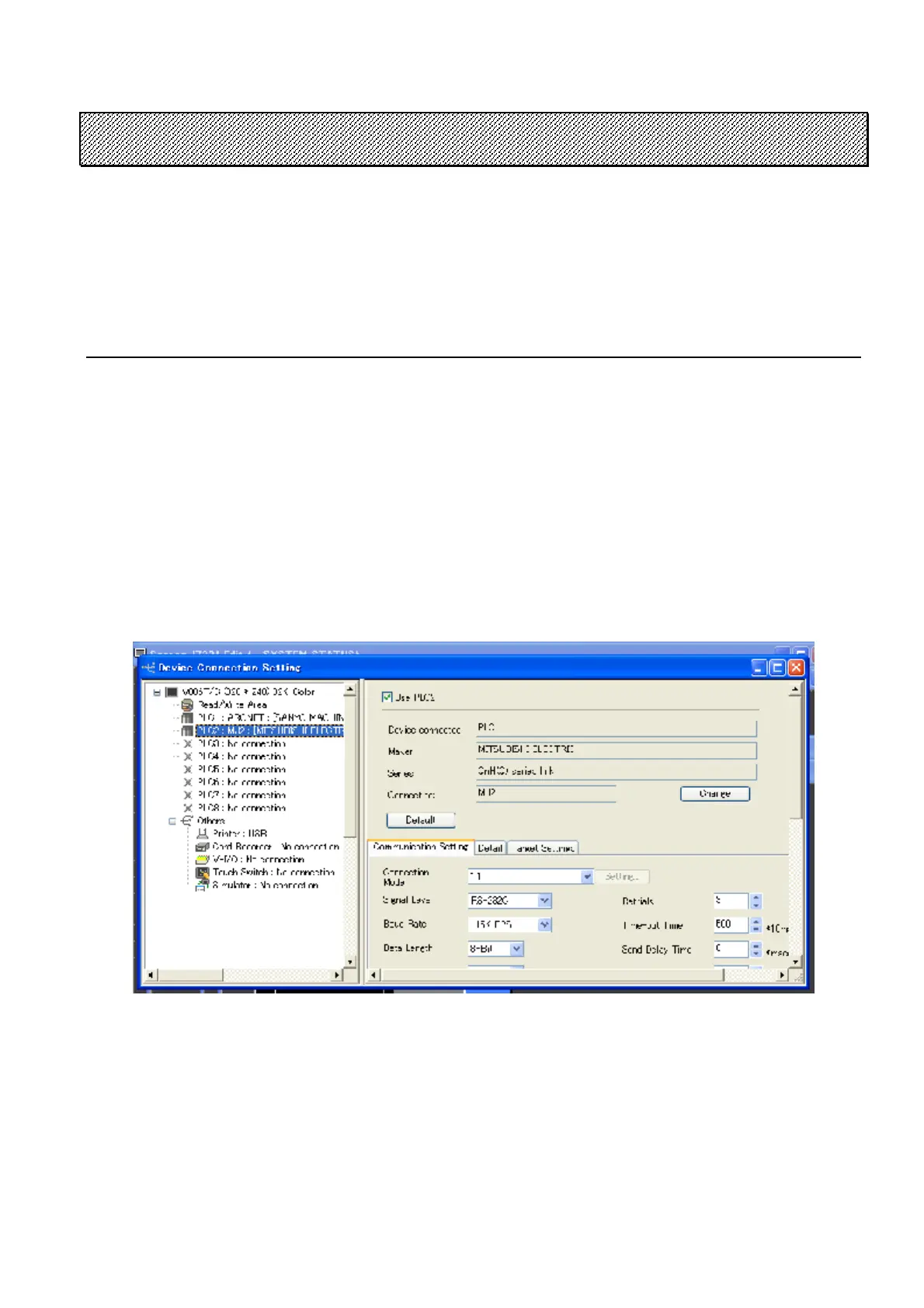
1) Click [System Setting] and [Device Connection Setting] to indicate the window for Device
Connection Setting.
Figure 16.2-1 Device Connection Setting of V-SFT5
2) Select PLC2 from Device Connection Setting and check “Use PLC2” check box.
3) Select Device, Maker, Series and Connecting port, then set Communication Setting, Detail, Target
Settings and etc.
Refer to the ‘V8 Series Connection Manual’ for details



 To Next Page