DISPLAY PANEL MANUAL
5-47
5.5.1 REVERSE SETTING
●REVERSE SETTING
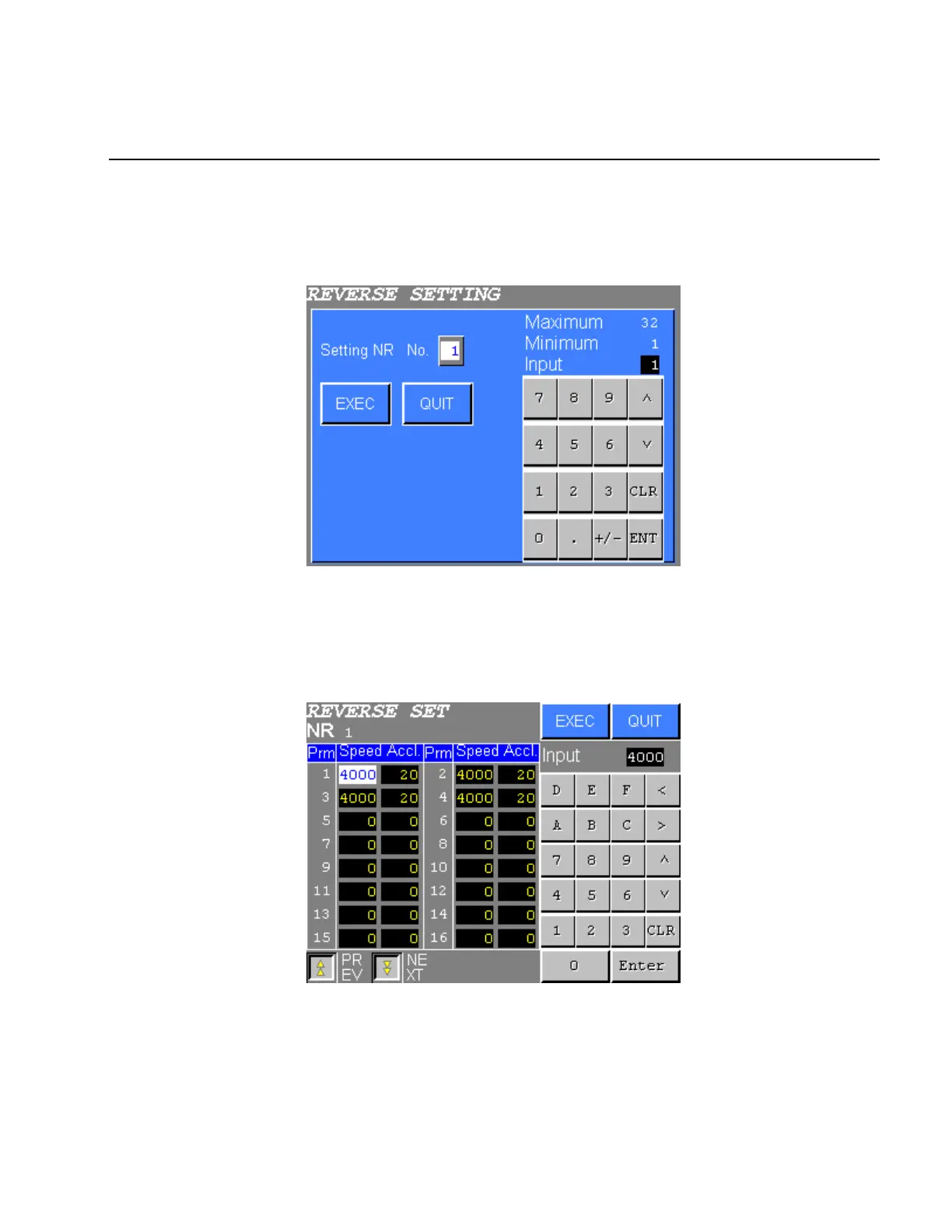
1) Select the REVERSE SETTING from the FASTENING SETTING menu. The following screen will be
displayed.
Figure 5.5-2 REVERSE SETTING NR No. input
2) Input the No. of the NUTRUNNER to be set and press EXEC. Reverse setting screen will be displayed.
When SDN-DP12 is used, settings of 32 parameters are displayed.
Press QUIT to cancel selection and return to the REVERSE SETTING menu.
Figure 5.5-3 REVERSE SETTING
3) Move the cursor to the desired item using “ ∧∨<>” touch key. Then input the value using the numeric
keys.
Press EXEC to write new settings to the NUTRUNNER.
Press QUIT to cancel all edits and return to the REVERSE SETTING menu.



 To Next Page