5. FASTENING SETTING mode (Type S)
5-58
5.6.3 USB MEMORY BACKUP
●USB MEMORY BACKUP
1) Connect the USB flash drive to the U-A port of the Display Panel.
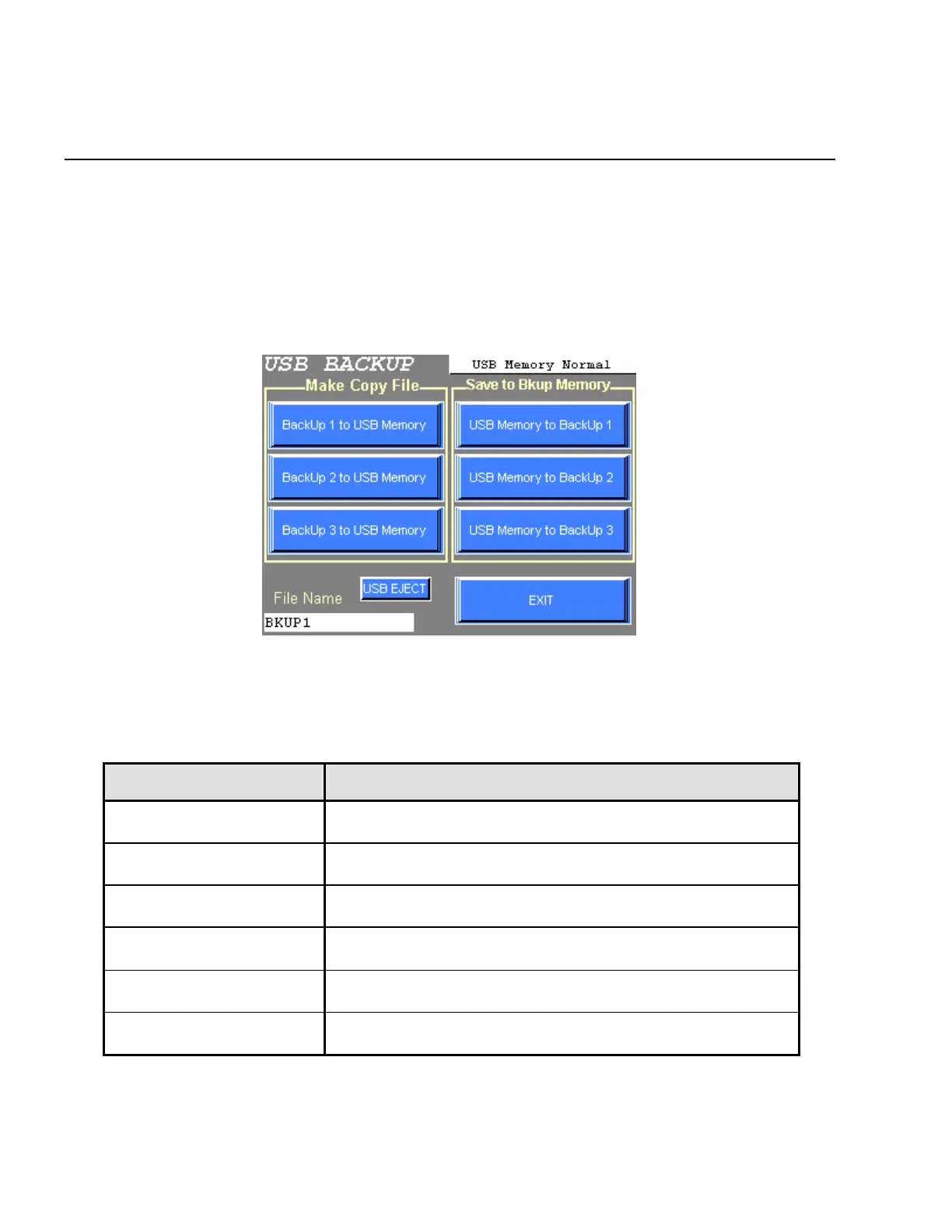
2) The following screen will be displayed when the USB MEMORY BACKUP is chosen from the BACKUP
setting menu.
Figure 5.6-10 USB BACKUP menu
3) Press EXIT to return the BACKUP menu.
USB BACKUP menu CONTENTS
Back Up 1 to USB Memory
Stored setting value of the BACKUP memory 1 will transfer to the
USB flash drive.
Back Up 2 to USB Memory
Stored setting value of the BACKUP memory 2 will transfer to the
USB flash drive.
Back Up 3 to USB Memory
Stored setting value of the BACKUP memory 3 will transfer to the
USB flash drive.
USB Memory to Back Up 1
Stored setting value of the USB flash drive will transfer to the
BACKUP memory 1.
USB Memory to Back Up 2
Stored setting value of the USB flash drive will transfer to the
BACKUP memory 2.
USB Memory to Back Up 3
Stored setting value of the USB flash drive will transfer to the
BACKUP memory 3.
Table 5.6-4 USB BACKUP executing menu and contents



 To Next Page