DISPLAY PANEL MANUAL
8-19
8.8 FASTENING REPORT(Type M)
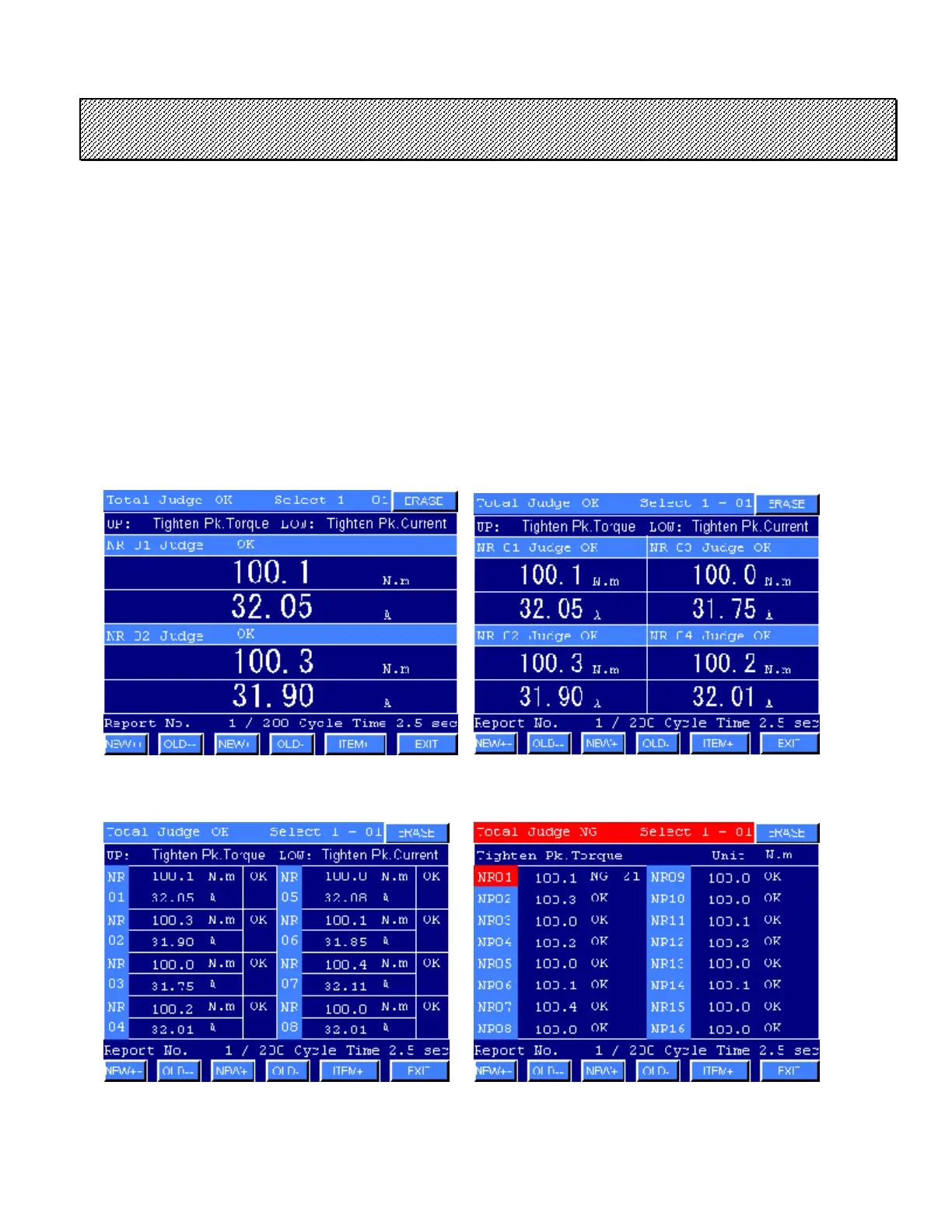
Data of the previous fastening operations are stored in the memory of the Multi-Controller. The Display Panel
reads them from the Multi-Controller and displays them. Total judge, selected number of the program and
parameter, cycle time of the Multi-Controller and judge, fastening data 1-4 depended on the OUTPUT ITEM
1-4 in the SYSTEM SETTING are displayed.
When the memory of the Multi-Controller is full, the oldest record is reset and a new one is added.
Press EXIT to return to the MAINTENANCE MENU.
●Fastening Report display
1) Select the FASTENING REPORT mode from the MAINTENANCE MENU. The screen corresponding
to the connected spindles will be displayed after reading the data from the Multi-Controller.
Fastening Report screen 1(2 spindles) Fastening Report screen 2(4 spindles)
Fastening Report screen 3(8 spindles) Fastening Report screen 4(16 spindles)



 To Next Page