8. MAINTENANCE mode
8-20
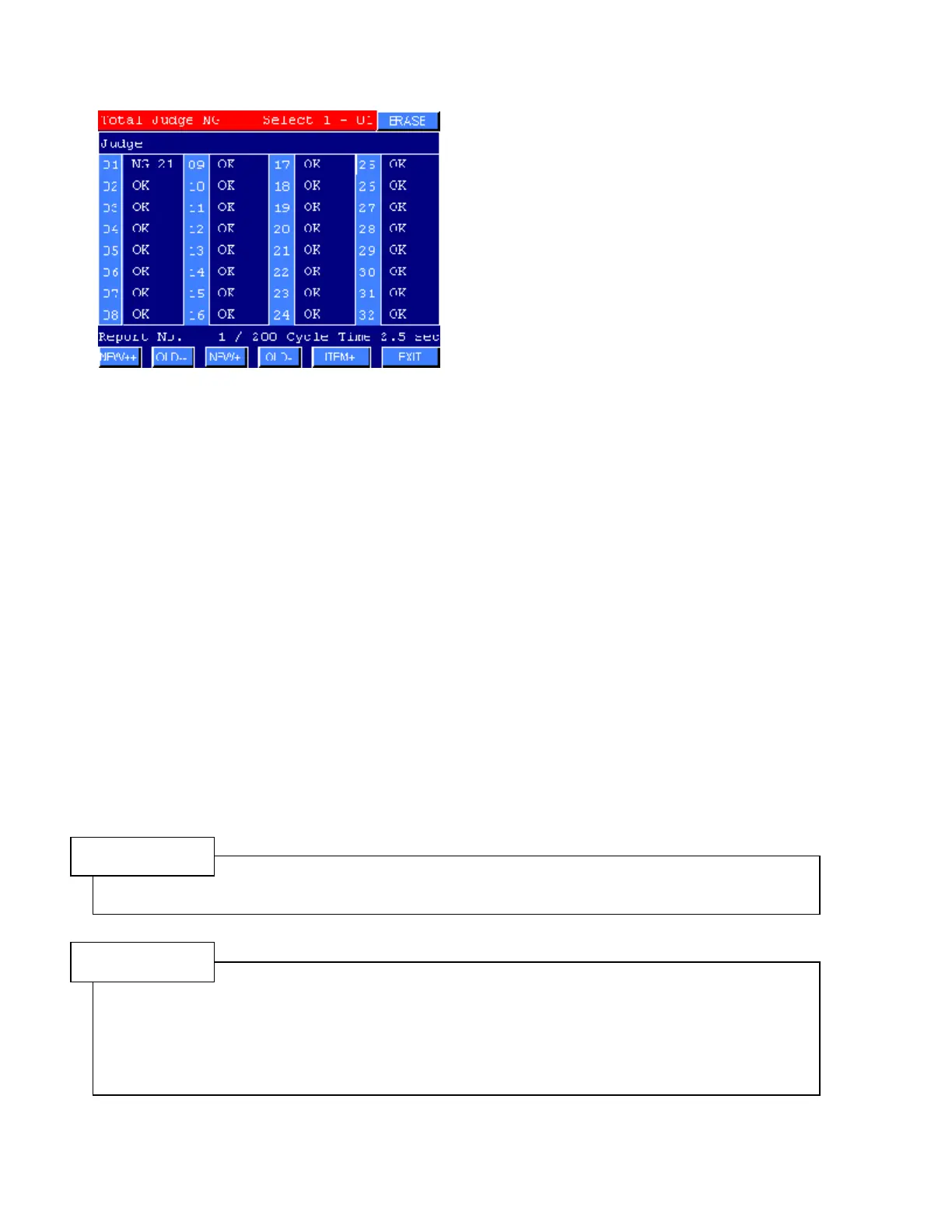
Fastening Report screen 5(32 spindles)
Figure 8.8-1 FASTENING RECORD
2) Press ITEM+ to change the display item. The DATA output item 1-4 display in order.
3) Press NEW+ or OLD- keys to scroll the screen. Keep pressing to change fast.
Press NEW++ or OLD- - keys to change report data for every 100 cycle.
Press ERASE to delete all FASTENING RECORD data.
●How to calculate the number of the memory data
Data of the previous fastening operations are stored in the memory of the Multi-Controller. The maximum
number of the memory data changes by the number of the connected DRIVER.
The maximum number of the memory unit is 16382 units. An equation is as below.
n = 16382/(1+m) n : Maximum number of memory data
m : Number of the connected DRIVER
NOTE
Data of the previous fastening operations are stored in the Multi-Controller.
Display items are 4 items(+judge) selected by the DATA OUTPUT setting in the SYSTEM setting
CAUTION
Fastening data are stored as a BCD or BIN form in the memory of the Multi-Controller when the
fastening operation is completed. If the SYSTEM settings such as a torque unit, driver’s model and
so on are changed, the data are not consistent between before and after.
The data of the FASTENING REPORT are memorized along with the setting of the Out Data
Format in the COMMON SETTING. If the setting of the Out Data Format was changed, previous
data are different with the actual data.



 To Next Page