DISPLAY PANEL MANUAL
6-27
6.9.1 OPTION BOARD SETTING
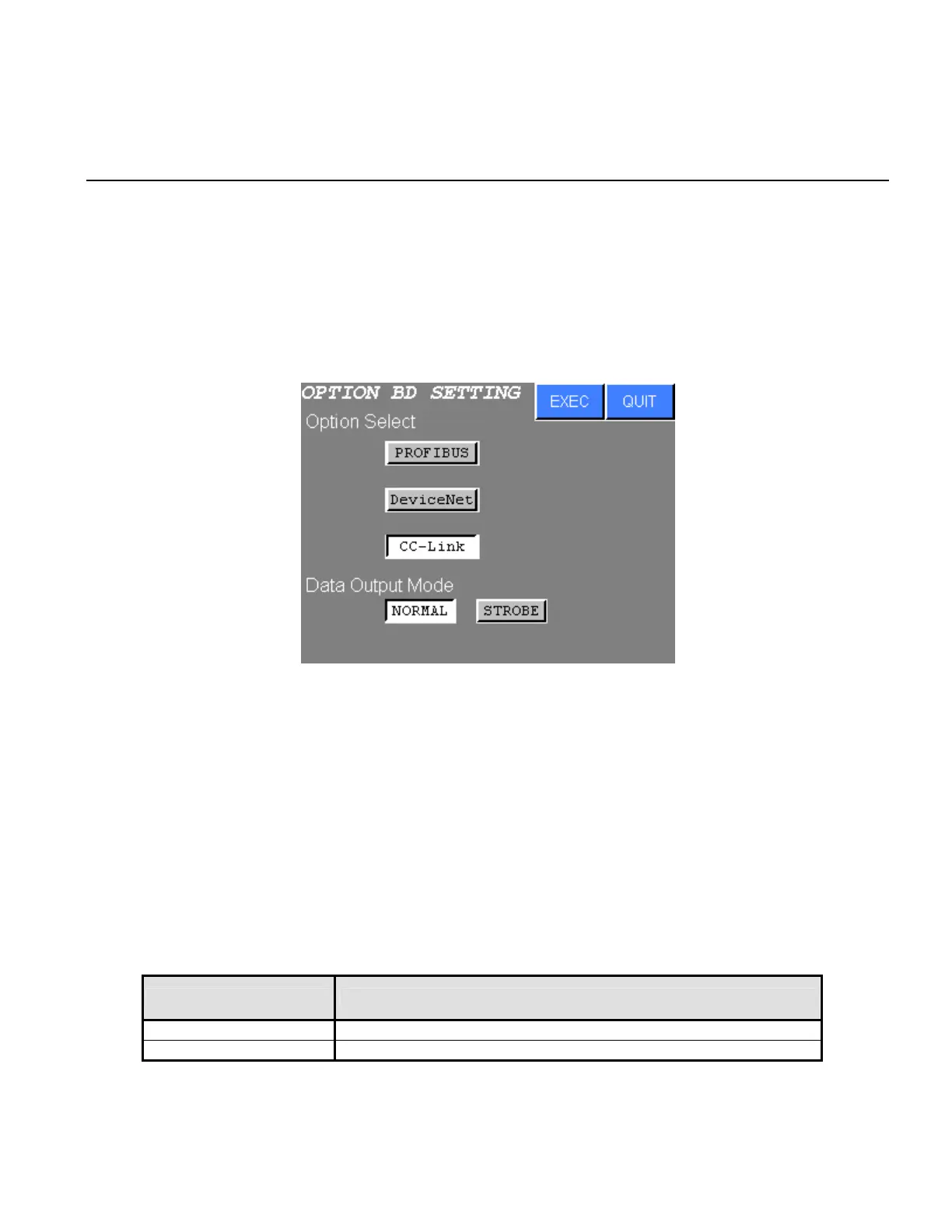
The type of option board is selected.
●OPTION BOARD SETTING
1) Select the OPTION BOARD SETTING from the OPTION BOARD SETTING menu. The following
screen will be displayed.
Figure 6.9-2 OPTION SELECTION
2) Press touch switch of the desired setting.
Press EXEC to write the settings to the NUTRUNNER.
Press QUIT to cancel new settings and return to the OPTION BOARD SETTING menu.
a. Option Select
Select the option board from PROFIBUS or Device Net or CC-Link.
b. Data Output Mode
Data output mode is selected. Refer to the SDN-OP OPTION BOARD MANUAL for detail.
Data Output Mode CONTENTS
NORMAL NORMAL mode is set.
STROBE STROBE mode is set.
Table 6.9-1 Data Output Mode



 To Next Page