Operation 4
Lighting
6219_003-098
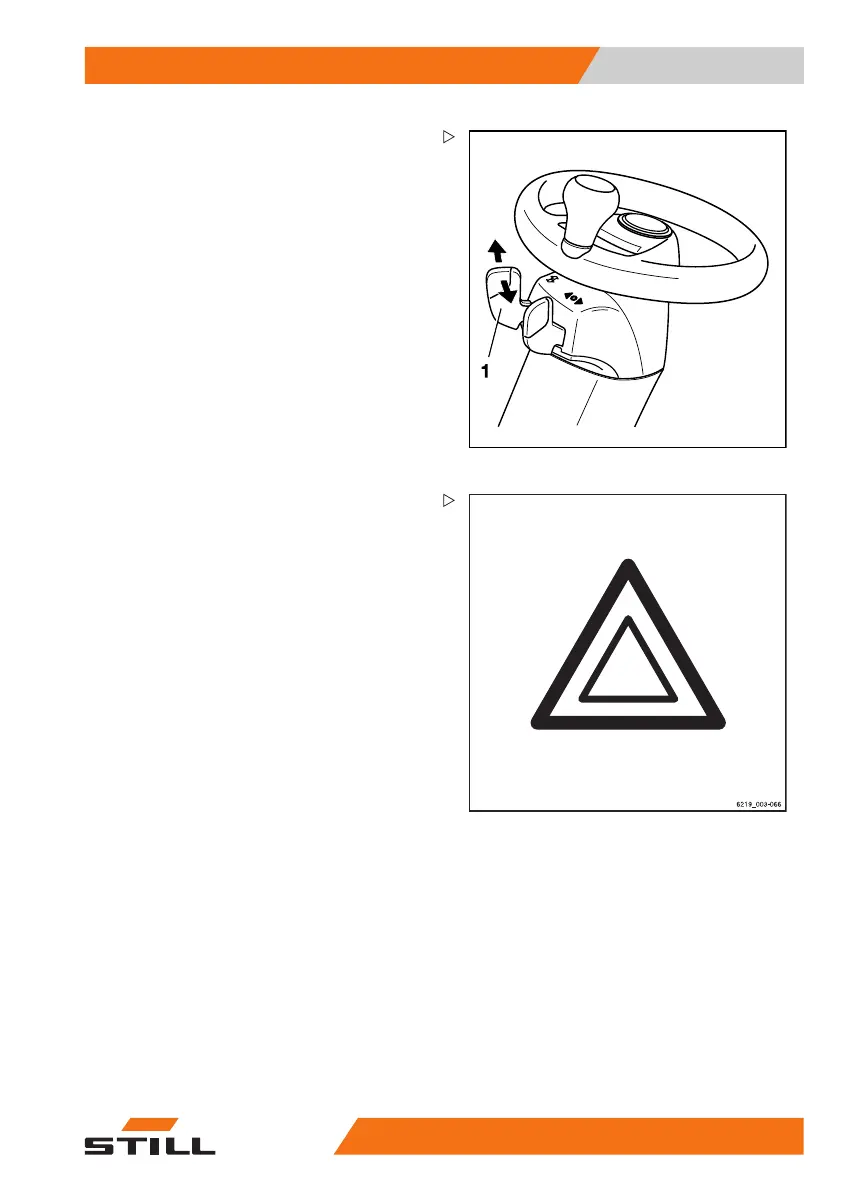
– To switch on the left or right turn indicator,
move the lever (1) to the desired direction.
The turn indicators and the tu
rn indicator
displays on the display/oper
ating unit flash.
– Toswitchofftheturnindicators,pushthe
lever (1) back to the centre position.
All turn indicators and the turn indicator
displays on the display/operating unit stop
flashing.
Hazard warning system
Switching the hazard warning system on and
off is different for trucks with and without
the StVZO (German Road Traffic Licensing
Regulations) variant.
– To switch on the hazard warning system,
push the associated Softkey on the display-
operating unit.
All direction in
dicators and the turn indicator
displays on the d
isplay-operating unit flash.
– To switch off the hazard warning system,
push the Softkey again.
All direction indicators and the turn indicator
displays on the display-operating unit stop
flashing.
563
68011531 EN - 06/2019 - 02 125



 To Next Page