Operation 4
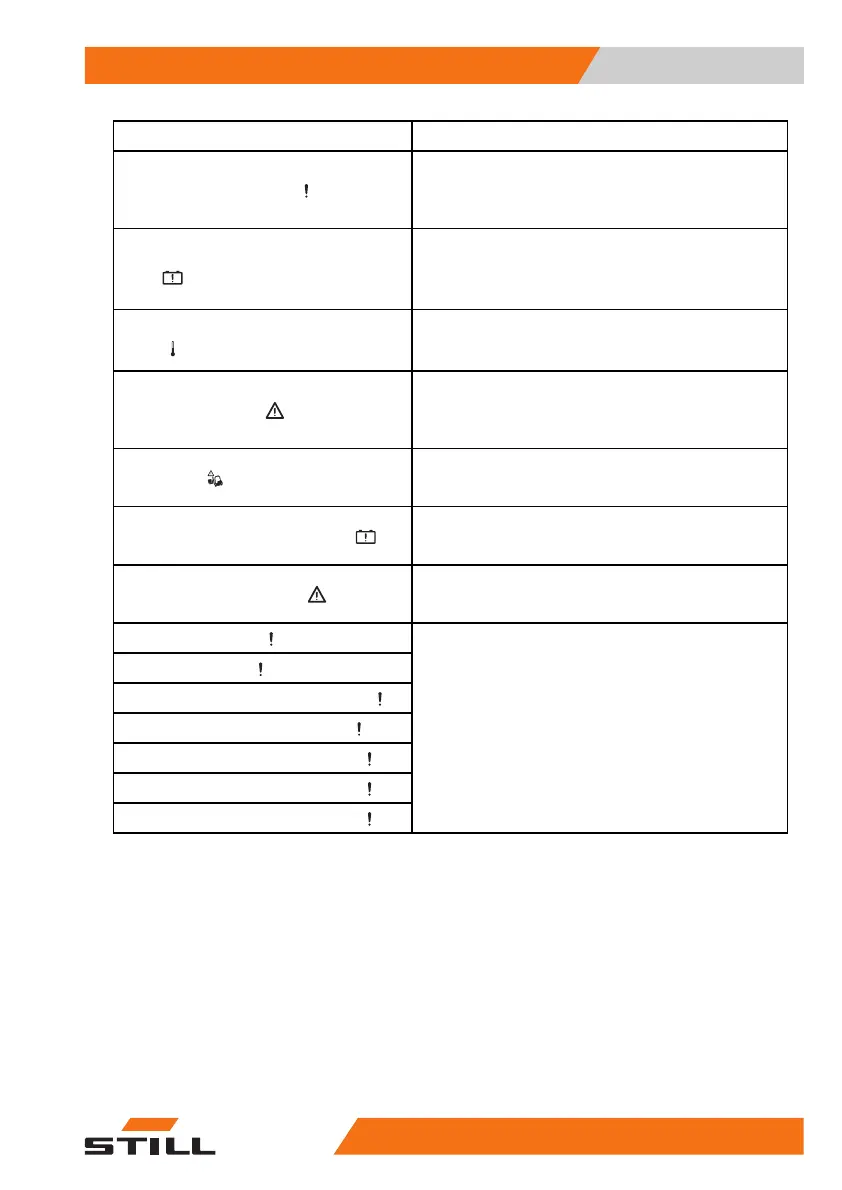
Display messages
Shown on display
Cause/action
Enable sprint mode
If the battery is charged after locking sprint mode
or a normal temperature is reached, this message
appears. Sprint mode can be used again once the
truck has been restarted.
Sprint mode blocked — bat-
tery
If the battery experiences under-voltage or too high a
temperature, this message appears. Sprint mode is
no longer available.
- Observe the previous message.
Sprint mode blocked — tempera-
ture
If the temperature at the drive units is too high, this
message appears. Sprint mode is no longer available.
- Observe the previous message.
Dead man switch
If the truck is equipped with a foot switch, and a
truck function is called up when the foot switch is
not actuated, this message appears.
- Actuate the foot switch.
Overload
With the "overload protection" variant, this message
appears if an excessive load is picked up.
- Set down the load.
Battery overtemperature
If the truck control unit detects an excessive battery
temperature, this message appears.
- Allow the truck to cool down.
Working mode
active
This message is not displayed during normal opera-
tion.
- Contact the authorised service centre.
Access expired
Access denied
Access expires in < 1 month
Access expires in < 1 day
Access expires in < 1 week
Access expires in < 2 days
Access expires in < 3 days
If the truck is equipped with this variant, this message
might appear.
- See the associated instructions.
.
Messages about the truck
If messages with a code appear on the
display-operating unit, the truck control unit
has detected a fault. The message with a
code is stored in the message list until the
cause of the message is corrected. The saved
messages can be called up from the "message
list".
563
68011531 EN - 06/2019 - 02 293



 To Next Page