4 Operation
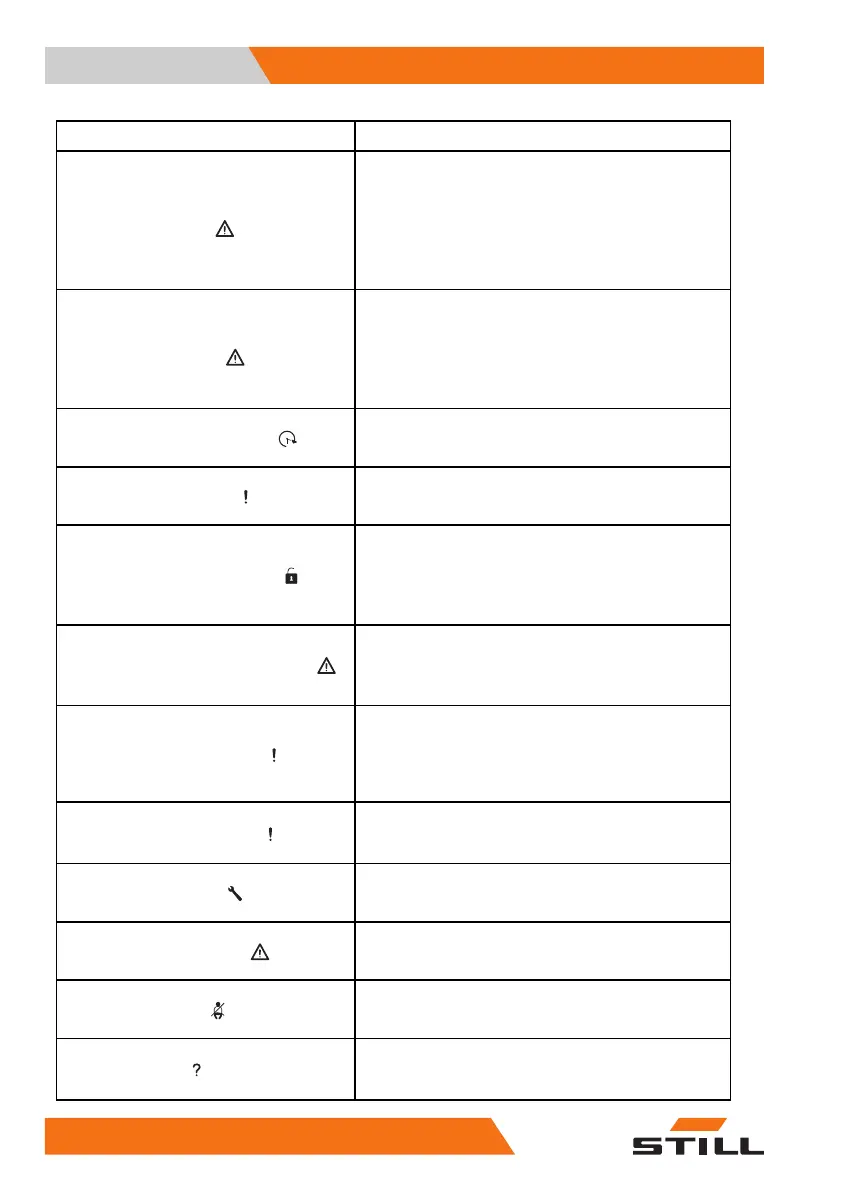
Display messages
Shown on display
Cause/action
Emerg. direct. via drive
direction lever
If the truck control unit has detected a fault that
affects the drive functions, it is possible to activate
emergency running.
- Set the direction selection lever to the desired
direction.
- Drive the truck to a safe area and park it safely.
- Contact your authorised service centre.
Emerg. direct. via drive
direction switch
If the truck control unit has detected a fault that
affects the drive functions, it is possible to activate
emergency running.
- Set the drive direction switch to the desired direction.
- Drive the truck to a safe area and park it safely.
- Contact your authorised service centre.
Parameter calibration
This message is not displayed during normal opera-
tion.
- Contact the authorised service centre.
Seatbelt sequence
If the configured sequence for applying the restraint
systems is not observed, this message appears.
- Fasten the seat belt.
Close restraint system
If, for example, the truck is equipped with a bracket
as a restraint system and the accelerator pedal is
actuated, this message appears. The truck will not
move.
- Close the restraint system.
Shaking blocked — overload
If the shaking function (variant) is overloaded by
an excessive load, this message appears. The
shake function will remain unavailable as long as
this situation persists.
Switch on switch lock
If the hazard warning system (variant) is switched on
when the truck is switched off, the display-operating
unit remains active. Then, when a truck function is
called up, this message appears.
- Switch on the truck.
Shock event detected
If the truck control unit detects a very strong acceler-
ation or deceleration, e.g. in the event of an accident,
this message appears.
Service required
If the maintenance interval has been reached, this
message appears.
- Contact the authorised service centre.
Service mode active
This message is not displayed during normal opera-
tion.
- Contact the authorised service centre.
Close seat belt
If the seat belt is not fastened, the driving speed is
limited to 4 km/h and this message appears.
- Fasten the seat belt.
Are you sure?
If the display-operating unit is expecting confirmation
from the driver, this message appears.
- Continue with or cancel the input prompt.
292
56368011531 EN - 06/2019 - 02



 To Next Page