4 Operation
Handling the battery
Checking the battery charge s
tatus
CAUTION
Deep discharges shorten the service life of the
battery.
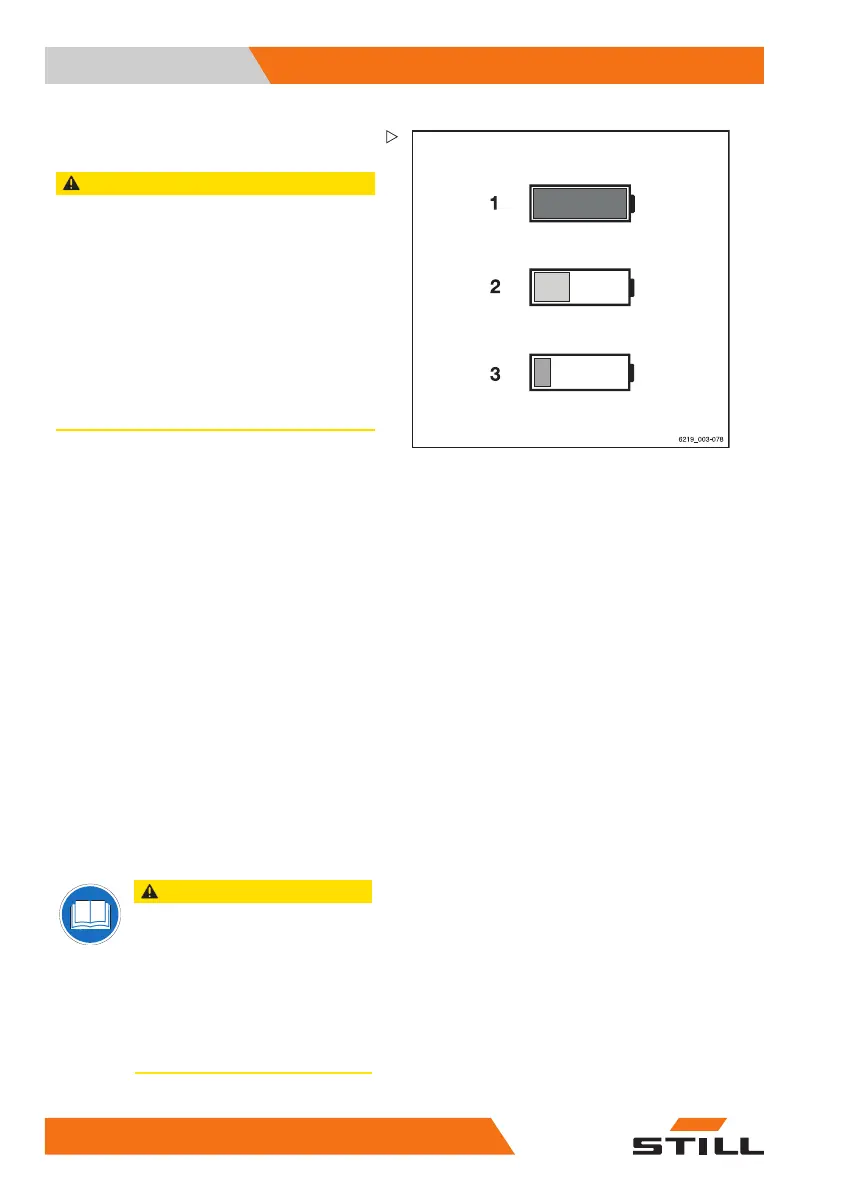
Deep discharge begins when the battery charge
display is red (3) (0% of the available battery capa-
city, i.e. approx. 20% of the nominal capacity).
– Deep discharge must be avoided (see the
section entitled "Equalising charge to prevent
a deep discharge of the battery").
– Stop working with the truck immediately.
– Charge the battery immediately.
– Do not leave batteries in a discharged or partly
discharged state.
– Apply the parking brake.
– Switch on the truck.
– Read the charge status on the display of the
display/operating unit.
– Charge a discharged or partly discharged
battery.
Meaning of the colours in the display
1Green:
The battery is sufficiently charged
2Yellow:
Charge the battery soon.
3Red:
Stop working. Charge the battery
immediately. The battery is at risk of
deep discharge.
Charging the lead-acid battery
CAUTION
Potential for damage to the battery
charger!
Incorrect connection or incorrect
operation of the charging station or the
battery charger may result in damage
to components.
– Follow the operating instructions
for the charging station or battery
charger and for the battery.
318
56368011531 EN - 06/2019 - 02



 To Next Page