4 Operation
Traction
– Lift the fork carriage until the necessary
ground clearance is achieved.
– Tilt the lift mast backwards.
– Release the parking brake.
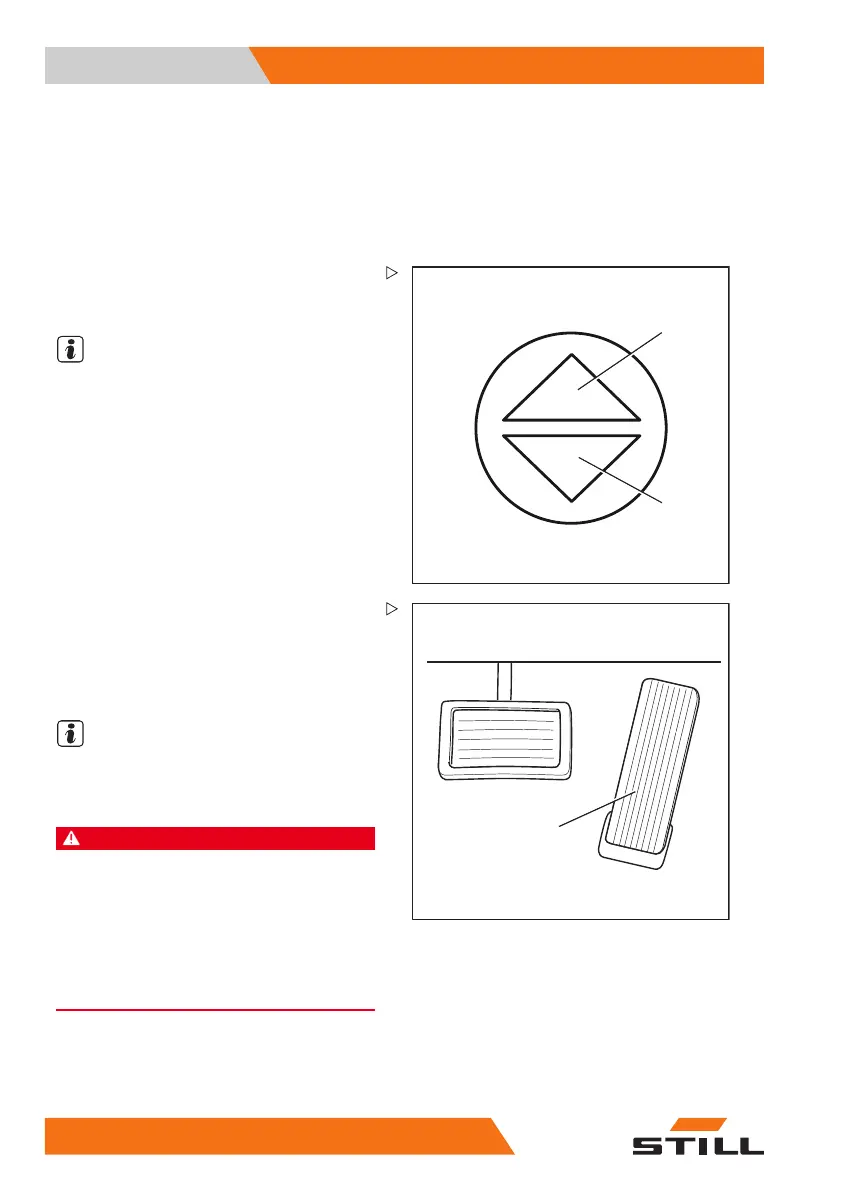
– Select the desired drive direction.
1
2
The indicator for the selec
ted drive direction
("forwards" (1) or "revers
e" (2)) lights up on the
display-operating unit.
NOTE
Different warning signals can be emitted
to indicate reverse travel depending on the
equipment; an acoustic signal (variant) may
sound, the warning light (variant) may light up
or the hazard warning system (variant) may
flash.
3
5060_003-084
– Press the accelerator pedal (3).
The truck will travel in the selected drive
direction. The speed is controlled by the
accelerator pedal position. The truck brakes
when the accelerator pedal is released.
NOTE
The truck is also held in place on ascending
or descending gradients even if the electric
parking brake is not engaged.
DANGER
Risk of accident due to brake failure!
The regenerative brake only functions if the truck is
switched on, the emergency off switch has not been
actuated and the parking brake is released.
– Use the brake pedal if the regenerative brake
malfunctions.
– Engage the parking brake before leaving the
truck.
Changing the drive direction
–T
ake your foot off the accelerator pedal.
146
56368011531 EN - 06/2019 - 02



 To Next Page