FX List (Effects Editor) 111
NEO Lighting Control Console
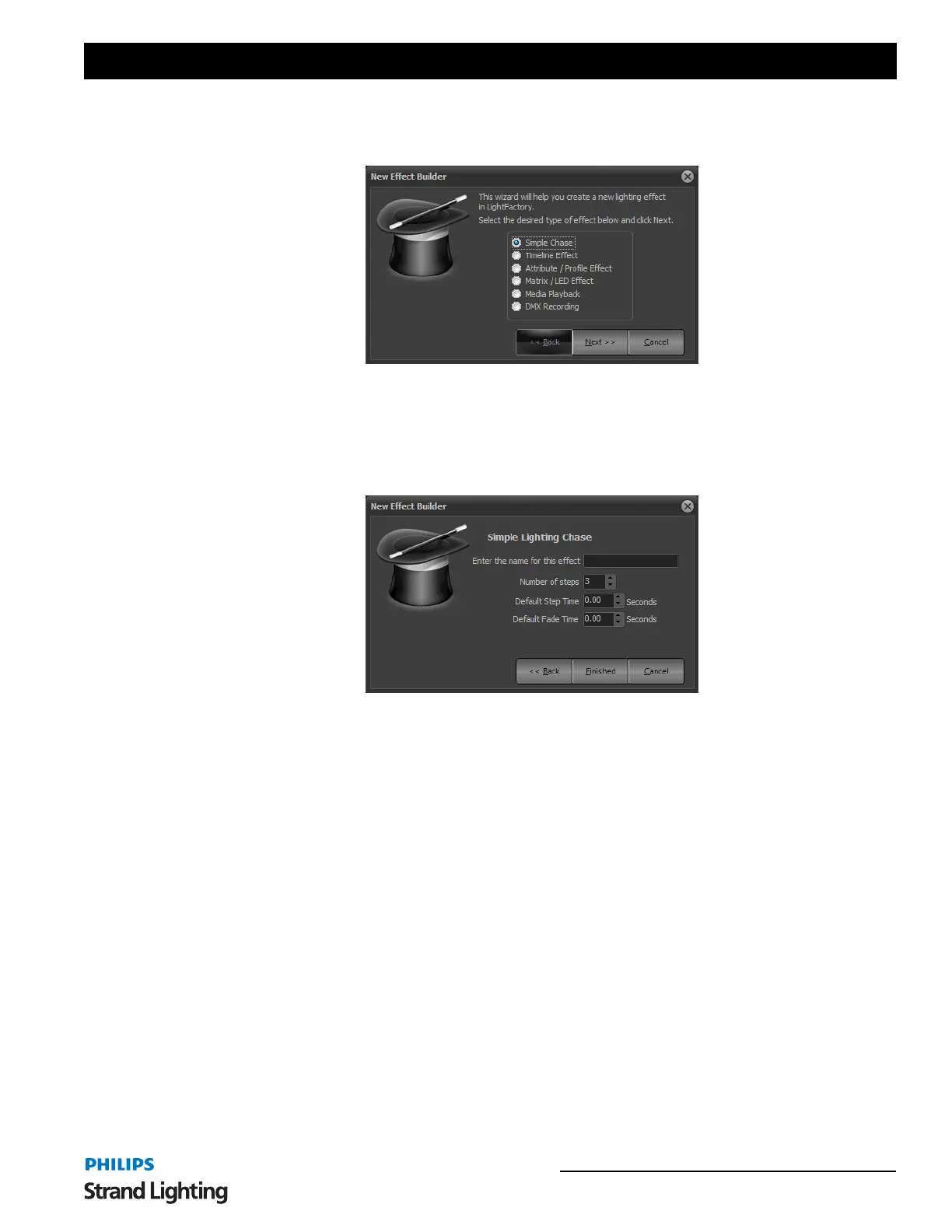
New Effects Builder Opening Page
Chose the type of effect you want, if you need help selecting, chose the "Run Effects Wizard".
This first page will ask you to define what type of effect you want. Select the type of effect you want to create and
click "Next" to continue.
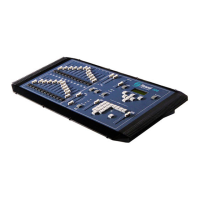
Simple Lighting Chase
A simple chase is a step based effect similar to an automated cue list. Each step contains a list of fixtures each in a
specific state.
To complete building the effect, enter a name to identify the chase and set how many steps you want to include in the
effect.
If you want to set the default step time (the time the system will wait before executing the next step) or fade time
enter the values into the fields provided.
Click on "Finished" to create the new chase and open the chase editor. The newly created chase will immediately
become visible in the right-hand side of the effects editor.
New Effects Builder, Simple Chase


 To Next Page