SUBMASTER Controls and Button Layout 29
NEO Lighting Control Console
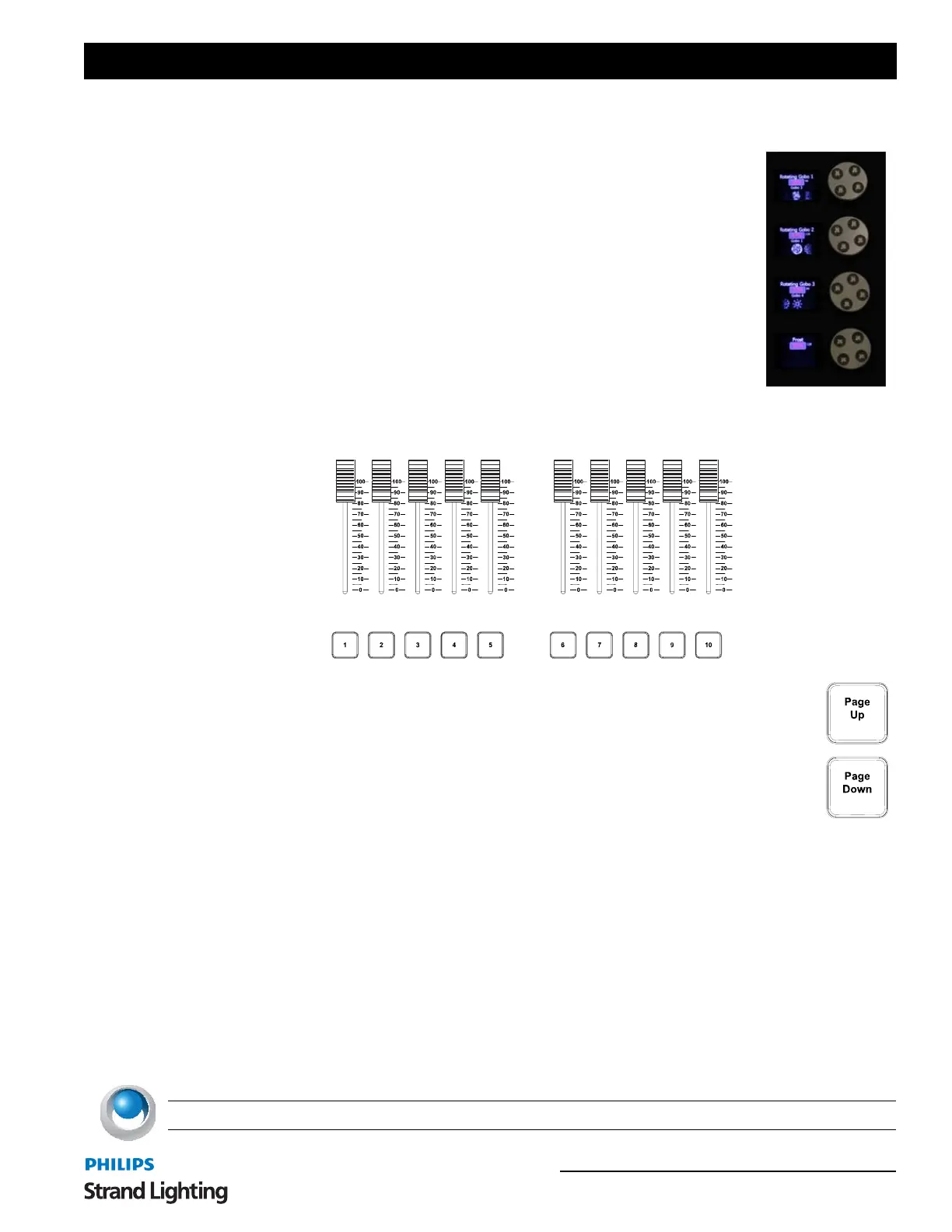
Automated Luminaire Encoders
The LCD display left of each wheel will change depending on [SELECTION/
ATTRIBUTES] Button pressed. [Beam] is shown below. Each encoder wheel rotates
clockwise and counterclockwise and then pressed to select current value.
4. SUBMASTER Controls and Button Layout
10 Submaster sliders are programmable to hold groups, effects, etc. Submasters can be programmed as
Additive, Subtractive, Pile-on, Exclusive and other modes.
[1] / [10] - Bump button for corresponding Submaster slider
[UP] / [DOWN] - Increments or decrements Submaster pages
5. Playback Controls Layout
The playback section of the desk provides controls for executing active cues and fading between two pre-stored
scenes. These faders consist of motorized A/B and single playback motorized faders.
Primary Split Playback Faders
The primary split playback faders are motorized and will always activate the primary cue list.
These faders have different configuration options.
1) Disabled
2) PB Master and Crossfader - left fader is master, right fader is crossfader.
3) PB Master and Disabled - left fader is master, right fader is disabled.
4) Cue List Split Crossfader - left fader controls levels going up, right fader controls levels going down.
NEO NOTES & TIPS: PB faders can be configured in System Properties>System Settings.



 To Next Page