User’s Manual
46 Software Configuration
Command Pulldown - View
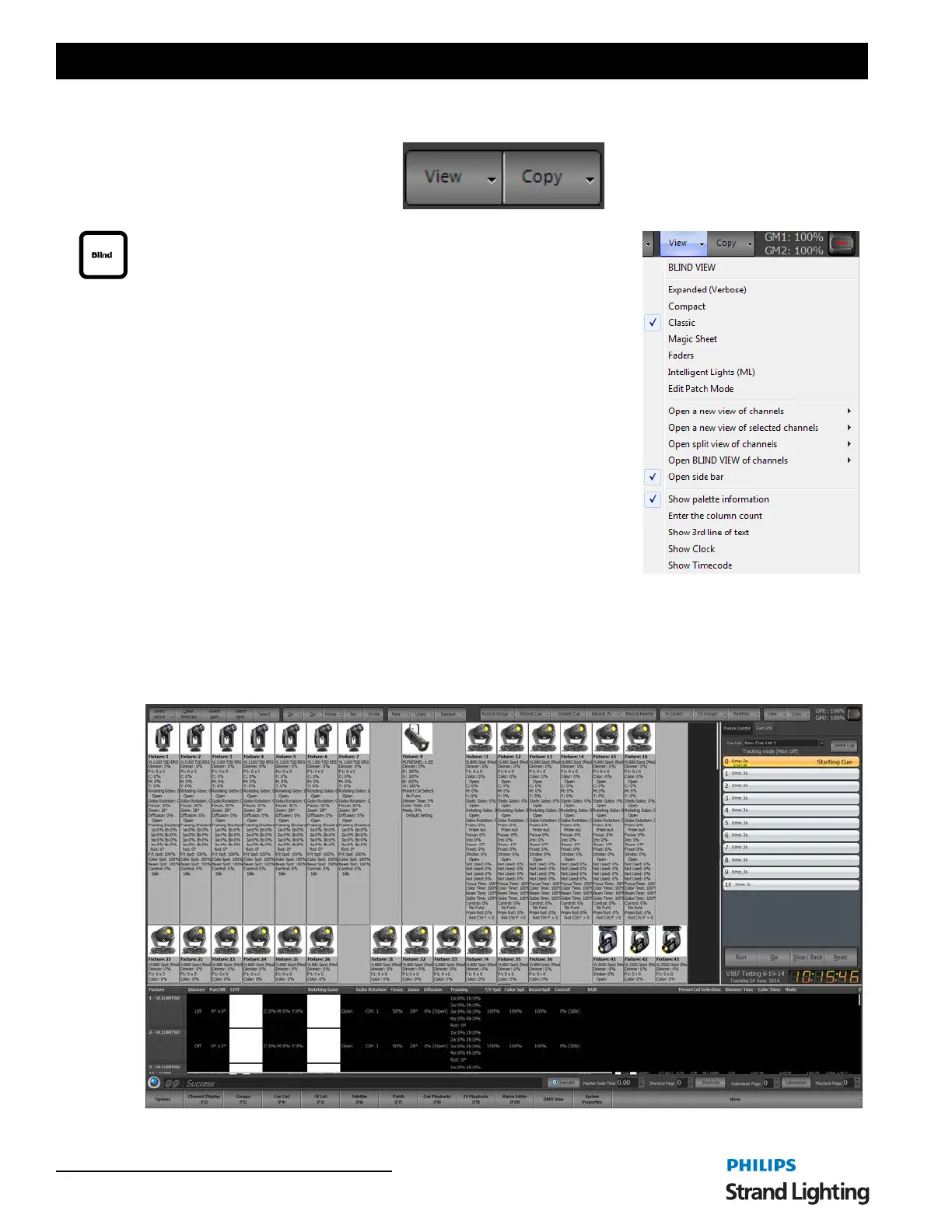
View - change to different viewing style for the main single monitor window.
Blind - the non-Live display that allows the user to view and edit data without
the data outputting on stage.
The channel view window has six modes of displaying fixtures and channels.
Change the view click on the "View" button and selecting the desired view
from the drop down menu.
The different view modes are Expanded, Compact, Classic, Magic Sheet,
Faders and ML View. There is no issue using any views to control your
lighting rig as you may want to use conventional lights in the grid display and
intelligent fixtures in the intelligent view. NEO will switch between the views
without effecting the operation of the lights.
In the Expanded, Compact, and Classic view all of the channels and fixtures
are displayed sequentially in an n x n matrix of rows and columns. The
software will automatically display the maximum number of channels it can
across the columns and provide a scroll bar to view channels that are off the
bottom of the window.
You can however set a fixed number of columns in the View menu by
selecting "Set fixed column count". If a fixed column count is set then the
column widths will automatically resize to fit across the page. Setting this to 0 will return it to a dynamic column
count.
Expanded (Verbose) - The Expanded view will show all of the patched channels in an excel style grid of rows and
columns. This mode will show the maximum about of information about the fixtures and their state. Each attribute
will be listed below the fixture name and dimmer level to show its current value.



 To Next Page