User’s Manual
58 Software Configuration
Edge Tab
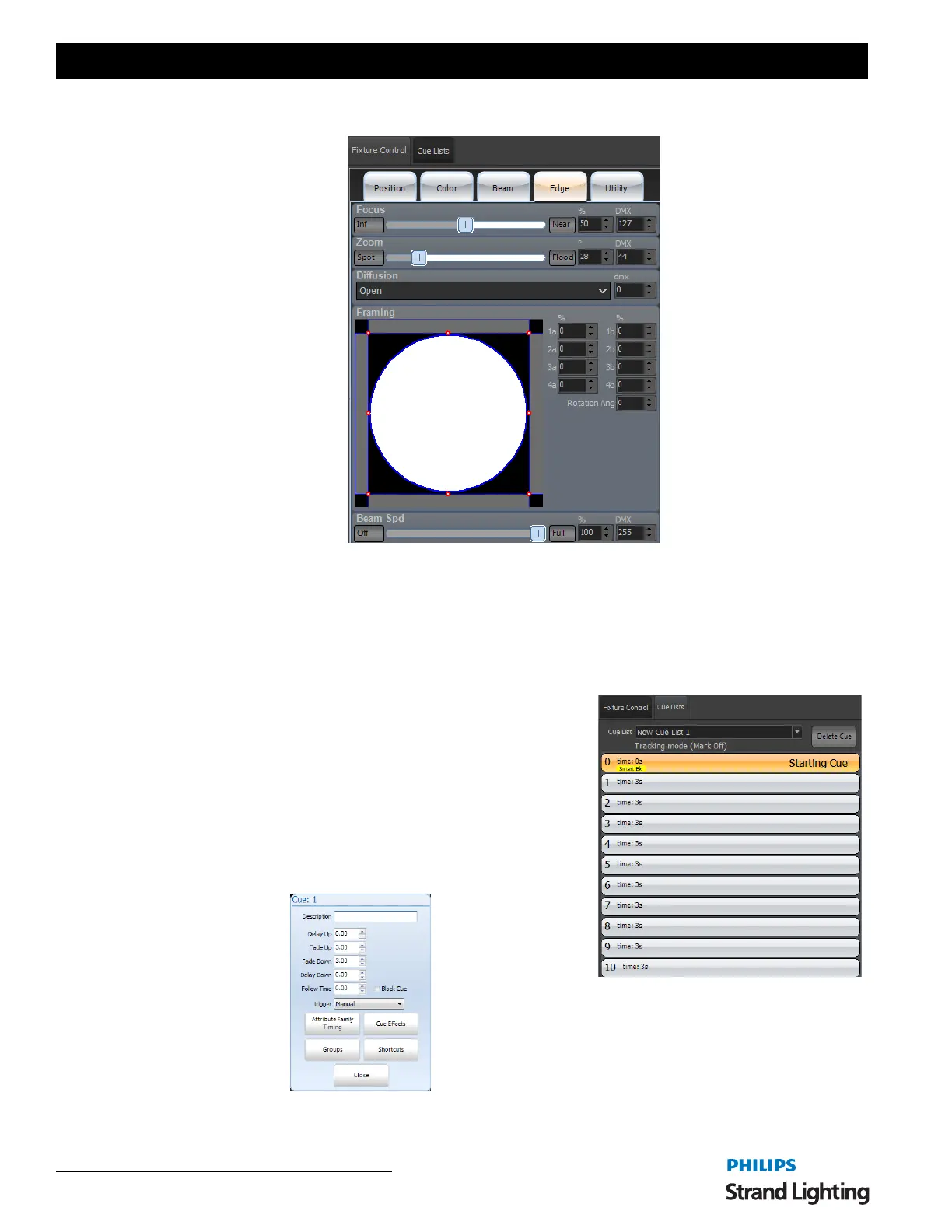
This is for all attributes that effect the "outside" of the beam of light. Focus, Zoom, Iris, Shutters and such. The
VL1100 has Focus, Zoom, Diffusion and Framing Shutters. All appear here with Minimum / Maximum buttons,
slider bar, percentage edit box and DMX edit box. Diffusion has a pulldown box much like a Gobo attribute because
it has two options (Open and Frost). Framing Shutters give you graphical control and percentage edit boxes.
The console hardware assigns all attributes to the 4 encoders. Pressing [EDGE] will page to the next set of encoder
assignments.
Side Bar Cue List
This is a simple cue list summary that is a quick list of the cues,
description and basic functionality.
It can be turned on/off from VIEW>Open Side Bar.
Delete Cue - the Delete Cue button will delete the selected cue. A
popup window will confirm before executing.
The Cue List pulldown allows the selection of the desired cue list. You
can scroll, select and double click to GO with simple touchscreen
functionality.
Clicking on the cue number itself will reveal the cue pop up window for additional functionality through the graphical
interface.



 To Next Page