User’s Manual
220 Computer Concepts
COMPUTER CONCEPTS
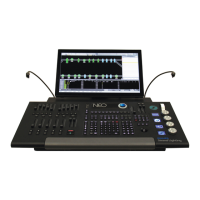
In order to use the NEO console or the Hyperion software on a PC, it is necessary to understand a few basic computer
concepts.
1. Trackball
A trackball is available for mouse-like pointer movement from the NEO console. The buttons labeled "Left" and
"Right" will function as the left mouse button and the right mouse button on a mouse. The "center" button will lock
the mouse point to the selected fixture's pan and tilt parameters. The Center button is locked when the backlighting is
red. When the backlighting is white, it will function normally as the mouse pointer.
2. Mouse Scroll Wheel
A mouse is a small device that connects to a computer. It is used for navigating around computer software, by means
of a pointer. Many types of mice have what is known as a scroll wheel. This is a wheel set into the top of the mouse,
usually located between the left and right buttons.
On NEO or using the Hyperion software, the scroll wheel is used for increasing/decreasing dimmer values in a
similar way to the sliders on a lighting console desk
3. Drag-and-Drop
Drag-and-drop is a commonly used method of moving one or more items from one location to another using the
mouse. Typically, it is done by left clicking on the item you wish to move, then, while still holding down the mouse
button, moving the mouse to the required destination. Release the mouse button when the mouse pointer is over the
destination.
In NEO or Hyperion, drag-and-drop is used to assign fixtures into channels, dimmer patching, etc…
4. Right-click Pop-up Menus
Right-click menus are hidden menus, accessible by right-clicking the mouse button. If there is a right-click menu
available for a feature, it will appear. Once available, you can click on the desired menu item.
If you right-click and a menu appears that you do not want to use, simply press the escape key on your keyboard (or
click elsewhere on the screen) and the menu will disappear.
5. Screen Real Estate
As the name suggests, screen real estate refers to the screen area you have available on your monitor for viewing
information.
There is a primary window available for single monitor systems. Once you get beyond that, there are individual
features of NEO are in their own separate windows and can be arranged / resized on the computer screen according to
an individual programmer's preference. NEO will remember the screen layout for next time.
It is also possible to expand to 3 monitors, thus expanding the available screen real estate.
6. Window Docking
Some windows in NEO can be "docked" onto other windows. This means that the two windows are attached to one-
another, which is useful if you want to have two related windows remain next to each other at all times.
7. MIDI
Musical Instrument Digital Interface, an industry-standard interface used on electronic musical keyboards and PCs
for computer control of musical instruments and devices.
8. SMPTE
Society of Motion Picture and Television Engineers. SMPTE allows for timecode triggering of cues.


 To Next Page