User’s Manual
178 Software Configuration
Make Show File Smaller
This option will perform a database pack on your show file. Packing the database removes dead space from deleted
allocations and makes the allocations for tables, blobs and indexes contiguous in the database. So it compacts and
defragments within the database file. The result of this operation is often a significantly smaller file.
When you click on this option you will see a new window appear (external to NEO) that will perform this operation.
The show file you are working on will be closed while the database pack is running.
This option can also be used if you suspect that the show file has become corrupted.
This operation will export all of the data in your show file and re-import it into a new clean file.
Restore Factory Defaults
Will restore all System Settings back to factory defaults.
30. Show Defaults
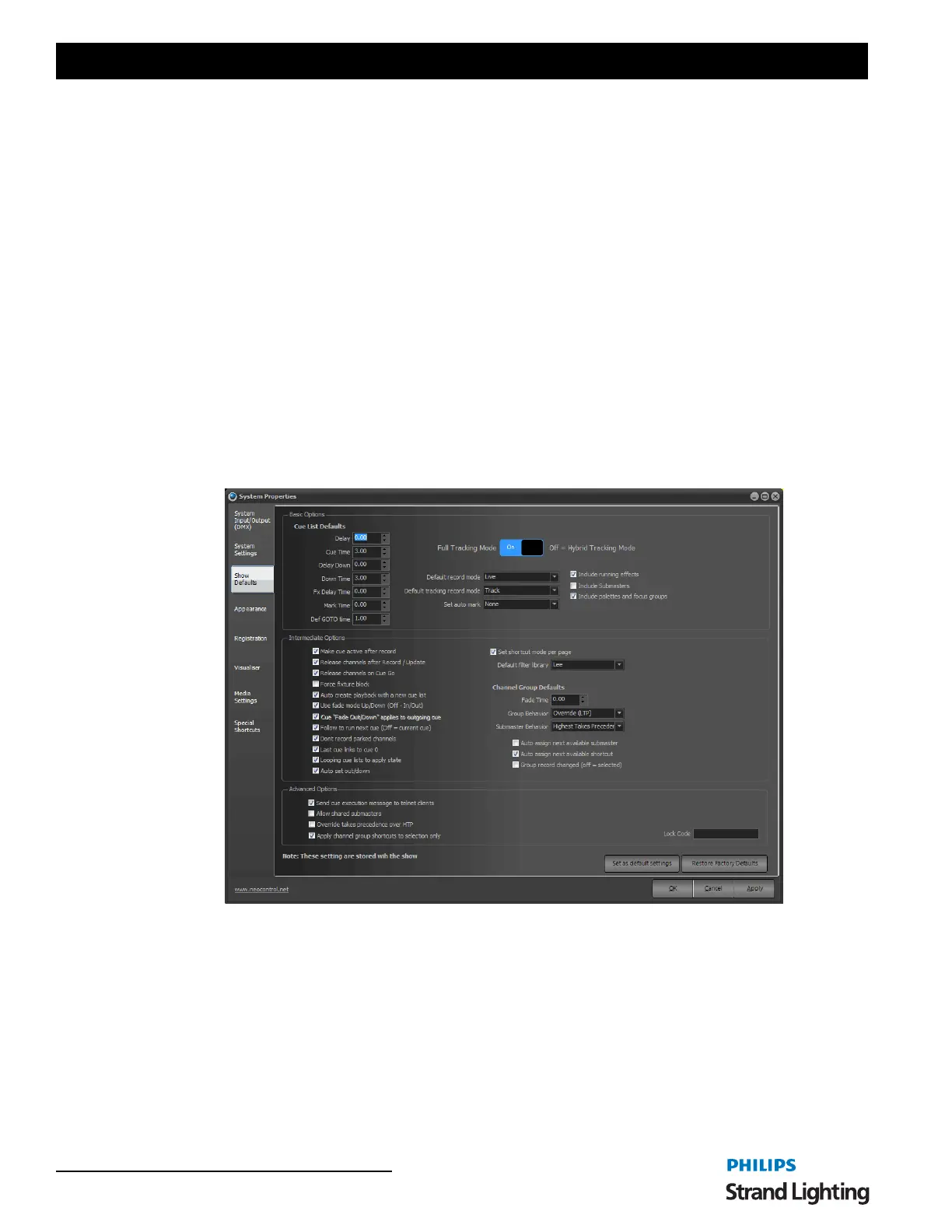
Use the show defaults settings to provide default options for cue lists, channel groups and recording. The settings on
this page are stored with the show file and can change when you load a show or create a new show.
To make the current setting the default for future shows click on the "Set as default settings" button at the bottom of
this tab. Any new show created will have these settings automatically.
Basic Options - Cue List Defaults
The cue list defaults will apply every time a new cue is created (By default, these settings are all set to zero seconds).
Set a cue default by either typing the desired time or using up and down arrow controls to the right of the edit box.
Delay - default delay or wait time when a cue is recorded.
Cue Time - default cue time used when a cue is recorded.
Delay Down - default delay for the cue's down time when a cue is recorded.
Down Time - default cue down time used when a cue is recorded.
System Properties, Show Defaults


 To Next Page