Cue Lists 89
NEO Lighting Control Console
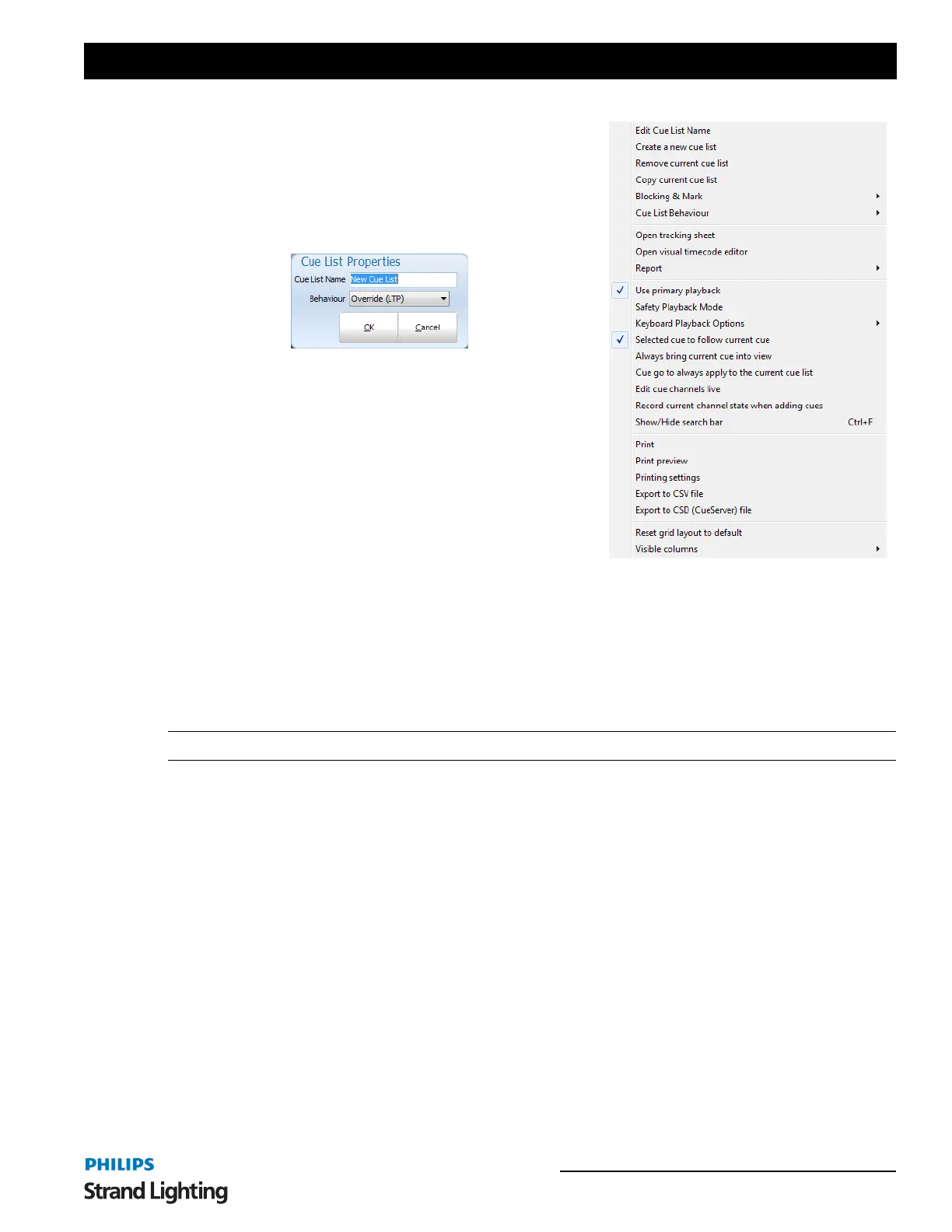
Cue List Options Menu
As well as creating and deleting cue lists the options menu has
several other functions to make working with cue lists easier.
Edit Cue List Name
This allows the user to change the name and behavior type to the
cue list.
Create a New Cue List
This allows the user to create a new cue list.
Remove Current Cue List
Will delete the selected cue list.
Copy Current Cue List
Use this option to make a duplicate copy of the selected cue list. The
new cue list will be named "Copy of" followed by the original cue
list name.
Blocking & Mark
Selecting the "Blocking & Mark" option in the menu will open up the submenu for globally setting the flags inside
the cue list.
Set "Block" on all cues - This option will check all blocking flags in the selected cue list.
Un-Set "Block" on all cues - This option will un-check all blocking flags in the selected cue list.
Set "Mark" on all cues - This option will check all mark flags in the selected cue list.
Un-Set "Mark" on all cues - This option will un-check all mark flags in the selected cue list.
Note: Must not be the active cue list.
Cue List Behavior
The cue list behavior sets defines how the cue list interacts with other parts of the software at the time of playback. By
default this is set to Latest Takes Precedence (LTP) however you can change this to Build and Highest Takes
Precedence (HTP). LTP is also called "override" in the channel groups as the output of this behavior will override
whatever the channel is currently set to and apply the new value.
The behavior set by this option will result in playback of the cue list following the same rules as the behavior set by
channel groups. See “Behavior” on page 84.
Build will add the output from the cue list to whatever the output currently is set in the channels. HTP will only apply
the channel output from the cue list if that output is higher than what the channel is already outputting.
To set the behavior for the cue list select it from the sub menu from this option. The behavior will apply to all cues in
the cue list and across all playbacks that are using this cue list.



 To Next Page