User’s Manual
28 Controls
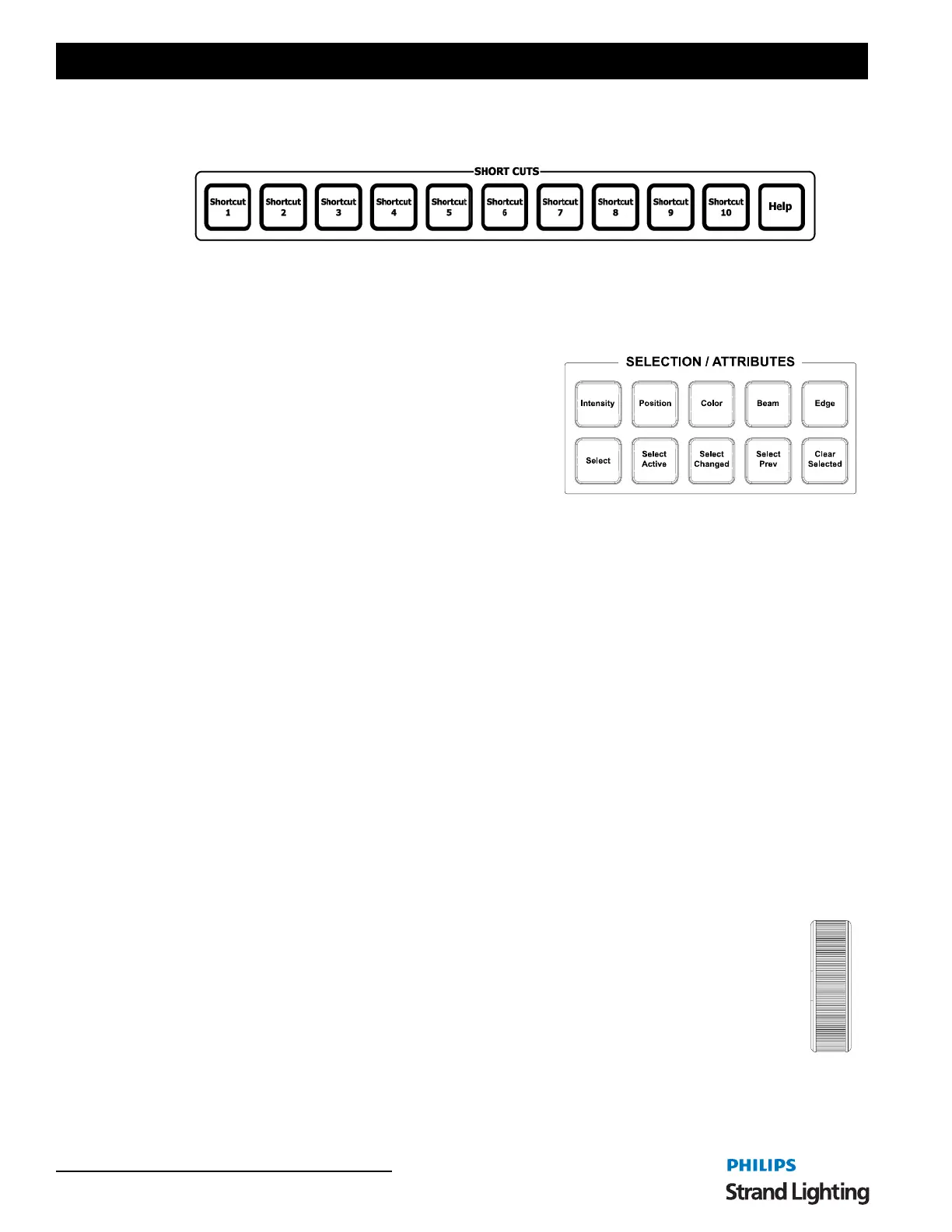
Shortcut Keys
[Shortcut 1] / [Shortcut 10] - Quick access to the first 10 Shortcuts programmed on each Shortcut page.
[Help] - Opens up console documentation.
Selection / Attributes Keys
[Intensity] - Assigns any intensity attributes to the encoders.
Advanced functionality assigns utility parameters to the intensity
encoder assignments.
[Position] - Use Position Quick Selection button to select
position control on the four rotary encoders, or for recording
Position Preset Focus palettes.
[Color] - Use Color Quick Selection button to select position
control on the four rotary encoders, or for recording Color
palettes.
[Beam] - Use Beam Quick Selection button to select Gobo control parameters on the four rotary encoders, or for
recording Gobo Preset Focus palettes. Press again to bank the four encoders to other Gobo wheels.
[Edge - Use the Edge quick selection button to select all parameters that effect the edge of the beam of light. Typical
edge parameters are Focus, Iris, Zoom and Shutters.
[Select] - Will open NEO's Select box. The Select box will access show programmed items like groups. This also will
show items labeled in patch from columns like position, purpose and color.
[Select Active] - Will capture all fixtures with intensity.
[Select Changed] - Will capture all fixtures with adjusted values.
[Select Prev] - Will captures the previously selected fixtures.
[Clear Selected] - Will uncaptured all selected fixtures.
3. Intelligent Lighting Buttons and Encoders
The encoders and buttons found in these sections of the desk provide special controls for intelligent lighting fixtures.
The rotary four encoders provide navigation of the NEO software and control of channel attributes. The encoders are
context sensitive to allow appropriate control of attributes such as one percent, one DMX512 step, one gobo, one
second of time, etc.
Level Wheel
The console features a level wheel which provides navigation of the NEO software and control of
channel attributes. The wheel is context sensitive to allow appropriate control of attributes such as one
percent, one DMX512 step, one gobo, one second of time, etc. By default, it controls the intensity level
of the selected channels.
Holding [SHIFT] while engaging the wheel will place the wheel in Fine Mode.



 To Next Page