User’s Manual
30 Controls
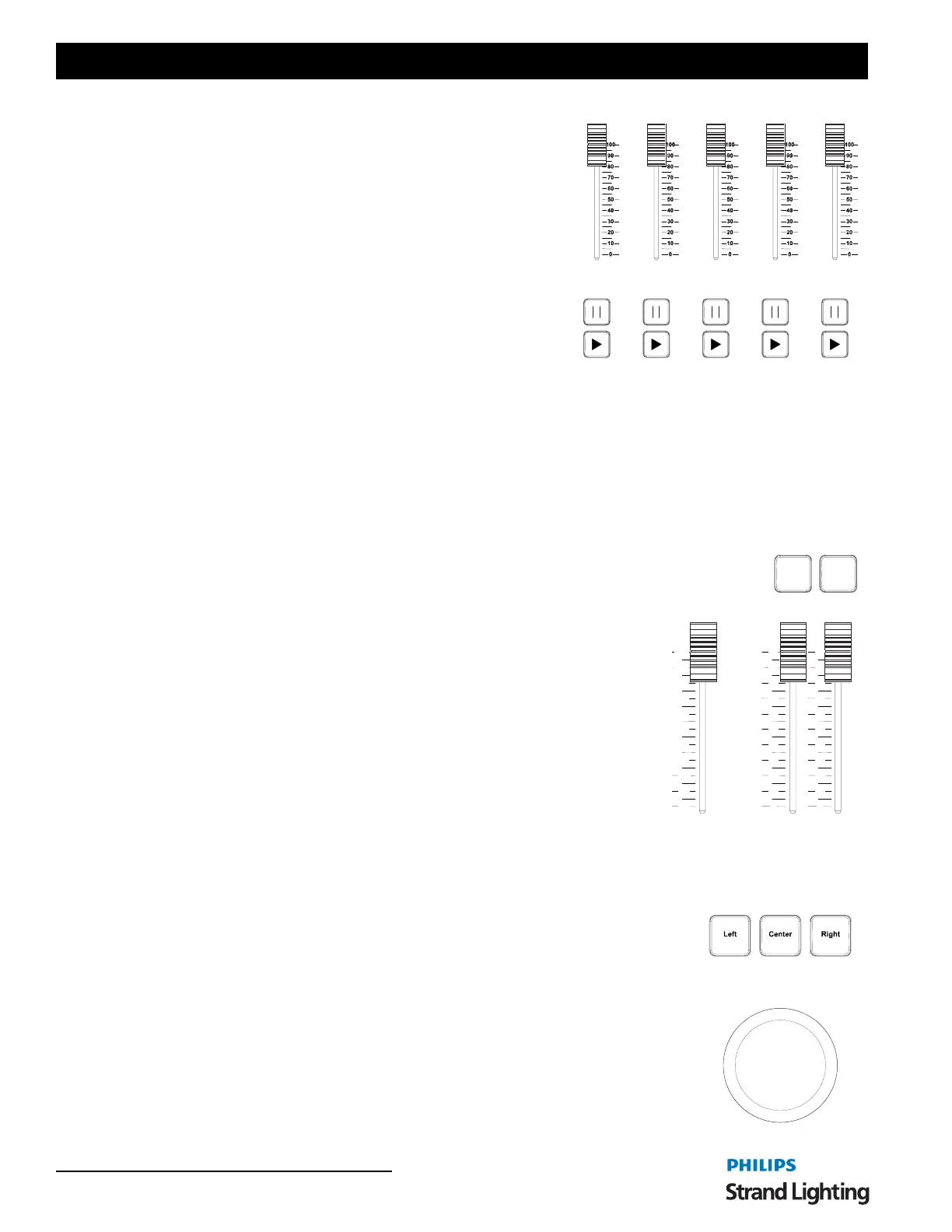
Playback Faders
[PB1] / [PB5]/ [SELECT] - Selects cue list to display and default
record location. Solid white LED indicates there is a cue list on this
playback. Flashing white LED means this cue list is selected.
Playback Faders - Controls Fade times (in/out), cross faders,
intensity masters, scene masters or Look page master. The playback
faders can be setup to control different things as determined by the
NEO OS software.
[
II ] -Halts active cue (if running) or steps back to previous cue (if
stopped).
[
d] - Activates next cue (following the active Cue) on the Cue List.
Outline LED will be solid when a cue list is active and no cues are
running. The outline LED will flash when cues are running.
[STOP/BACK] - Same function as the [II] keys. Halts active cue on A/B slider (if running) or steps back to previous
cue (if stopped).
[GO] - Same function as [
d] Activates next cue on A/B slider (following the active Cue) on the Cue List. Green LED
will be solid when a cue list is active and no cues are running. The Green LED will flash when cues are running.
6. Grand Masters and Master Fade Time Fader
The NEO console features two programmable Grand Masters and a Master Fade
Time Slider.
[GM1]/ [GM2] - bump buttons for corresponding Grand Master slider.
1) Disabled
2) DBO Momentary - Dead Black Out as long as the button is pressed.
3) DBO Latch- Dead Black Out toggle.
4) Stop Attributes - stops all attributes from moving.
5) Full Momentary - all outputs are set to 0 as long as the button is pressed.
6) Full Latch - all outputs are set to 0 as a toggle.
Grand Master 1 / Grand Master 2 - Programmable Grand Masters. These are
special groups and can be edited in the Groups display.
Master Fade Time Slider - controls the rate for channel and shortcut recall. Does
not affect timed cues and effects.
7. Trackball/Mouse Controls
The NEO console features a trackball/mouse.
[LEFT] - mimics the left mouse button.
[CENTER] - toggles between mouse mode (white LED) and pan/tilt mode (red LED)
[RIGHT] - mimics the right mouse button.
GM1 GM2
50s
2s
1s
0s
5s
10s
15s
20s
30s
40s
60s
MASTER FADE TIME
0
10
20
30
40
50
60
70
80
90
100
GRAND MASTER 1
0
10
20
30
40
50
60
70
80
90
100
GRAND MASTER 2



 To Next Page