Console Power Up Procedure 23
NEO Lighting Control Console
USING THE MANUAL
Using this manual to its full potential is aided by knowing the format in which the information is provided.
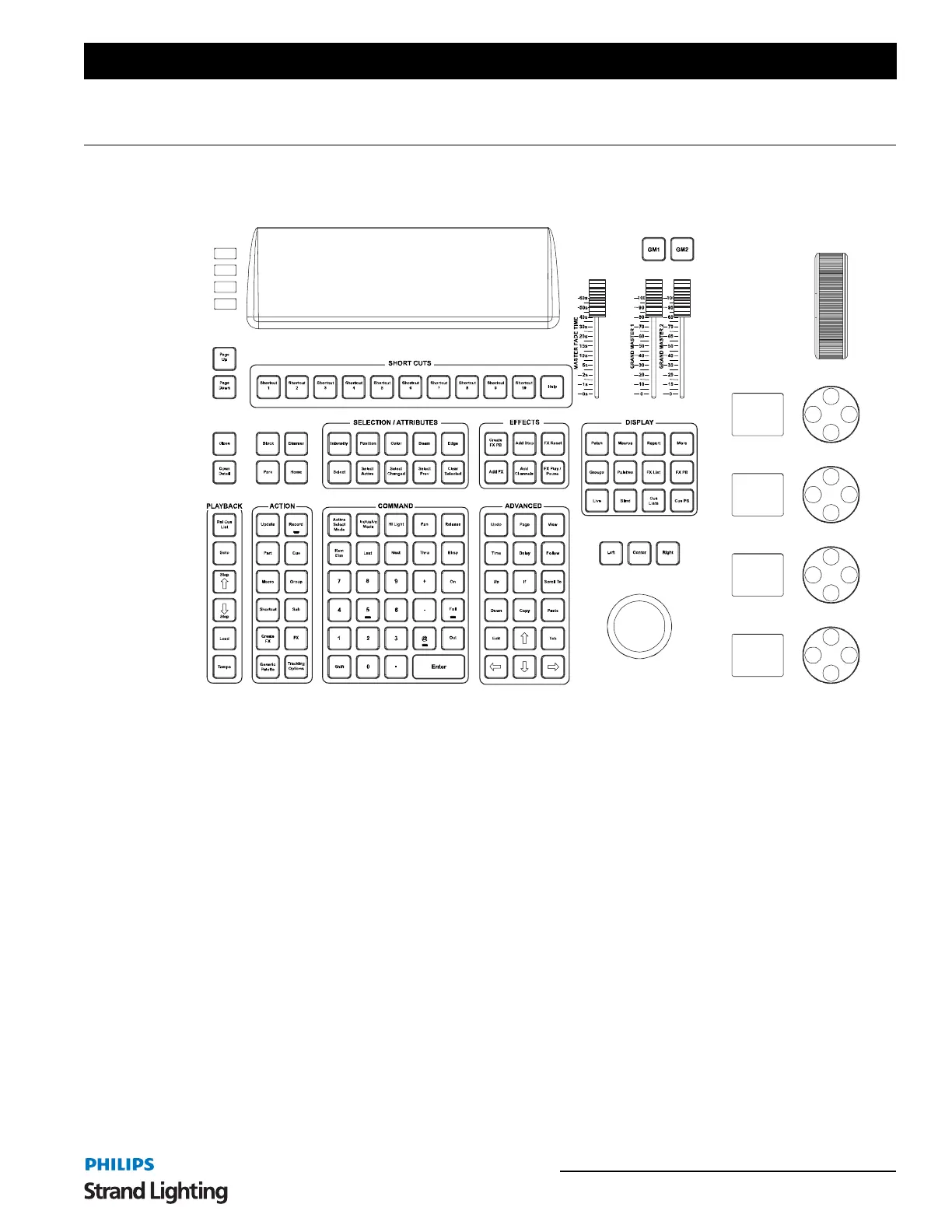
There will be Command Line instructions. These are commands that you enter by typing on the NEO console keys.
Figure 2: NEO console keys
All Command Line entries in this document will be displayed in brackets.
[1] [@] [30] [ENTER]
The monitor will offer lots of opportunities for direct entry to the graphical user interface. This can either be
accomplished by touching the monitor should you have a touchscreen. If you don't have a touchscreen then the
console's trackball can provide an alternative to the touchscreen.
Touchscreen entries will be listed as follows…
(View)
Congratulations on the purchase of your NEO console and let's get started!



 To Next Page