Palettes & Groups 135
NEO Lighting Control Console
information for each of the fixtures. This is often referred to as a specific palette because the values held by the
palette is specific to the fixture. NEO uses "Channel Groups" for specific palettes.
Channel Groups (Specific Palette)
While channel groups are typically used with submaster to control a group of lights they are capable of holding any
combination of fixture information. This makes them perfect for use as a specific palette. By storing only the position
information into the channel group we have effetely created a specific palette for a position on stage (this is called a
position preset).
Because channel groups can store any combination of data we are not restricted to just one attribute. We can store
color information with our position if we wanted but this is generally not recommended because it limits flexibility
when we come to using it later. We may however want to store zoom information with the position so that we always
have the same size circle of light on stage regardless of the position.
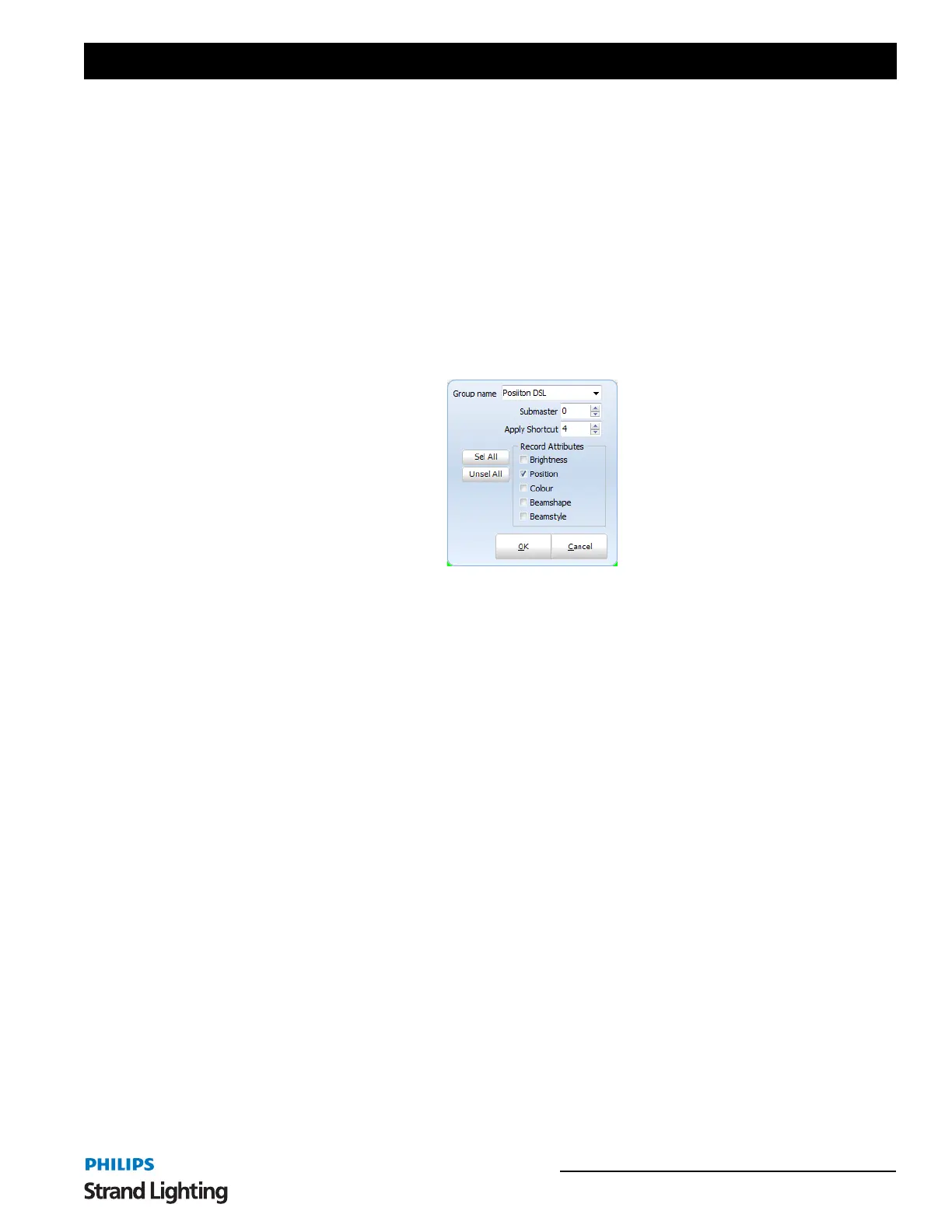
When recording channel groups NEO provides options specifically designed for using it as a palettes.
If we are only using the group as a palette then we do not need to assign a submaster. We may however want to assign
a shortcut for quick access to call this up.
The "Record Attributes" check boxes allow you to select the subset of attributes you want to include. All other
attributes will be set to "OFF" and will not be changed when the group is applied.
On the Fly Control (Busking a Show)
When using NEO in live control environment palettes become a key component of your show. You can use palettes to
pull up looks on stage quickly and as required.
This is also useful when programming a cue list based show by making it quicker to setup scenes.
For the examples shown here we are going to work with color and positions but remember that any attribute can be
used.
Creating Position Presets
To create a position preset palette we need to record a channel group with each fixture pointing into the location we
want. For this example we have patched 8 Mac 250 Entour's and have set them to all point into the front center of the
stage.


 To Next Page