User’s Manual
32 Software Configuration
Command Pulldown - Selection
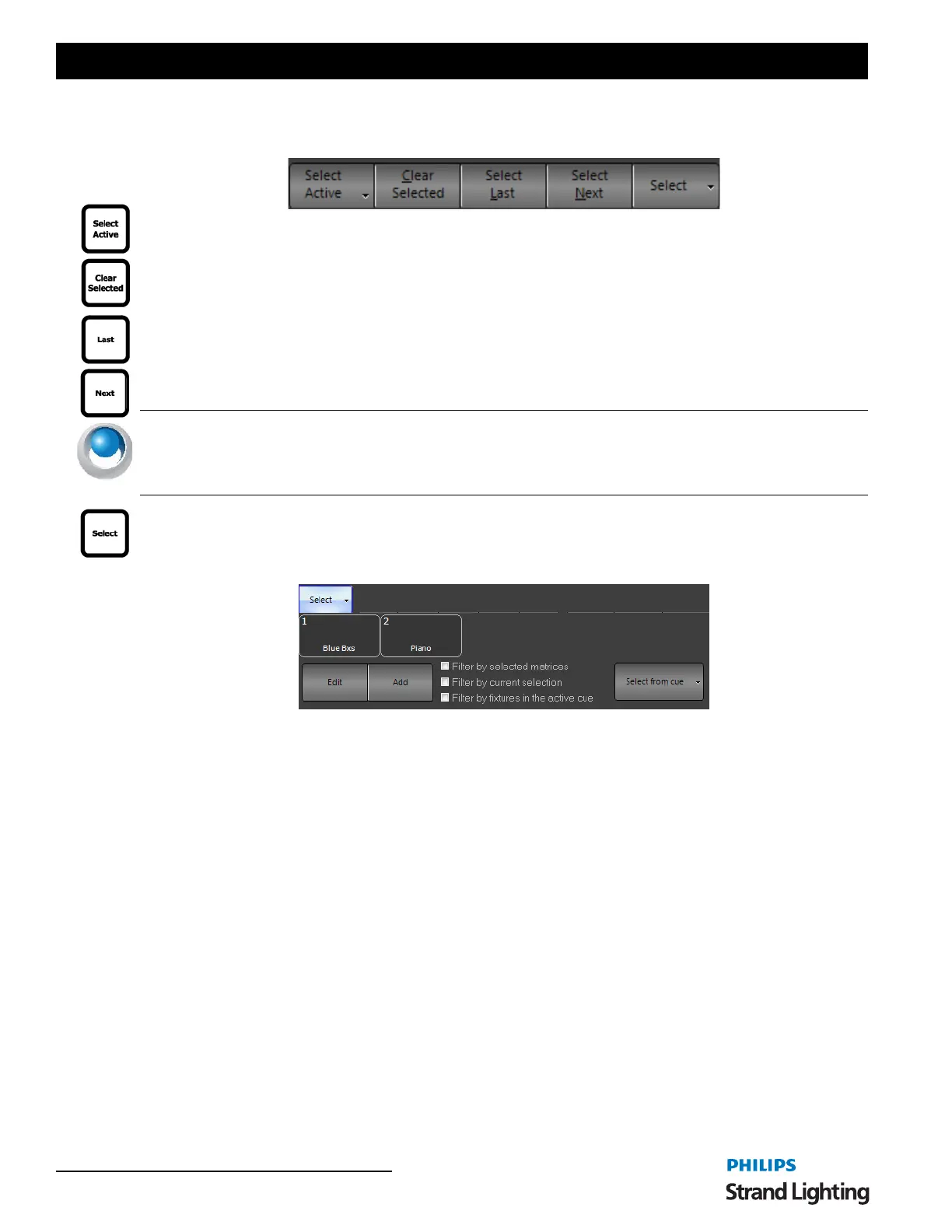
Select Active - captures all fixtures with an intensity level above 0.
Clear Selected - uncaptures all captured fixtures.
Select Last - selects the previous numerical fixture.
Select Next - selects the next numerical fixture.
NEO NOTES & TIPS: For advanced functionality, if a group of fixtures is selected, NEXT / LAST will allow the
user to cycle through that group of fixtures only. For example, if 11 thru 15 are selected. Pressing NEXT will select
11. Pressing NEXT again will select 12. Continuing to press NEXT will cycle thru all fixtures in the group and then
cycle around and start over again. This same functionality works for LAST.
Select - opens advanced selection dialogue box. Allows quick selection of show built groups. From the Select
Pulldown menu, you can…
• Edit - opens the Group display window for group editing.
• Add - allows the creation of a Group.
Use the option "Filter by selected matrices" to sub-select channels by the currently selected matrices in the Magic
Sheet view.
Use the option "Filter by current selection" to sub-select only from what is currently selected. If nothing is currently
selected then the selection range will cover all channels.
Use the option "Filter by fixtures in the active cue" to limit the selection to only channels used in the currently
running cue. If a channel is not in the current cue it will remain unselected when using selection shortcuts.
The Select from cue button allows you to use a pulldown to select fixtures from a cue.



 To Next Page